








Windows users are being urged to update their PCs immediately following a major security alert from Microsoft.
The tech giant has just rolled out its latest update, which tackles a whopping 206 security flaws — the largest since Microsoft launched the programme back in October 2003.
Among these vulnerabilities, 32 have been rated as critical, meaning they pose serious risks to your computer.
Even more concerning, three of the bugs are what experts call "zero-day" flaws. This means hackers have already discovered the glitch and will be leveraging it to hack into devices worldwide. This latest vulnerability lets fraudsters steal personal information and passwords to either impersonate you or drain your bank account. It's unfortunately becoming more common, as Google rushed out a similar fix for millions using Chrome.
 Your Microsoft device must be updated to Windows 11 — the latest operating system — to receive the latest features and security fixes | MICROSOFT PRESS OFFICE
One of these vulnerabilities is particularly alarming. Dubbed CVE-2026-49160, it could let cybercriminals take complete control of an affected system, putting all of your personal data located there at risk.
A second one, called CVE-2026-50507, could allow someone with physical access to your device to get around BitLocker Device Encryption, essentially giving them a way into your protected files.
The third — CVE-2026-45586 — is a security flaw in a Windows component that handles keyboard and language input. If a hacker already gets access to the controls on this section of your device, they can install malware, access data, disable security tools, and take full control of the system.
To install the latest security update, you can follow these steps:
- Open Settings > Start Menu > Select Settings
- Navigate to Windows Update in the left-hand menu
- Click Check for updates (Windows will search for the latest security and system updates)
- Select Download & Install
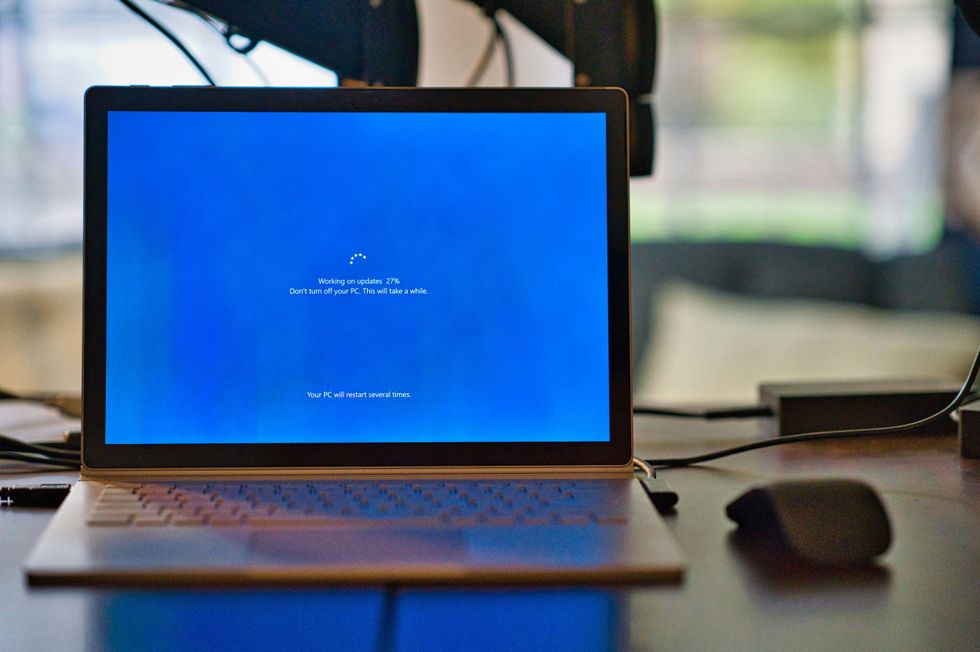 You can delay your Windows update for up to 35 days continuously | UNSPLASH
 However, if you're in the middle of a project and can't update your Windows 11 device at the moment, Microsoft recently rolled out an update to let you pause anything from being installed.
Before, Microsoft could strongarm your device to update to the latest software – even if you were mid-task – to roll out critical security updates.
But now, the US tech firm has rolled out changes so that you can control when or if you decide to update your device.
Aria Hanson, strategic innovator at Microsoft, wrote in a blog post: "We are continually reading the feedback submitted about the Windows update experience. Personally, I've had the opportunity to read over 7,621 direct verbatim over the last few months.
"Across this feedback, there are two key themes that persistently pop out: disruption caused by untimely updates and not enough control over when updates happen. The changes we’re rolling out today are focused on giving Windows users more control over their PC experience, while keeping devices secure by design and by default."
You can now pause updates for 35 days at a time, and there's no limit on how many times you can extend that pause. This means if you prefer to delay the updates indefinitely, then you just have to hit pause again every 35 days.
LATEST DEVELOPMENTS
- New Windows 11 update brings major speed boost to your PC
- Google Chrome 'maps your daily routine and weekend plans,' study reveals — protect yourself now
- End of Freeview? UK looks to 'switch off terrestrial television' and replace it with broadband
- Best VPN deals
- Microsoft launches game-changing Windows 11 update
But experts are saying that delaying these installs could end up doing more harm than good.
Alex Thompson, Tech Expert and Windows Specialist at The Computer Portal, told GB News: " Microsoft is essentially handing users a 'snooze button' that they can hit indefinitely, which creates some serious security blind spots.
"Security risks of indefinite delays. When users postpone updates for months, they are essentially running Windows with known vulnerabilities that cybercriminals are already exploiting.
"The average time between a security patch release and active exploitation is now just 14 days. A user who delays updates for 6 months could be running software with 12+ unpatched security holes that hackers have detailed maps for."
And if you're one of the 26% still using Windows 10, you won't be able to prevent security risks at all.
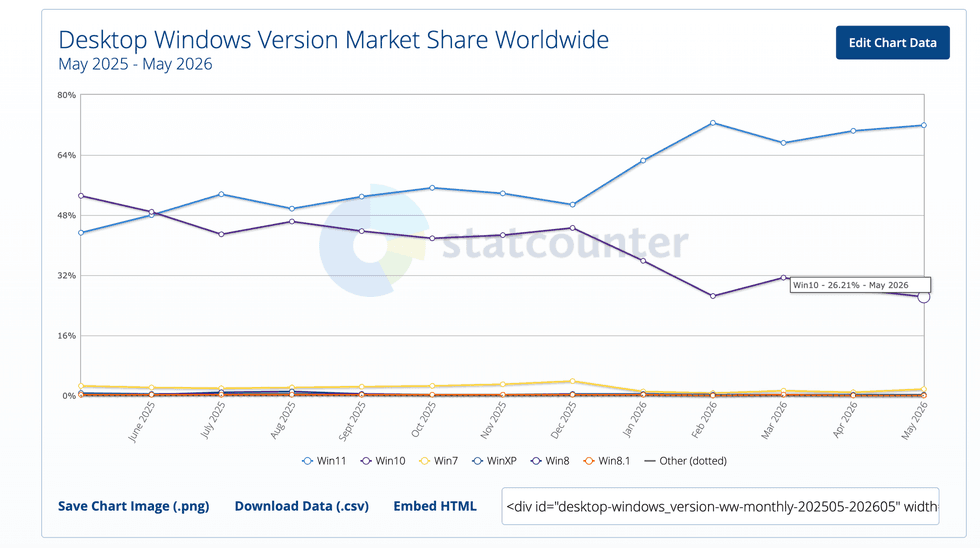
As of May 2026, 26% still use Windows 10, which Microsoft ended support for in October of last year
|STATCOUNTER
This means free software updates — like what was mentioned above — to address security vulnerabilities, bugs, and critical issues for the older operating system are no longer available.
This has pushed many users to either upgrade to the new operating system or replace their PCs with devices that support it, so they can prevent hackers from taking advantage of them not being treated to these free updates. For instance, a critical Windows security update was recently released by Microsoft to fix 59 flaws.
If your Windows 10 computer meets the minimum criteria to run Windows 11, Microsoft will let you upgrade to its newest operating system free of charge. Similar to the free upgrade scheme that let PC owners with Windows 7 and Windows 8 switch to Windows 10, there's no charge to unlock the latest Windows 11 features.
To check the eligibility of your laptop or desktop PC, you can either use the PC Health Check feature included on Windows 10 or a third-party tools like WhyNotWin11. If your hardware is compatible, the simple upgrade process involves clicking the Windows Start button, then select Update & Security> Windows Update.