


All products and promotions are independently selected by our experts. To help us provide free impartial advice, we will earn an affiliate commission if you buy something. Click here to learn more





If you've just plumped for one of the best VPN deals and you’re still getting to grips with your shiny new VPN service, you might be a bit confused about how the whole thing works.
Record numbers of Brits have turned to VPNs to help protect their privacy, access streaming websites while on holiday, and prevent themselves from being blocked on certain websites. However, if you’re not particularly tech-savvy, it might be a bit of a confusing on how to connect to a new VPN location or server while using it.
Well, don't worry – we've got the details on everything you need to know about changing VPN locations.
Subscribe to ExpressVPN for just £1.74 – cheaper than its Black Friday deal

Protect your personal information and encrypt everything you do online for just £1.74 with the latest ExpressVPN deal. That equates to just 6p a day for military-grade encryption across 10x devices.
Unsurprisingly, this blockbuster sale trounces NordVPN, its biggest competitor.
ExpressVPN boasts apps for iPhone, Android, Linux, Windows, Mac, Fire TV, and dozens more, to secure your internet traffic from prying eyes, advertisers, and governments. We praised its speed and reliability in our ExpressVPN review. For a limited time, you'll benefit from an extra 4 months free with a two-year plan
How to change your VPN location
Depending on which VPN service you’ve subscribed to, switching the location of the VPN server that you've connected to is usually pretty quick — although it's not always clear what you need to do. We’ll use our favourite VPN service — ExpressVPN — as the example. If you haven't come across this secure service before, read our in-depth ExpressVPN review to find out everything you need to know.
If you’re already connected to the VPN, it should show a city or location as well as a country. To change your VPN location, navigate to the server list or map, and select a new city or country.
You may have to click ‘Connect’ to update your IP address, allowing you to bypass regional content blocks. This process works on desktop and mobile apps to change your virtual location.
Here’s a quick step-by-step guide if you’re a bit confused:
- Open the App and launch your VPN application (eg. NordVPN, ExpressVPN) on your device
- Browse the server list or map and choose the desired country or city
- Tap the Connect button to establish a new connection. You might not need to press connect again, depending on the application you’re using
One thing to note is that you can only connect to locations where your VPN provider has servers.
If you’re looking to connect to a new server because your connection fails or is slow, disconnect and select a different server in the same or a different location.
If you’re using a browser extension, you can change locations directly within your browser using VPN extensions like ExpressVPN’s Chrome extension, which can take seconds.
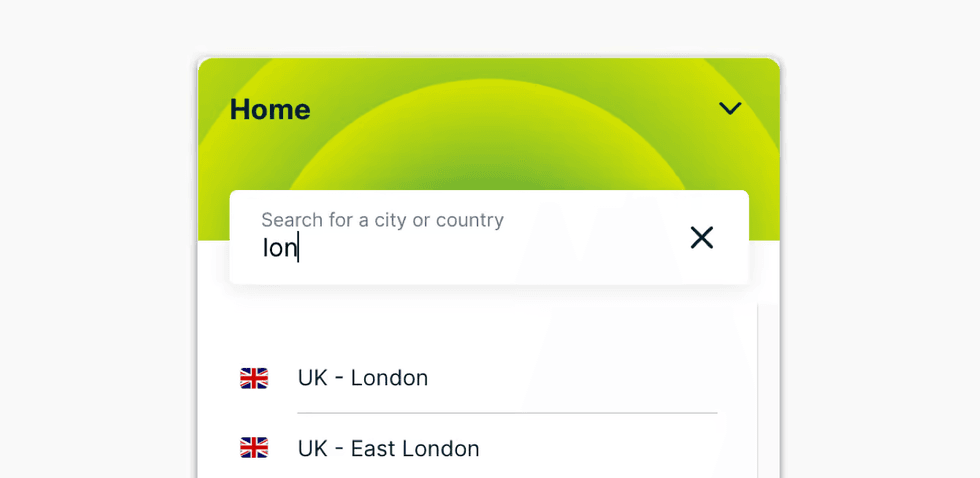
By default, most VPN services will either connect you to the nearest VPN server to your current location, or the last VPN server that you picked
|KAPE TECHNOLOGIES PRESS OFFICE
How can I make sure my VPN location has changed
To confirm your VPN changed your location, connect to the VPN in the new location, then use an IP checker website like WhatIsMyIP.com, IPleak.net, or dnsleaktest.com to see if the displayed IP address and location match the server you chose; you can also run tests with the VPN off first for comparison.
You can also visit a streaming service like Netflix or Google. If you see content or advertisements specific to your chosen VPN country, the change has worked.
Depending on the VPN you’re using, you should typically notice a slight decrease in internet speed due to the extra routing. No change at all could mean you aren't actually connected to the VPN server.
LATEST DEVELOPMENTS
Why should you change your VPN location
Changing your VPN location can be vital if you’re trying to access geo-locked content, as well as bypassing censorship and restrictions being imposed in the country you’re in.
Accessing geo-locked content is the most important reason and can be extremely useful while you’re on holiday or abroad. Most apps like Netflix, BBC iPlayer or other streaming services tend to block access for those located in other countries.
Connecting to a UK VPN location, for example, will allow you to watch all the shows and series you want without needing to worry about any restrictions. There’s also bypassing website checks and blocks – something a lot of Brits have to contend with since the introduction of the Online Safety Act. Many websites now ask for age verification or block UK internet browsers’ access altogether
By changing your VPN location to somewhere that isn’t the UK, websites won’t recognise that you’re located in the UK, and it should bypass the restriction.
Changing your VPN location also allows for better deals on flights, software and other purchases depending on the location you access from. For seasoned VPN users, sometimes you’ll find that certain servers can experience issues. If you find that your usual VPN speeds just aren’t up to snuff, then disconnecting and connecting to another server can help sort out any slow speeds you’re experiencing.