


All products and promotions are independently selected by our experts. To help us provide free impartial advice, we will earn an affiliate commission if you buy something. Click here to learn more








ExpressVPN has launched a brand-new password manager for iPhone and Android.
Dubbed ExpressKeys, this isn't a new proposition from the global security brand. ExpressVPN first introduced its password manager functionality in November 2023, which was bundled as part of its best VPN deals. Until now, the only way to access this functionality was within the ExpressVPN app.
- Secure all of your online accounts with ExpressKeys password manager
- Get up to 82% off ExpressVPN subscriptions
ExpressKeys is now a purpose-built app on iOS and Android, separating the award-winning VPN functionality and other security features included with a subscription from your login credentials. The standalone software can be used to generate one-of-a-kind passwords for every account, while existing login details are saved and organised.
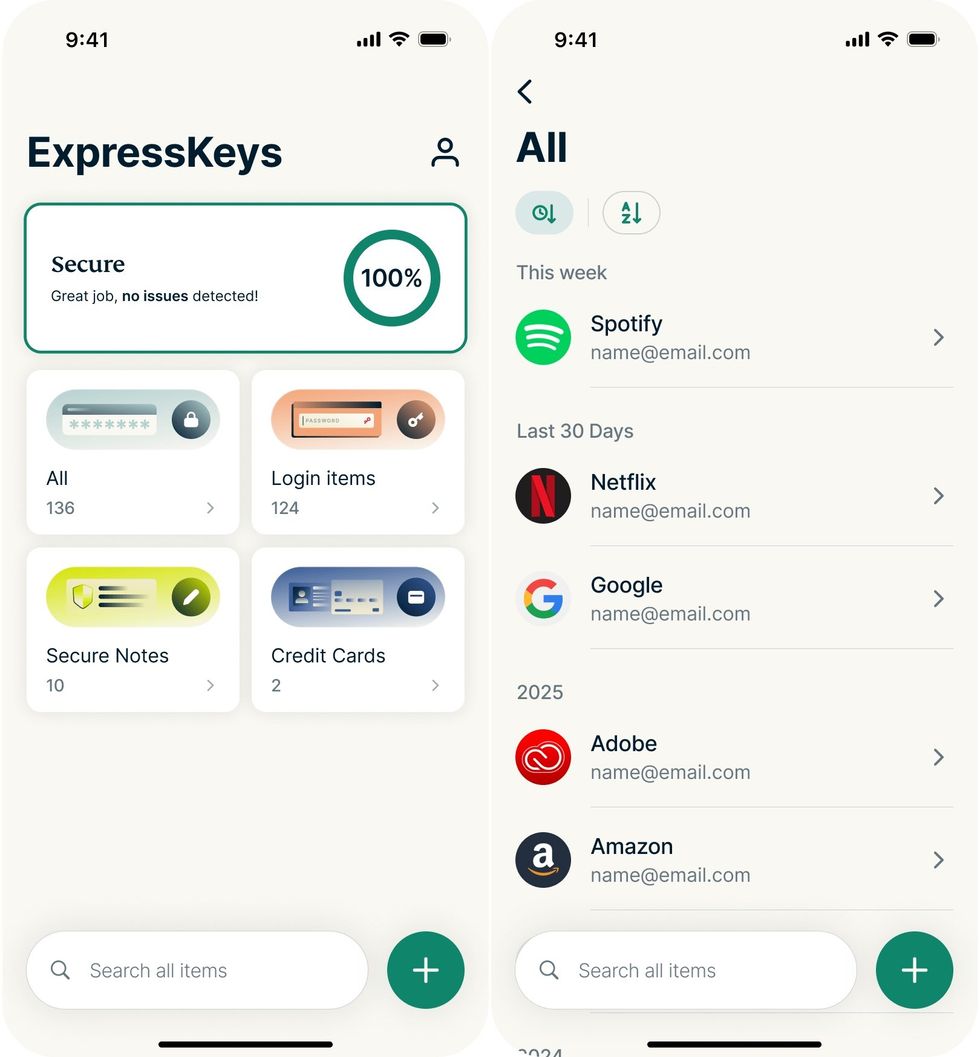
ExpressKeys can encrypt and store login details for your favourite websites, online subscriptions, and mobile apps. It can also be used to encrypt notes and autofill your credit or debit card details
|KAPE TECHNOLOGIES PRESS OFFICE
When you need to log in to a website or app, ExpressKeys is tightly integrated with both iOS and Android operating systems, so everything can be autofilled with a single tap – saving you from the headache of typing out a jumble of lowercase and uppercase letters, symbols, and numbers.
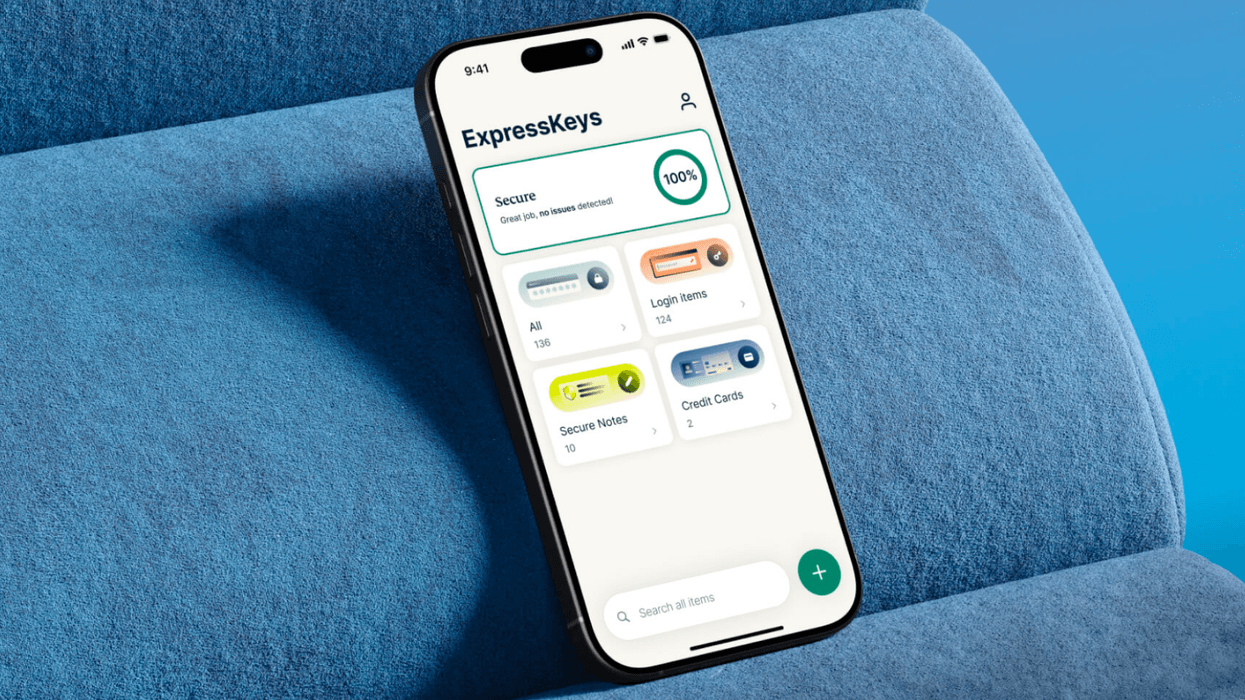
If you've previously used a dedicated password manager, like 1Password, LastPass, or the standalone app introduced by Apple two years ago, then you'll have a good idea of what to expect with ExpressKeys. Open the app on your iPhone or Android, and you'll be presented with a simple at-a-glance overview of saved login details, credit and debit cards, and secure notes.
Switch to ExpressKeys and secure EVERY password
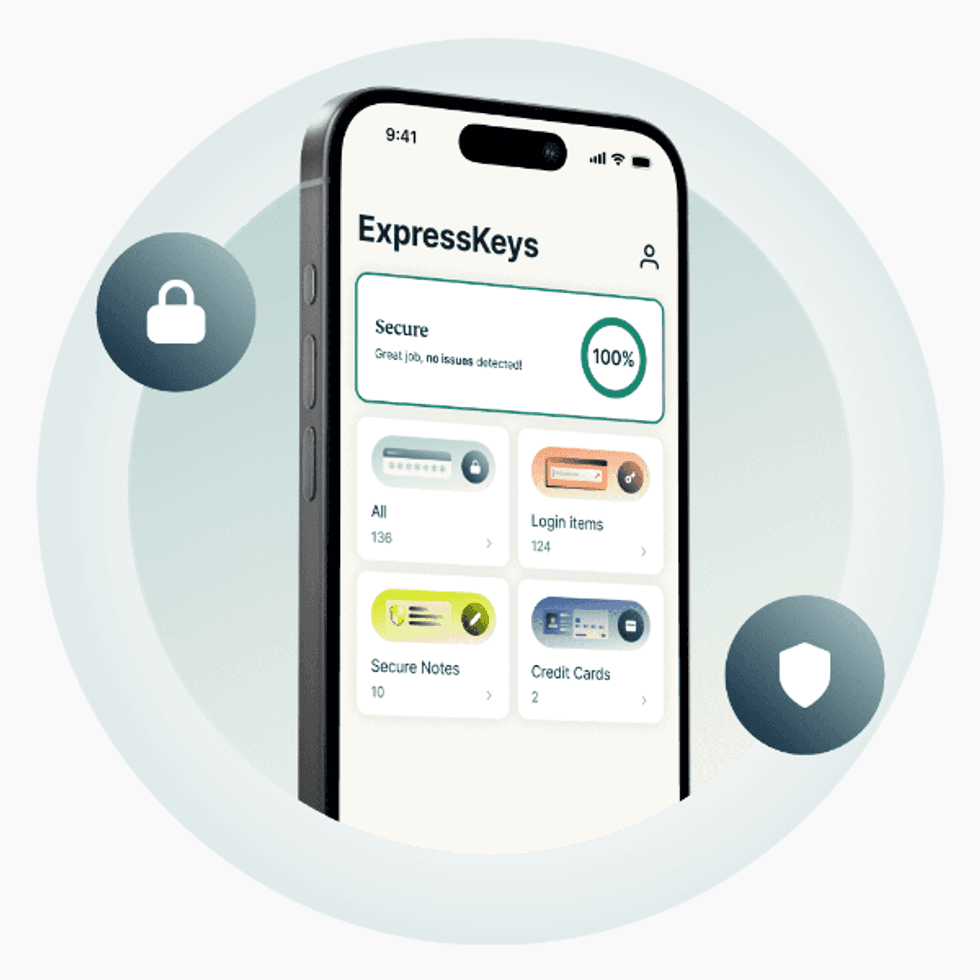
Included at no extra cost with ExpressVPN's Advanced and Pro price plans, ExpressKeys is now available as a standalone app to encrypt, organise, and store unique passwords for all of your online accounts. You can also store credit and debit cards, or notes that will be shielded with military-grade encryption
ExpressKeys
$10.99
$2.44
The app also includes a slew of helpful capabilities, like a built-in password generator, seamless autofill, and automatic syncing across devices to keep everything up to date. All sensitive information is protected using zero-knowledge encryption, meaning only you can access the data.
ExpressKeys will spotlight weak or reused passwords, check for exposed credentials on the Dark Web, or any of your personal information shared in data breaches — so you can immediately take action.
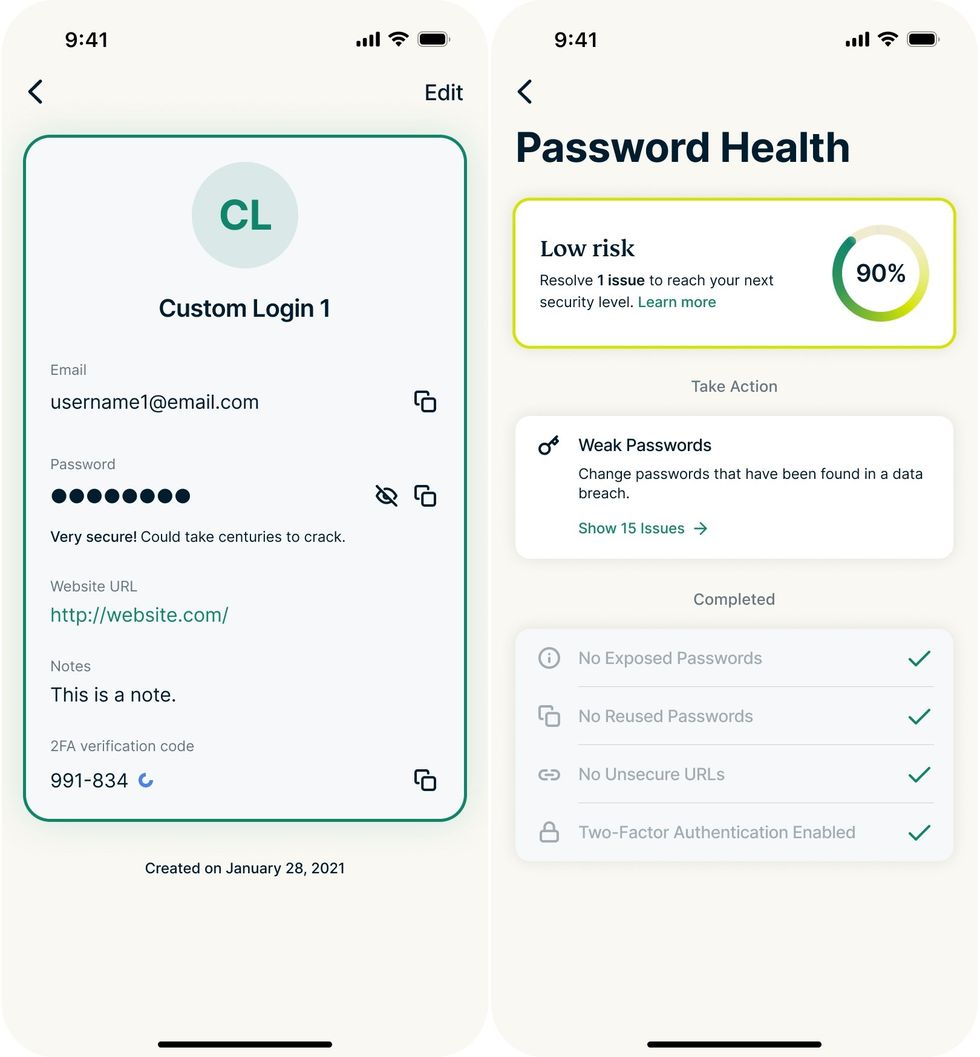
ExpressKeys will perform several security checks on each of your saved login credentials: notifying you if you've reused the same password across multiple accounts; if your password has been exposed by hackers; if you're missing out on additional security features, like two-factor authentication
|KAPE TECHNOLOGIES PRESS OFFICE
Biometrics can be used to unlock the ExpressKeys app, like Face ID on iPhone or a fingerprint scanner on Android, so you won't even need to remember a password to access the vault of login details. Reusing the same login across multiple accounts is one of the worst things you can do for your online security, since it only takes one of these accounts to end up in the wrong hands and everything could be exposed.
And with breaches on the rise, like the recent leak of 149 million passwords to the Dark Web, it's not worth the risk.
LATEST DEVELOPMENTS
ExpressKeys can also function as an authenticator, creating one-time codes to provide an extra layer of protection for accounts requiring two-factor authentication (2FA). If you were one of the millions who relied on Microsoft Authenticator to store passwords and generate one-time codes before the functionality was shuttered last year, the latest launch from ExpressVPN could be the ideal replacement.
According to the engineers at ExpressVPN, breaking out the ExpressKeys functionality into its own app should accelerate the rollout of improvements over time. That's because the roll-out of these new features will no longer impact the core VPN service. It also prevents the main ExpressVPN app from becoming too cluttered as new features are added to that service over time.
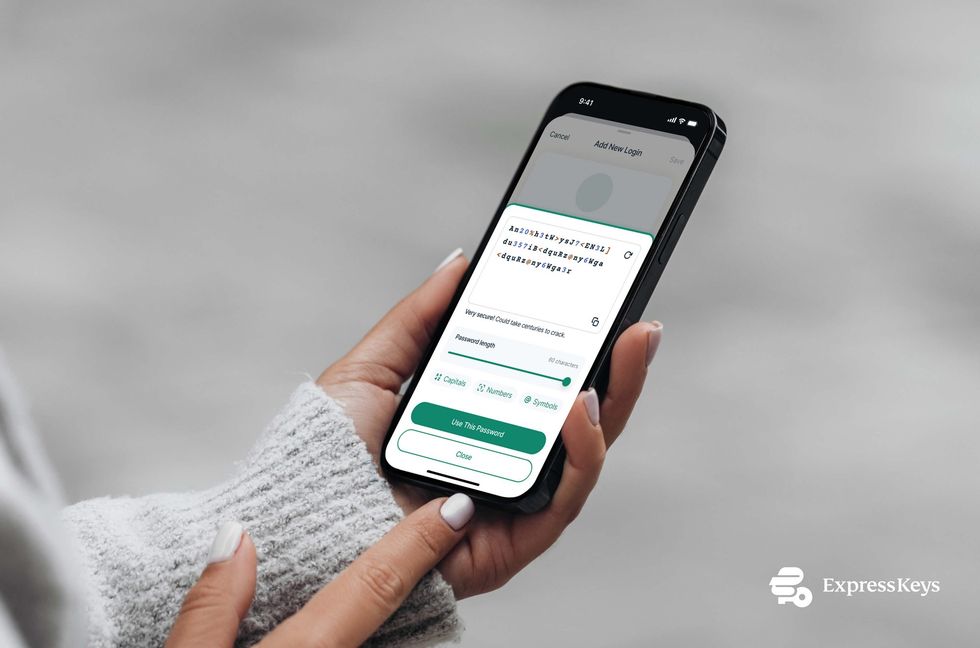
You can customise the recipe for ultra-secure passwords, choosing the overall length and whether symbols and numbers are used
|KAPE TECHNOLOGIES PRESS OFFICE
If you're already subscribed to the Advanced or Pro price plans with ExpressVPN, you'll already have access to ExpressKeys functionality. You can log in to the new ExpressKeys app with your existing ExpressVPN credentials, and you'll find your existing passwords, secure notes, and saved credit cards ready and waiting.
Get ExpressVPN at its lowest-EVER price

ExpressVPN has secured dozens of awards — and for good reason. The brand boasts VPN server locations in 105 countries, providing access to global coverage. It offers ultra-fast speeds on a 10-Gbps network, essential for high-quality streaming without buffering.
With military-grade encryption, a strict no-logs policy, and features like split tunnelling and a kill switch, your online activity stays private — it's why we were positive in our ExpressVPN review. With a guaranteed 30-day money-back guarantee, there's no risk in signing up for this blockbuster discount on two-year plans
[countdown-2026-02-17]
Get up to 82% off ExpressVPN
$9.99
$1.74
If you're new to ExpressKeys, you can import passwords, credit or debit cards, and other data from rival password managers to make switching straightforward.
The password manager functionality won't be stripped from the core ExpressVPN app immediately. This iOS and Android app will continue to offer the integrated password manager until March 5, 2026 for a smooth transition.
ExpressVPN Chief Operating Officer, Shay Peretz said: "Passwords are the foundation of digital security, yet managing them effectively remains an ongoing challenge as threats evolve. With today’s launch of ExpressKeys as a dedicated password manager app, we’re giving users a simpler, more secure way to save, organise, and autofill their credentials.
"ExpressKeys is also an important step in where we’re headed: a broader privacy ecosystem designed to give people more control over their digital lives. Over time, we’re building a suite of purpose-built apps that work seamlessly together, so users can choose the tools that fit their needs today and add more protection as those needs grow."
ExpressKeys is available to download now. Here's a brief rundown of the functionality bundled in the service:
- Password generator: Can't think of a good password? This feature will generate a strong, unique password –with customisation options to change length, numbers, symbols, and more
- Biometric unlock on iOS and Android: Access ExpressKeys securely without typing your primary password
- Automatic sync: Automatically sync all stored information across an unlimited number of devices
- Autofill: Autofill logins, passwords, and credit card details in a single click
- Protection beyond passwords: Securely store an unlimited number of logins, passwords, credit/debit card details, and notes
- Password Health: Identify weak or reused passwords, check for exposed credentials and personal details in data breaches, and get guidance to improve security
- Two-factor authenticator: Generate and autofill six-digit time-based one-time passwords (TOTPs) when signing in to accounts that support 2FA
- Zero-knowledge encryption: Only you can access your stored information
- Offline access: Access and edit saved items even when your device is offline
- Import/export: Easily import logins from other password managers and export stored information
- New device protection: Two-factor authentication when accessing ExpressKeys on a new device
- 24/7 live chat support: Get help anytime you need it
More From GB News