









Microsoft is planning a slew of new features for Windows 11 over the coming months. With the decision to cull support for Windows 10 at the end of last year, the Redmond-based firm only has a single desktop operating system to focus on. As usual, we expect two major updates coming to Windows 11 in 2026.
The first, dubbed Windows 11 Version 26H1 will be exclusive to new PCs with a Snapdragon X2 system-on-a-chip in the coming months, while the second, Version 26H2, will be coming to everybody this autumn.
The oft-reliable Zac Bowden, who has solid sources within Microsoft, has shared some details about what to expect from these two feature-packed releases. If you want to avoid spoilers about what's coming next for your Windows 11 laptop or desktop PC, then don't scroll down.
First up, Microsoft is bringing Copilot — its Artificial Intelligence (AI) assistant, powered by the latest models from OpenAI — to more places across the operating system. The next place you'll be able to summon the all-knowing chatbot is the Taskbar. Whispers from inside Microsoft suggest this'll be optional.
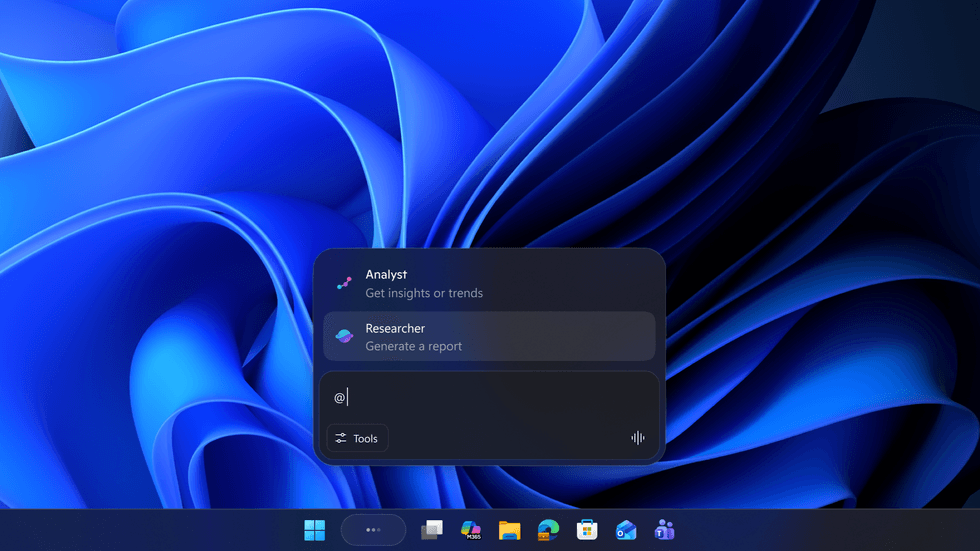
You can choose to switch the standard search box for Microsoft Copilot — so the AI assistant is never more than a single click away on Windows 11
|As spotted by the eagle-eyed team at Windows Latest, if you choose to set Copilot as the default search experience, you'll be able to ask general knowledge queries, search across your documents, contacts and applications using natural language, or search across the internet, with a single click on the shortcut on the Taskbar.
While Windows 10 might be in the rearview mirror, some of its functionality is making the jump over to Windows 11. Microsoft is restoring the ability to see upcoming events and reminders in the calendar flyout on the Taskbar, something that PC owners have been clamouring for some time.
LATEST DEVELOPMENTS
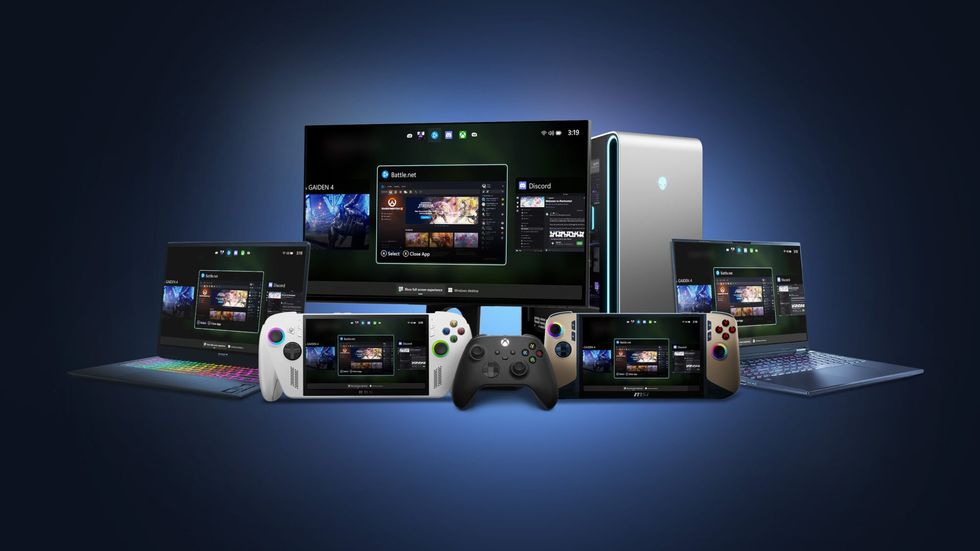
The full-screen Xbox experience on Windows 11 will let you bypass the traditional Start Menu, Taskbar and other staples of the MIcroosft-developed operating system since its inception — transforming your gaming PC into a powerhouse Xbox console
|MICROSOFT PRESS OFFICE
It's a handy way to quickly check what's coming up next on your schedule — without waiting for Outlook to load up in its Calendar view. Everything will be synced with the Outlook app on Windows 11, so new events or video call invites will automatically appear in the Taskbar flyout for a quick glance.
The new Xbox app developed by Microsoft for the flurry of Windows-powered gaming handhelds will be coming to the desktop for the first time. Launch this application in fullscreen and your machine will be transformed into an Xbox PC — with the system prioritising inputs from a gamepad and making optimisations under the bonnet to ensure games run as smoothly as possible.
With the new Xbox fullscreen mode enabled, it will replace the traditional Windows 11 desktop. When you log in to your machine, instead of being confronted with the Start menu and Taskbar, you'll be greeted by an interface that looks indistinguishable from the Xbox Dashboard found on the Xbox Series X or Series S.
Don't worry — you can switch between the Xbox interface and standard Windows desktop by pressing the Xbox logo button on your controller. For those who rely on their Windows PC predominantly for gaming, this is a great solution.
Early builds hint that Microsoft is looking into video-based wallpapers for the update coming to Windows 11 later this year. This isn't a new idea. Microsoft originally offered the ability to set a short video clip as the desktop background in Windows Vista Ultimate, but it was discarded in the transition to Windows 7.
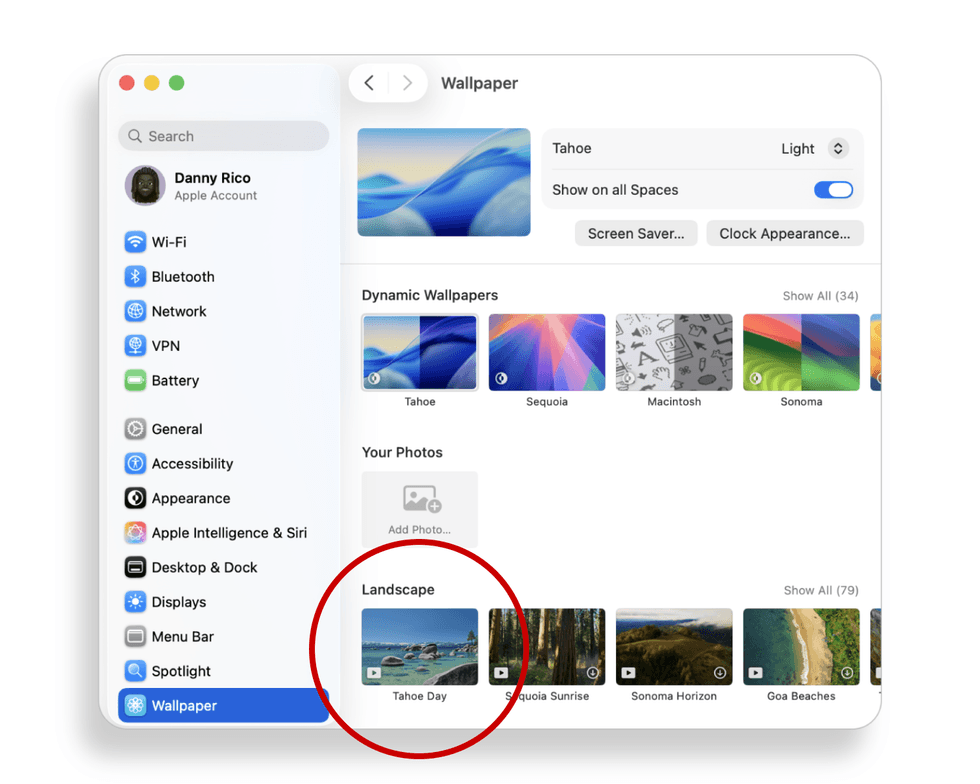
Apple offers several Live Wallpapers, with a short burst of animation that settles into a static image after a few seconds, with all macOS installations since late 2023
|APPLE PRESS OFFICE | GBN
Apple added a short animation to some of its wallpapers, which settles into a static image after a few seconds on the Lock Screen or desktop, with the introduction of macOS Sonoma in September 2023.
Unlike the implementation on Mac, Windows 11 will let you choose to have the video playing on repeat on your desktop.
And lastly, another new home for Copilot. The chatty AI will be accessible directly within File Explorer, sources say. Launching a chat window from File Explorer should make it easier to get answers about your files, generate a summary of the contents of a document without opening the file, and much more.