











Thought about subscribing to Adobe's Creative Cloud, but balked at the price? Apple just launched an affordable alternative that combines professional-level applications for video and photo editing, music creation, and more.
You'll also enjoy new Artificial Intelligence (AI) tools added into free-to-use producitivity apps like Pages, Numbers, Keynote, and Freeform, too. Dubbed Apple Creator Studio, the new one-stop-shop bundle of tools will launch worldwide on January 28, 2026.
And the best news? It could cost just £2.99 per month to unlock all these apps across your Mac and iPad.
For comparison, Adobe charges £9.98 per month for a subscription to Photoshop alone. Students can subscribe to the complete suite of Creative Cloud tools for £15.98 for a limited time, before it reverts to £32.99 per month.
Eddy Cue, Apple Senior Vice President of Internet Software and Services, said: "Apple Creator Studio is a great value that enables creators of all types to pursue their craft and grow their skills by providing easy access to the most powerful and intuitive tools for video editing, music making, creative imaging, and visual productivity — all levelled up with advanced intelligent tools to augment and accelerate workflows.
"There’s never been a more flexible and accessible way to get started with such a powerful collection of creative apps for professionals, emerging artists, entrepreneurs, students, and educators to do their best work and explore their creative interests from start to finish."
Apple Creator Studio includes:
- Final Cut Pro (£299.99 as a standalone purchase)
- Logic Pro (£199.99 as a standalone purchase)
- Pixelmator Pro (£49.99 as a standalone purchase)
- Motion (£49.99 as a standalone purchase)
- Compressor (£49.99 as a standalone purchase)
- MainStage (£29.99 as a standalone purchase)
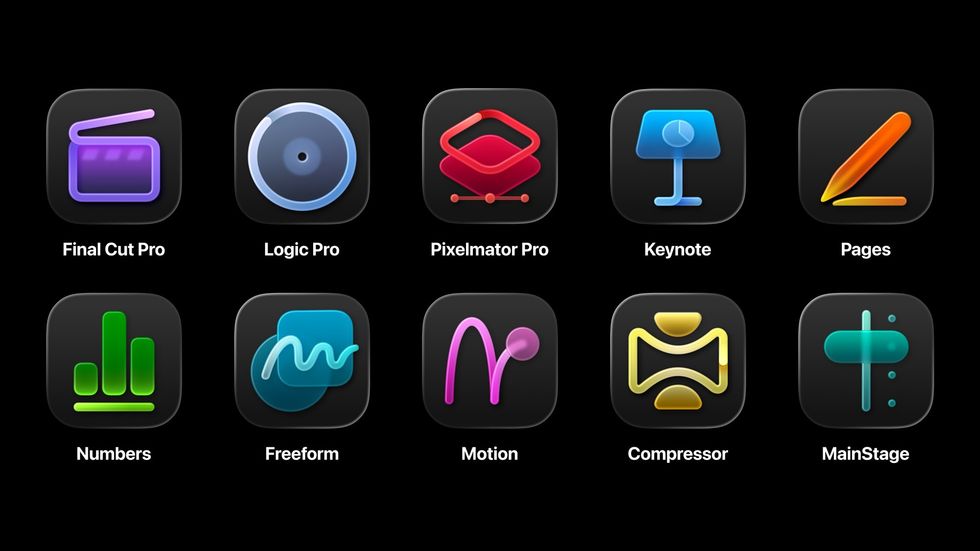
Apple will still offer many of these apps as standalone purchases, but Creator Studio subscribers
|APPLE PRESS OFFICE
It also adds the latest AI features, as well as unlimited use of Apple's new Content Hub — a library of curated, high-quality photos, graphics, and illustrations to use across projects.
In the following apps, Apple has also created premium templates and themes that aren't available in the free-to-use versions on iPad, iPhone, or Mac:
- Keynote
- Pages
- Numbers
- Freeform
Family Sharing, which is already available across Apple subscriptions like Apple Music and iCloud storage, also extends Creator Studio so up to six family members can spread the £12.99 cost each month.
Want to know what's included with Apple Creator Studio? We've got the complete breakdown below:
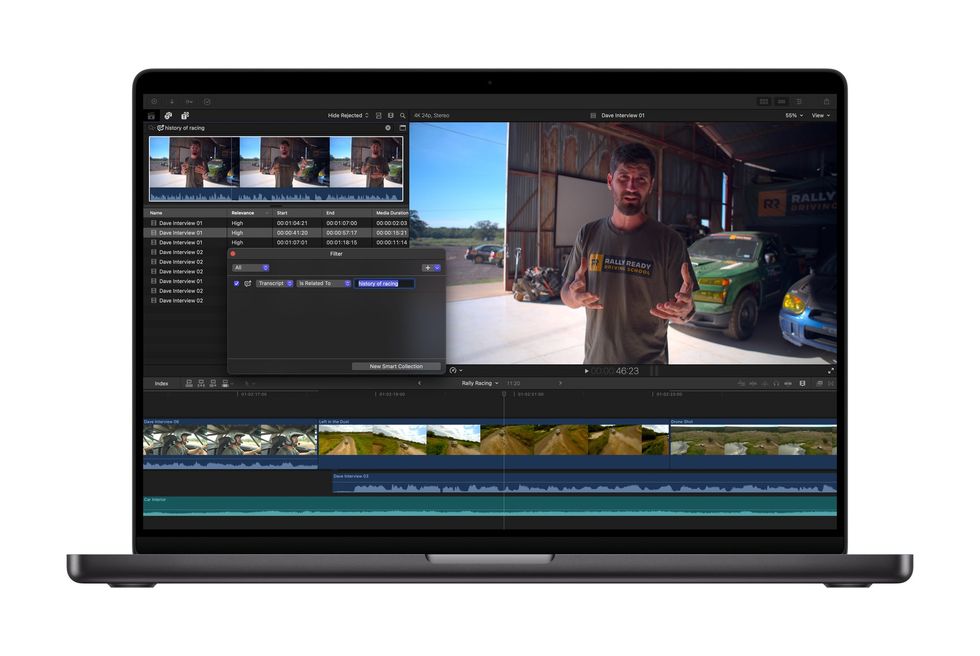
Transcript Search in Final Cut Pro lets you scour hours of footage in seconds to find the right clip
|APPLE PRESS OFFICE
Final Cut Pro
This legendary application is already used to piece together some of your favourite Hollywood blockbusters and must-binge boxsets, but Apple has added a flurry of AI tools to do some of the heavy lifting with your edits.
With Transcript Search on Mac and iPad, You'll be able to quickly pinpoint the exact moment you're looking for without spooling through hours of footage. AI automatically transcribes the sound of every clip, so you only need to typing a phrase into the search bar to see exact or related results.
If there's no sound in the clip you're looking for, Visual Search does the same trick for the pictures on-screen. Quickly pinpoint exact moments across all of your footage by searching for an object or action. You can clip-up and add B-roll to your timeline in a matter of seconds.
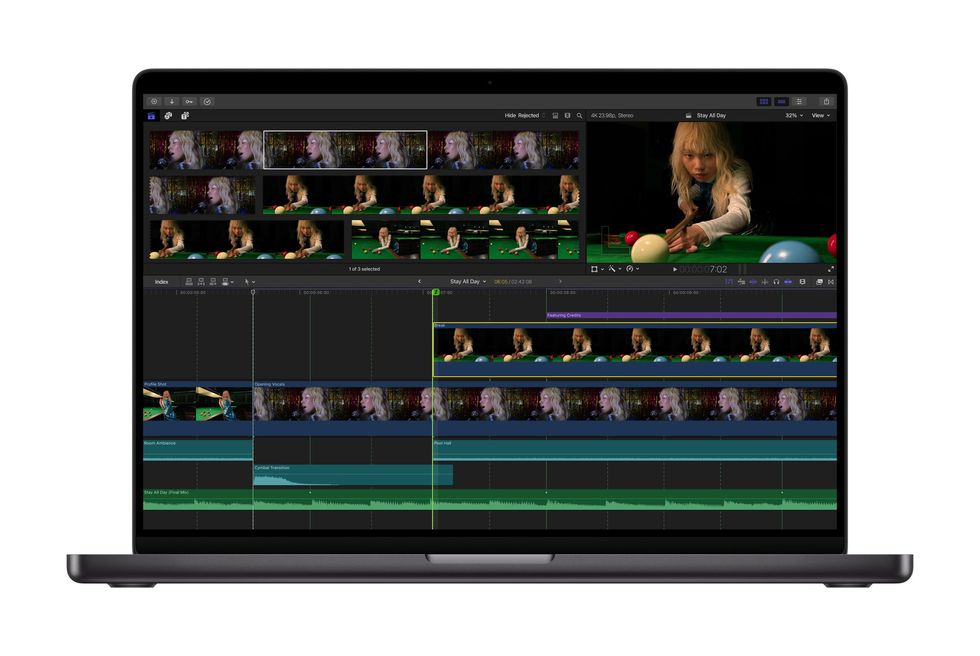
Beat Detection relies on an AI model from Logic Pro to delineate the beat of any track on your timeline, so you can match your cuts to the beat of the music
|APPLE PRESS OFFICE
Beat Detection uses an AI model from Logic Pro to instantly analyse any music track and display the Beat Grid, so you can make sure you're cutting on the beat for a fast-paced video to music. Re-editing music tracks to different lengths is also easier than ever. Apple is so confident in this feature, it's even added a dedicated keyboard shortcut for Beat Detection, so you can enable and disable in a single tap to check you're on the beat.
Rounding out the new additions to Final Cut Pro, Montage Maker arrives on iPad with the ability to kickstart a new project in seconds. Using the power of AI, Montage Maker will analyse and edit together a dynamic video based on the best visual moments within the footage. You can adjust pacing, sync to music, and Auto Crop will intelligently reformat horizontal video to vertical for social media sharing.
We've seem similar ideas from the Quik app launched by GoPro, with AI pouring over hours of footage to find the most exciting moments — cutting out some of the most labour-intensive aspects of video editing.
LATEST DEVELOPMENTS
Logic Pro
If your track is lacking something that you can't play, Apple's AI Session Players can help. These virtual performers are endlessly adaptable and all powered by AI. The newest addition to the lineup is Synth Player, which Apple says is "like having access to a skilled synthesist that can instantly take a musical idea in new directions when needed".
Developed in-house by a team of expert sound designers in Apple's Californian HQ, Synth Player delivers incredible realism and fidelity fuelled by the vast array of software synthesisers and samplers in Logic Pro. And like every AI Session Player, creators can direct Synth Player using intuitive controls for complexity and intensity, while additional parameters unlock access to advanced performance capabilities. Synth Player can also access any third-party plug-in Audio Units, or even control an external hardware synthesiser.
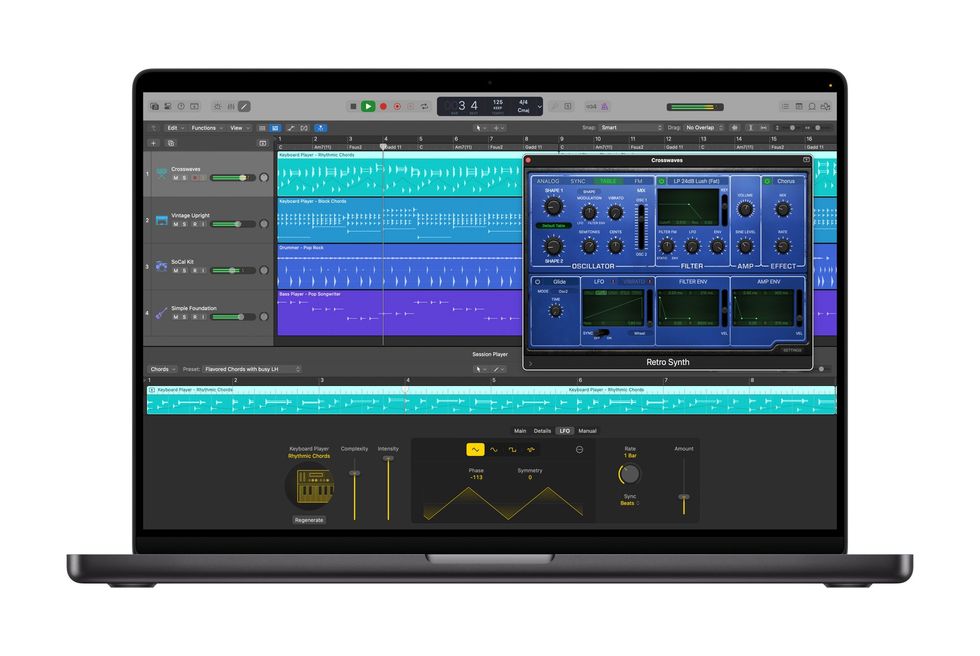
With a click, Chord ID will transform any audio or MIDI recording into a ready-to-use chord progression
|APPLE PRESS OFFICE
Chord ID is another AI-fuelled feature that acts like your personal music theory assistant. No more tedious manual transcription when you're trying to capture that demo idea quickly, Chord ID turns any audio or MIDI recording into a ready-to-use chord progression.
Designed to help everyone get the most out of the Session Player experience, Chord ID can analyse complex harmonic content from nearly any recording to automatically populate the chord track in Logic Pro. And since the chord track drives the performances of any AI Session Player, users can quickly audition different players, styles, and genres, allowing them creative freedom to experiment and dial in their favourite vibe.
The new Sound Library in Logic Pro for Mac delivers Apple-designed packs and Producer Packs with hundreds of royalty-free loops, samples, instrument patches, drum sounds, and more. Logic Pro gains natural language search in the Sound Browser, so you can describe what you're after in a few words without fiddling with tags or filters.
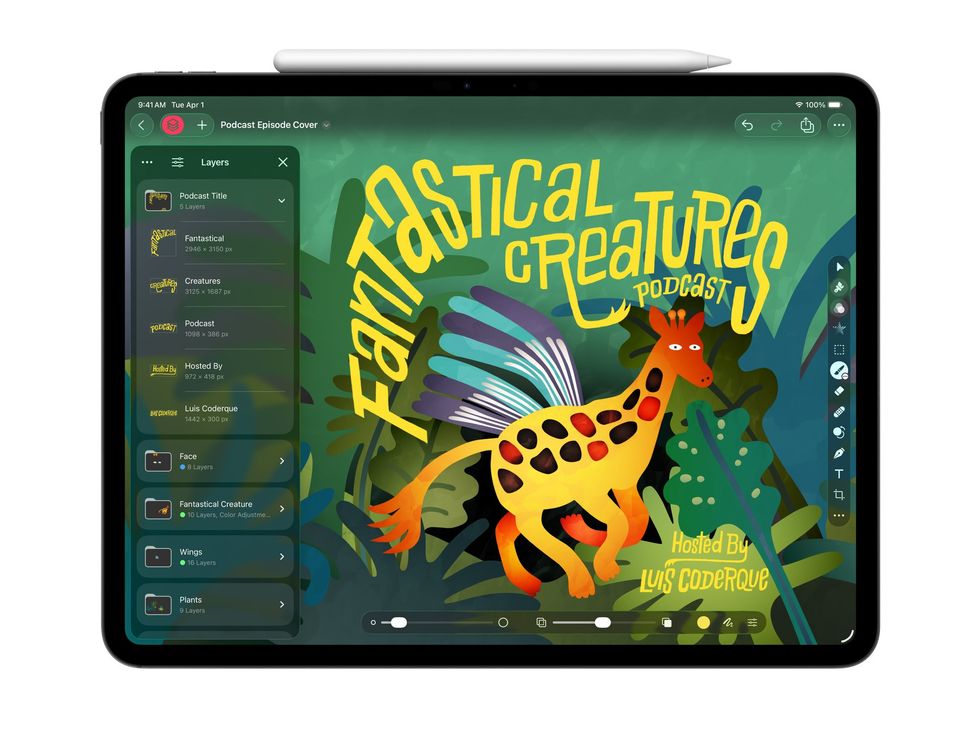
For the first time, Pixelmator Pro is available on iPad – with the same list of features as the Mac app
|APPLE PRESS OFFICE
Pixelmator Pro
Apple acquired the award-winning Pixelmator Pro in November 2024. Since then, the Photoshop competitor has enjoyed regular updates for anyone who bought the app as a standalone purchase for £49.99, but that's it.
With the launch of Apple Creator Studio, we know what the Pixelmator Pro team have been working on behind-the-scenes. For the first time, Pixelmator Pro launches on iPad, bringing an all-new touch-optimised workspace, support for Apple Pencil, and the ability to work between iPad and Mac — with all work instantly synchronised across both.
AI also plays a core role in Pixelmator Pro, too. Features like Super Resolution upscale photos intelligently to avoid pixelation; meanwhile, Auto Crop suggests eye-catching compositions with a single click.
Both Pixelmator Pro for Mac and iPad enjoy a new Warp tool for twisting and shaping layers any way creatives can imagine, alongside a beautiful collection of Warp-powered product mockups.
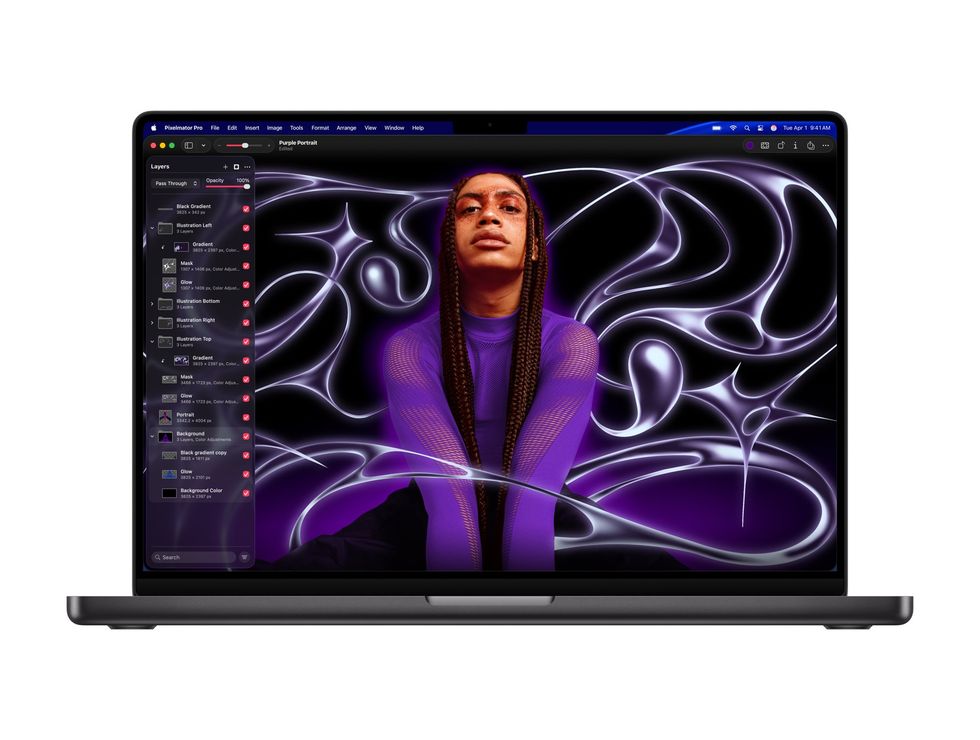
The Pixelmator Pro team was acquired by Apple back in late 2024
|APPLE PRESS OFFICE
Pages, Keynote, Numbers
These core productivity apps — Keynote, Pages and Numbers — rival the Microsoft Office suite and will remain free on every Apple device, but Creator Studio subscribers unlock premium features that take them well beyond what you get out of the box. As mentioned above, the arrival of the new Content Hub offers curated photos, graphics, and illustrations that can be used royalty-free across all of your projects.
Premium templates and themes give your presentations and documents a professional edge that are only available for those with a Creator Studio subscription. AI image creation tools tap into generative models from OpenAI, letting you create visuals from text or transform the existing curated images in the subscriber-only library.

Logic Pro adds new AI Session Players, which you can adjust for complexity and intensity
|APPLE PRESS OFFICE
You'll find productivity shortcuts like AI-generated presentation drafts from text outlines in Keynote, plus automatic slide cleanup to fix layouts. Numbers gains formula generation and Magic Fill for pattern recognition in tables.
The free versions keep all basic editing and collaboration features, so you're not locked out if you skip the subscription.
More From GB News