









WhatsApp has unleashed a lockdown mode for your messages.
The chat app, owned by Meta — the same parent company behind Instagram and Facebook, has released a brand-new Strict Account Settings feature to help keep your conversations much more private.
WhatsApp described the new addition as an "extreme safeguard". When enabled, it's designed to give you the strongest possible defences against hackers, surveillance software, and governments. This lockdown mode will block incoming attachments, photos, and videos from anyone outside of your contacts.
In its FAQ about the optional feature, WhatsApp states: "Strict account settings is an optional, lockdown-style security feature that, when enabled, reduces your vulnerability to cyber attack by limiting functionality. Your account is locked to more private settings and your chats with others outside your contacts will have limitations."
Without these protections, if someone was able to access your messages, they could steal your personal information, impersonate you, drain your bank accounts, and more. Fraudsters are becoming increasingly sneaky when it comes to attempting to gain access, too.
In fact, hackers have found a way to hijack your WhatsApp account without breaking authentication checks. A recent data breach also caused 149 million online accounts to leak across the dark corners of the internet.
Here's everything you need to know about how this new feature works.
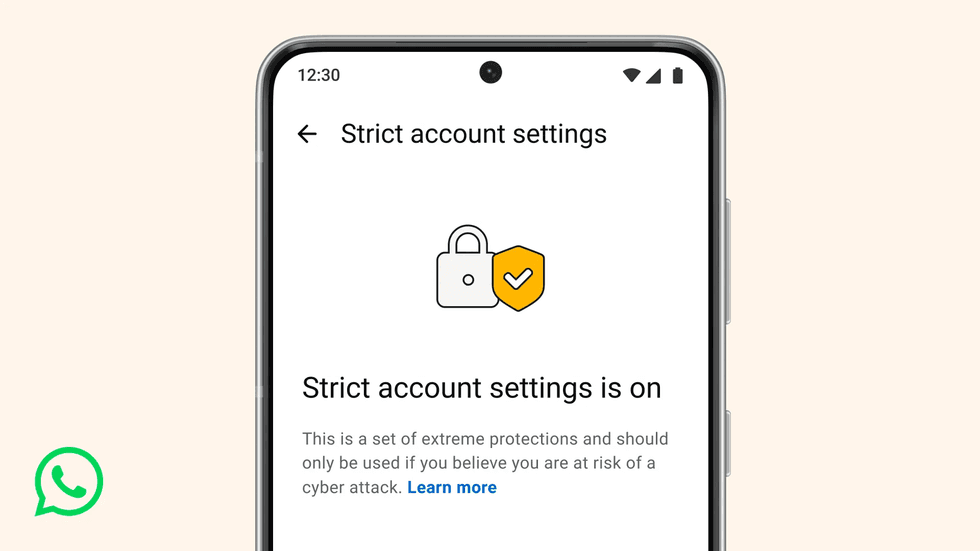
When you switch on Strict Account Settings, your account automatically locks to the most restrictive privacy options available
|WHATSAPP PRESS OFFICE
Announcing the new addition in a blog post, the company explained: "At WhatsApp, we think you should be able to have a private conversation online, just like you would in-person. We will always defend that right to privacy for everyone, starting with default end-to-end encryption.
"But we also know that a few of our users – like journalists or public-facing figures – may need extreme safeguards against rare and highly-sophisticated cyber attacks."
When you switch on Strict Account Settings, your account automatically locks to the most restrictive privacy options available, and four different areas of your WhatsApp experience will be impacted.
To turn this on, you'll need to head to Settings, select Privacy, and then click Advanced. From there, you can toggle Strict Account Settings on and off when needed.
If you don't see this feature quite yet, don't worry. It's rolling out to everyone gradually.
1. Your account security is heightened
Once toggled on, two-step verification is automatically turned on — making it much more difficult to log in to your device. Your security notifications will be turned on, which alerts you when a contact switches phones, reinstalls the app, or adds/removes a linked device. This can be especially helpful as it ensures your messages are still end-to-end encrypted despite a contact making these changes.
End-to-end encryption is a secure communication method where only the person you're messaging can read or access messages. End-to-end encryption will be backed up automatically, which is an added layer for your cloud chat history. For instance, if you're actively navigating between Google Drive and iCloud, it ensures only you can access this information.
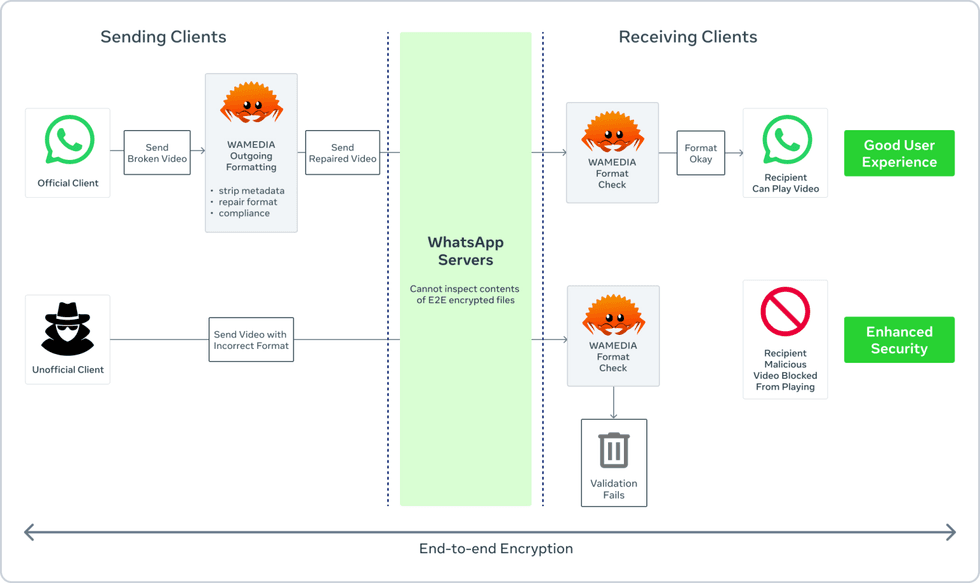
End-to-end encryption is a secure communication method where only the person you're messaging can read or access messages
|WHATSAPP PRESS OFFICE
2. Messaging and media are protected
If you're sending multiple links to your contacts, your link previews will be disabled. This can help keep wandering eyes from peering over your shoulder to see what kind of links you're sending.
WhatsApp will also actively block messages from unknown accounts that send high volumes of messages. Large bursts of messages can raise red flags, signalling potential scam or fraud attempts.
LATEST DEVELOPMENTS
3. Your profile activity will be hidden
WhatsApp can show other users the last time you've been online. The Strict Account Settings feature will hide this, as well as your profile photo, about details on your profile, and links on your profile, such as your website.
All of these are locked to your contacts only, or a list you've already pre-established.
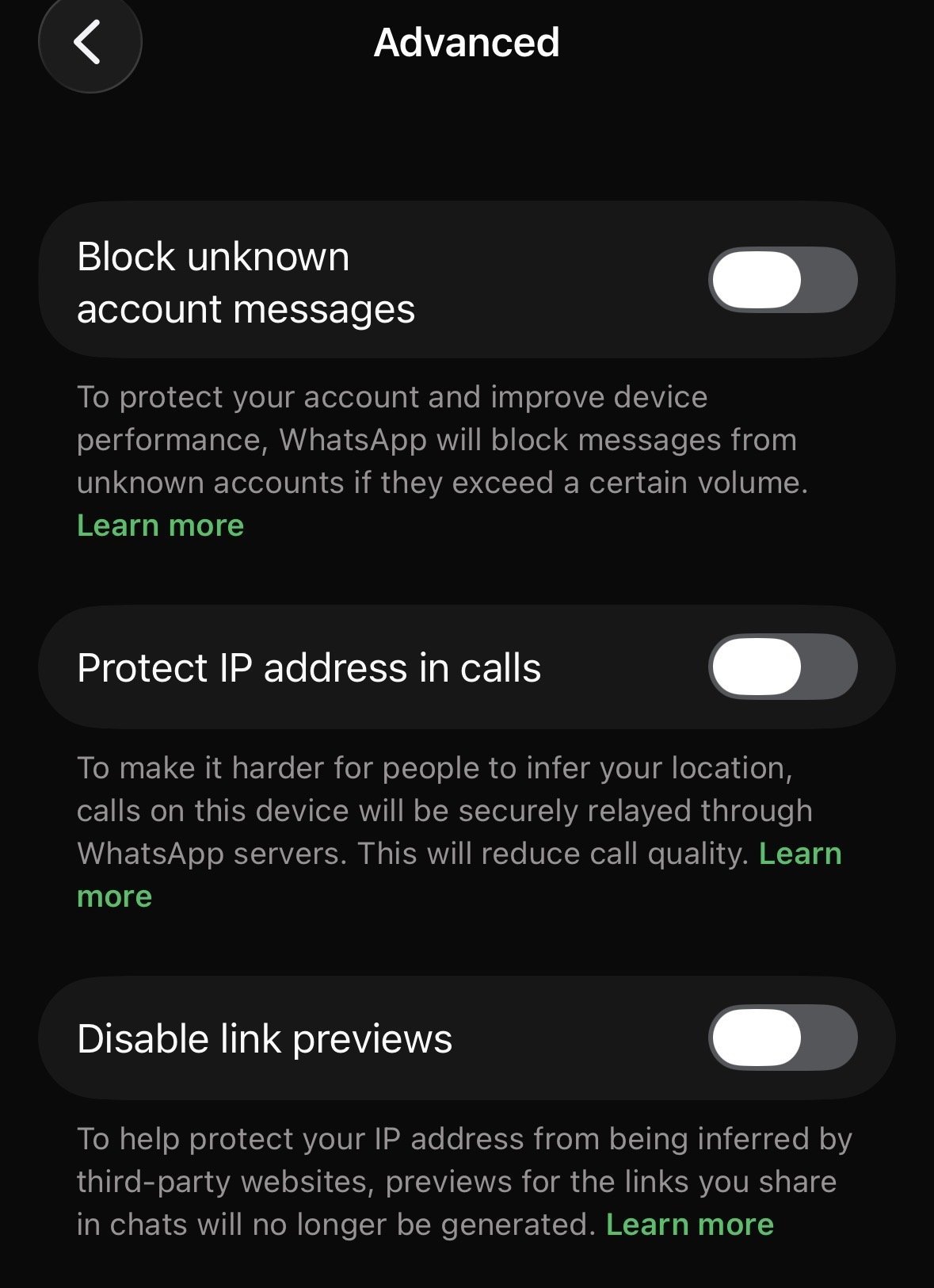
Features such as blocking unknown accounts' messages or disabling link previews can be toggled on and off individually
|WHATSAPP | GB NEWS
4. Limit your group chat access
Only known contacts will be able to add you to group chats. This limits the potential of fraudsters adding you to a group chat in an attempt to follow suspicious links through fake opportunities that seem to be too good to be true. This could be disguised as a new job opening or a quick money-making scheme.
More From GB News