











WhatsApp has launched a new type of account for its immensely popular chat app. Dubbed Parent-Managed Accounts, it lets you set up a supervised account for your child if they're under 13. You'll be able to decide who can message, ring, or video call your kid.
You can even control which group chats they're allowed to join. Until now, WhatsApp was only available to those aged 13 or older, with younger users unable to download the app — which is owned by Facebook parent company, Meta — to their smartphone or tablet.
This heavily restricted type of account arrives as the UK considers banning social media platforms for children under age 16. Australia has just become the first country to do so, and Denmark, Germany, and Spain are also considering following suit.
Although 85% of children in the UK have said they won't feel safer if this is enforced.
Announcing its new feature, a spokesperson for WhatsApp wrote in a blog post, "WhatsApp is the trusted way families communicate because it’s simple, private, and reliable. With input from families and experts, we're rolling out new parent-managed accounts that allow parents or guardians to set up WhatsApp for pre-teens, with new controls to limit their WhatsApp experience to messaging and calling."
Here's everything you need to know about how this feature can be implemented.
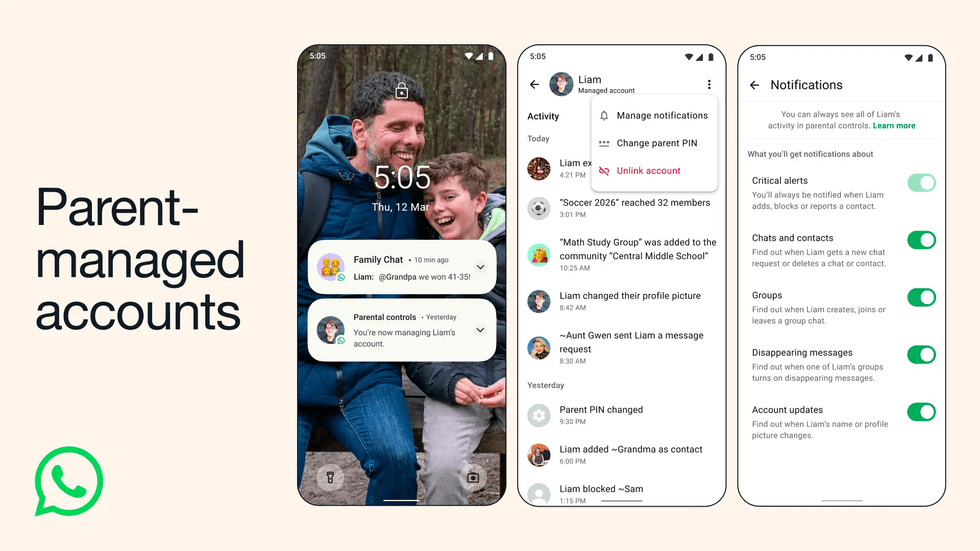
WhatsApp has just released a brand new feature that lets you set up a supervised account for your child if they're under 13
|WHATSAPP PRESS OFFICE
To get started, you'll need to download the app to both you and your child's devices and follow these steps:
- Create a Child Account on their device: Tap more options → Create a parent-managed account
- Add your child's details and verify their phone number and birthday
- Tap Continue and connect their account to your phone
- Scan the QR code that pops up on your child's device
- Set up your parent account and verify you're an adult
Once set up, you can create a six-digit PIN that only you know.
This PIN locks all the parental controls on your child's phone, so they can't fiddle with the settings themselves.
You can also choose to receive alerts about what's happening on their account. By default, you'll get a notification whenever your child adds, blocks, or reports someone. You can switch on extra alerts too — like when they change their profile picture, join a new group, or delete a chat.
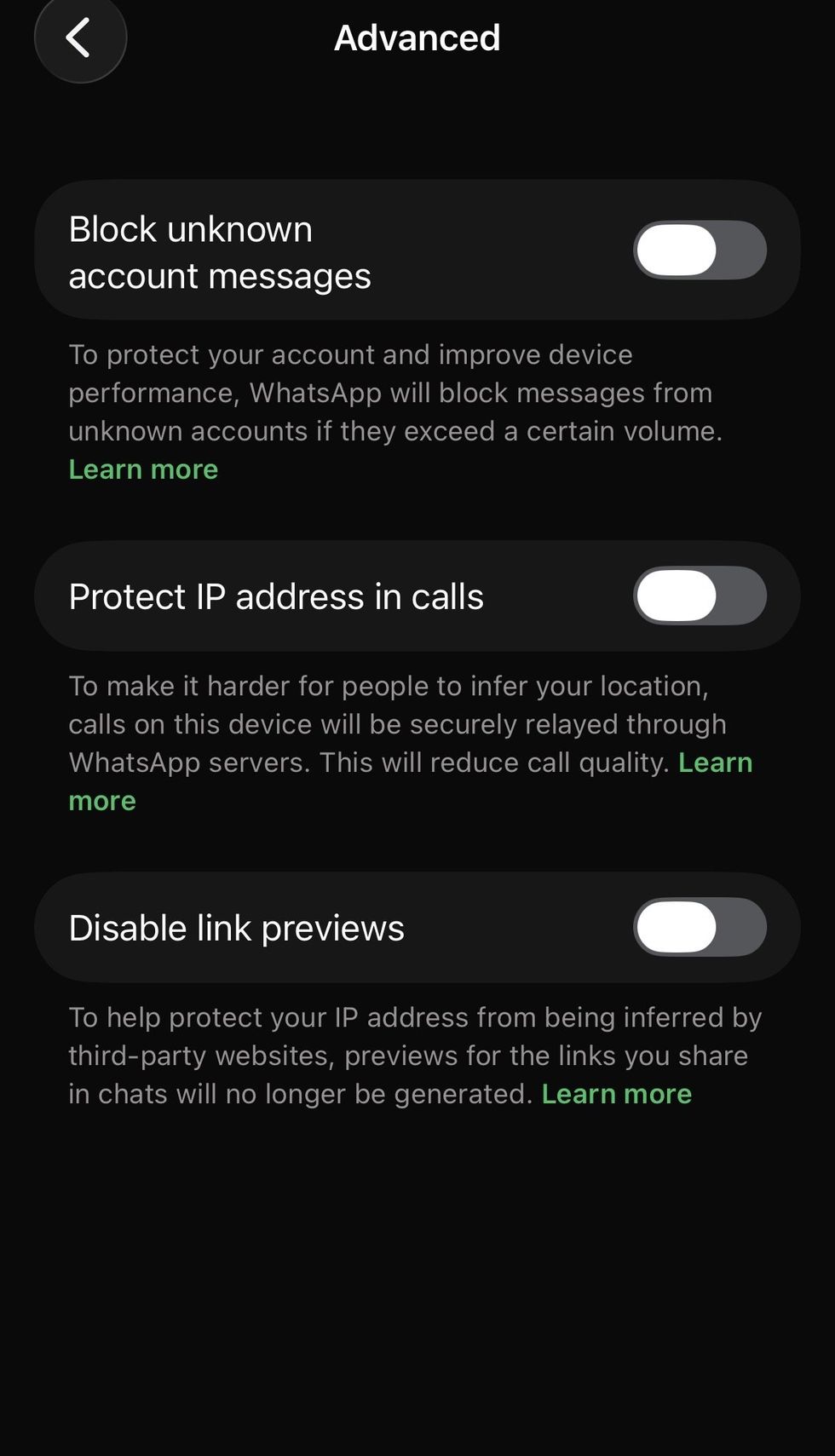
WhatsApp has also recently released new features, such as blocking unknown accounts' messages or disabling link previews, which can be toggled on and off individually
| WHATSAPP | GB NEWSThere are some features your child simply won't have access to on these managed accounts. This includes Meta's Artificial Intelligence (AI) features, access to Channels, and Status. They also can't turn on disappearing messages in one-to-one conversations, so you'll always be able to see everything that's been said in their chats.
When someone outside their contacts tries to get in touch, your child will see a helpful context card. This shows them useful details like which country the person is messaging from and whether they share any groups with other young users.
LATEST DEVELOPMENTS
The app also automatically blurs any images sent by unknown contacts. All message requests from strangers land in a separate folder that's locked behind your parent PIN, so you can review them first before granting access.
WhatsApp has said it's open to feedback as more families begin using the new tool.
More From GB News