










If you think you've spotted a few changes popping-up in your WhatsApp, you'd be correct.
The Meta-owned chat app just rolled out several new tools aimed at making your daily chats smoother and more organised. The update touches everything from storage management to Artificial Intelligence (AI) powered features.
WhatsApp said in a blog post, "Over time, our chats become a record of the moments that matter: conversations with family, laughs with friends, the photos and videos we couldn't stop sharing. To help you make the most of all of it, we're rolling out new ways to make WhatsApp even easier to use — whether you're staying organised, juggling work and personal, or getting more out of every chat."
Here's a breakdown of everything that's changing.
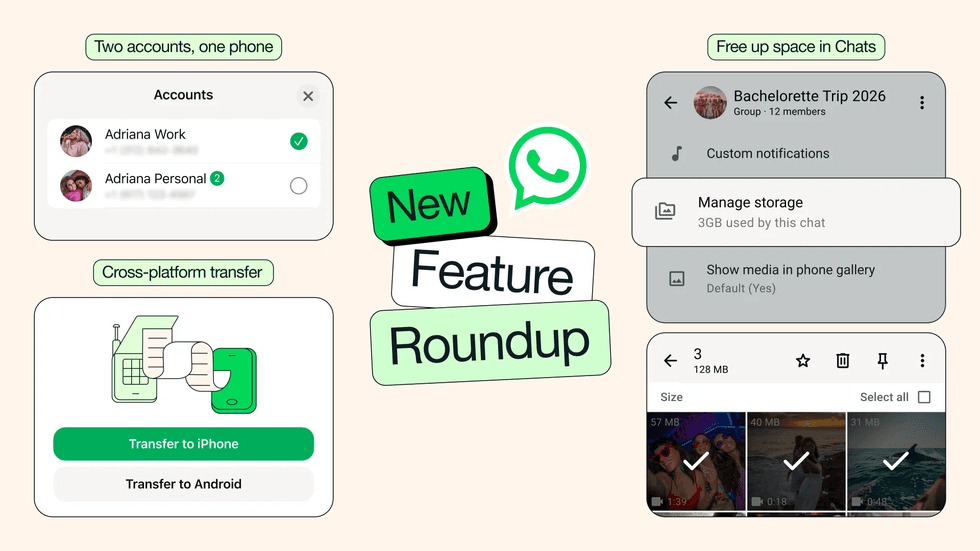
WhatsApp has rolled out several new tools aimed at making your daily chats smoother and more organised
|WHATSAPP PRESS OFFICE
You can declutter your chats
If your phone storage has fallen victim to filling up with all those videos and photos your friends and family send you, WhatsApp finally has its own fix.
You can now search and remove large files directly within any chat without losing your entire conversation history. All you need to do is tap on the chat name and head to Manage Storage to get started. There's also the option to wipe just the media files while keeping all your text messages intact.
This is ideal if you need to keep your chat history to reference back on upcoming plans with friends, or even meeting information that's been shared with you to use later in the week.
Move your chats over from your Apple iPhone to an Android device
Switching from an iPhone to an Android? That's now much simpler too. The chat transfer feature now lets you move your complete message history, photos, and videos across platforms with just a couple of taps.
WhatsApp recently published the following steps to take advantage of if you're switching devices:
- On your iPhone, open WhatsApp and go to Chats > Transfer chat history > Transfer to Android
- When the chats are prepared, tap Continue
- If prompted, tap Allow to enable access to the camera
- Keep your iPhone unlocked during the transfer
- On your Android device, open WhatsApp and verify your account with the same number you use on your iPhone
- When prompted, tap Allow to enable your devices to connect. A QR code is displayed
- Use your iPhone camera to scan a QR code
- When prompted, tap Join to connect to the Wi-FI network and start the transfer. This will help you not eat up all your mobile data
- When the transfer completes, tap Next on your Android device to view your chats and start using WhatsApp
Take note that you will need to have an Android device that is upgraded to at least Android 10 — the mobile's operating system. You'll also need to make sure you have the same phone number.
To make sure none of your information is lost, don't delete anything from your old mobile until the migration is complete.
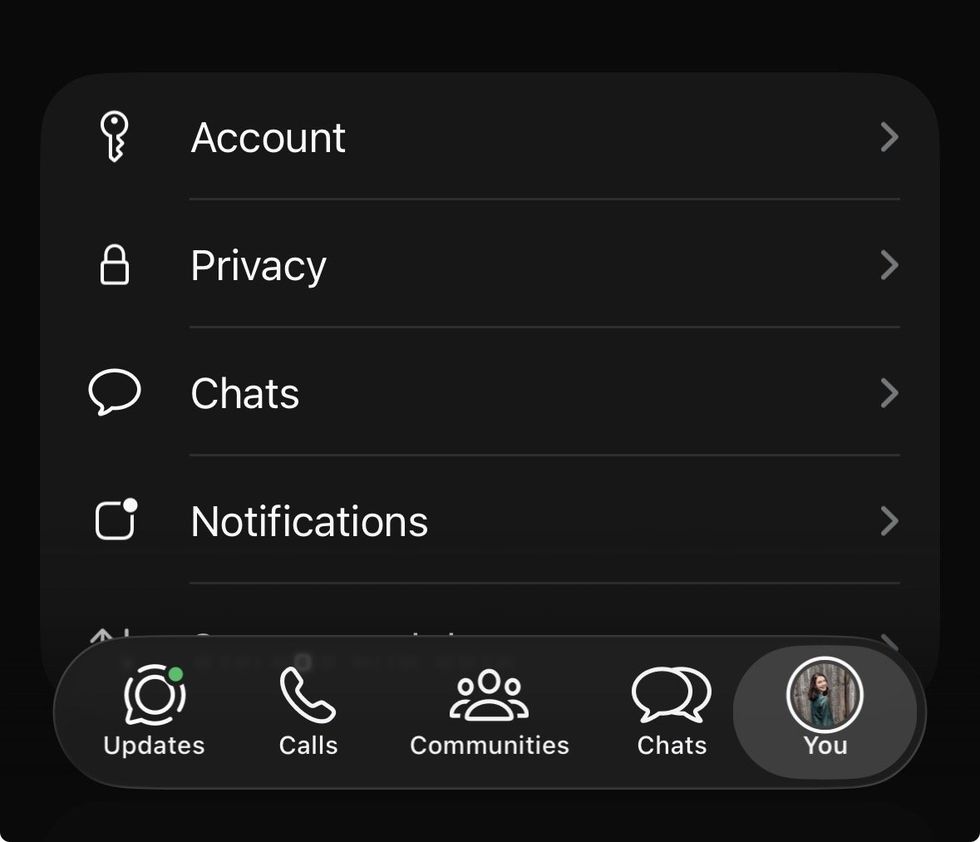
WhatsApp recently updated the Settings cog to your profile picture in the bottom tab, so you'll always know which account you're using at a glance
|GB NEWS
Manage two accounts at the same time
Running two WhatsApp accounts on a single iPhone is finally possible, bringing iOS users in line with what Android folks have enjoyed for a while. This means you won't need to lug around a second phone anymore just to keep your work and personal messages separate.
The app shows your profile picture in the bottom tab, so you'll always know which account you're using at a glance. This arrives just as iPhone users were treated to a new "You" section on the bottom right tab.
LATEST DEVELOPMENTS
Get access to stickers that match your mood
WhatsApp has had the ability to share stickers in chats for a while. But now it suggests which ones to use when you start typing emojis. When you pop in an emoji, the app will also offer up a matching sticker that better captures your mood with just one tap. This helps save a few extra steps if you're typing your messages while on the go.
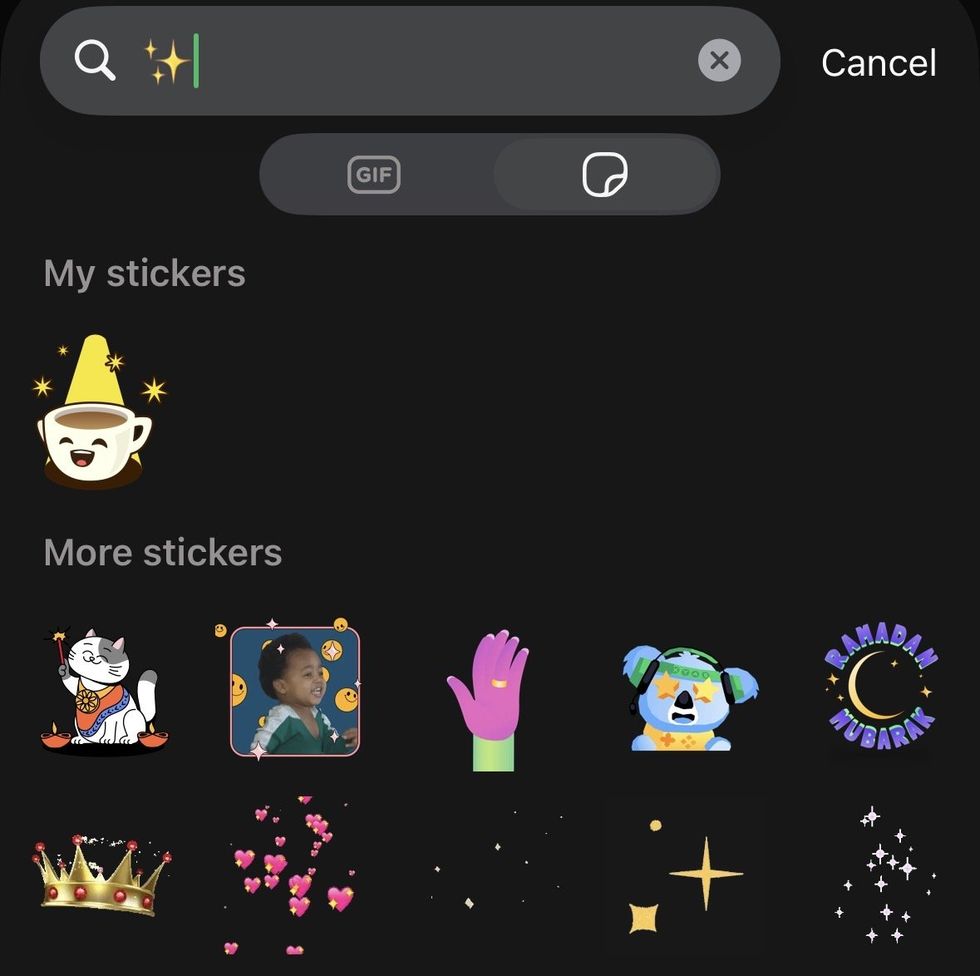
When you pop in an emoji, WhatsApp will also offer up a matching sticker that better captures your mood with just one tap
|GB NEWS
AI tools get a refresh
Touching up your photos before hitting send just got a whole lot easier thanks to Meta AI. If you're not familiar, Meta AI is designed to be a handy assistant developed by Meta and integrated directly into Facebook, Instagram, WhatsApp, and Messenger. It can answer questions, generate images, write content, and summarise information — similar to ChatGPT.
With WhatsApp's latest update, you can now remove distracting elements from your photos, swap backgrounds, or add fun styles directly within your chat.
The AI writing assistant has also been given an upgrade.
It can now draft suggested replies based on your conversation, helping you nail the perfect response without the hassle. This is similar to Google Gemini's latest features that can be accessed in your Gmail account.
WhatsApp has emphasised that your chats remain completely private while using this feature, so there's no need to worry about your messages being shared.
If you don't see these updates just yet, don't worry. They're rolling out to everyone gradually over the next few weeks.