


All products and promotions are independently selected by our experts. To help us provide free impartial advice, we will earn an affiliate commission if you buy something. Click here to learn more






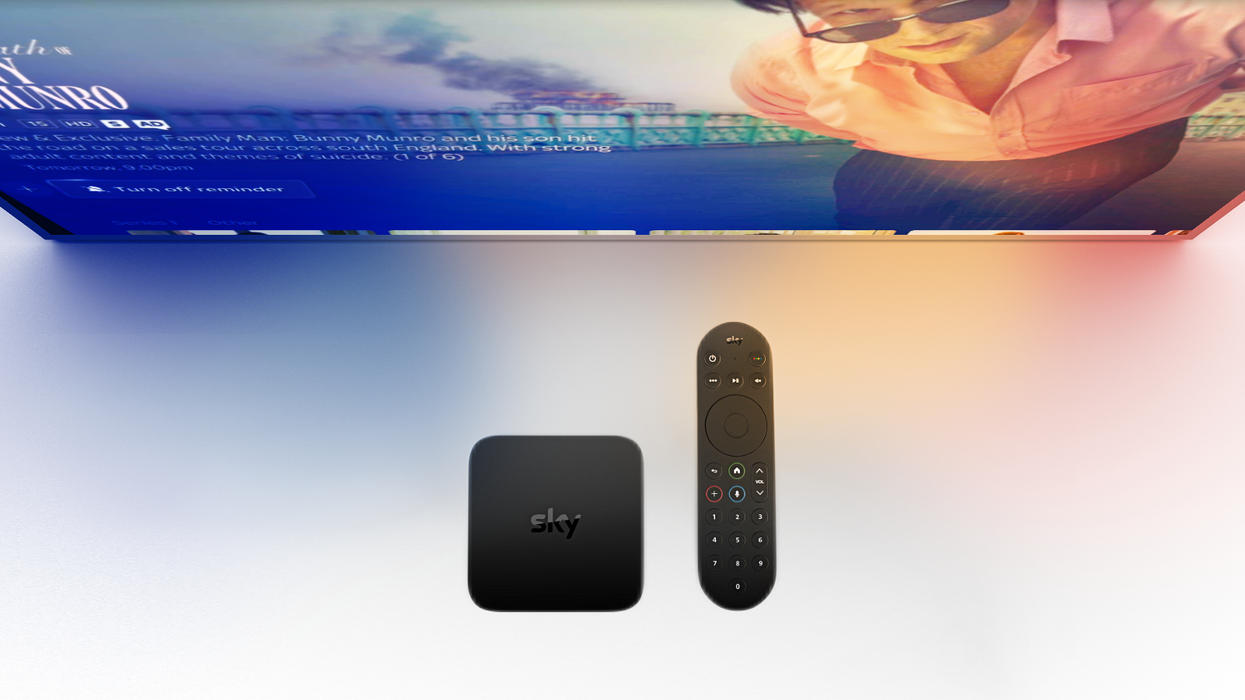
Sky has unleashed a blockbuster update across its Glass TVs and Sky Stream boxes, bringing three new features to subscribers at no extra cost. The new functionality comes courtesy of an update to SkyOS, the custom-designed operating system that powers the latest hardware from the British broadcaster.
Originally called EntertainmentOS, the operating system was rebranded to SkyOS earlier this year. SkyOS is available on all generations of Sky Glass TVs, including the latest Sky Glass Gen 2 and Sky Glass Air, as well as the Sky Stream box. Sky Q — the only hardware sold by Sky that still requires a satellite dish — runs on a separate operating system, which receives its own updates and misses out on the latest functionality.
Sky Glass and Sky Stream update SkyOS automatically when the device is not in use — usually overnight — so you’ll wake up to the latest features. To confirm your current build: press Home on your Sky remote, scroll to Settings > System Management > System Info, and note the EntertainmentOS version and build code.
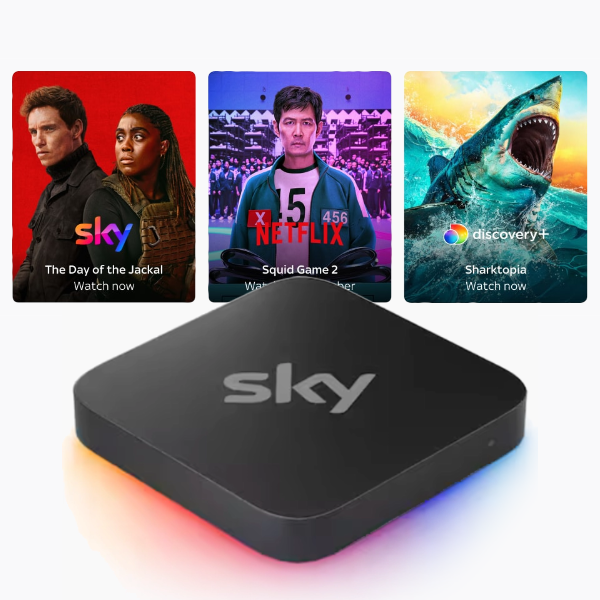
Sky Stream has never been this affordable. The broadcaster has just launched an affordable new bundle of channels and on-demand services, dubbed TV Essentials. It includes its plug-and-play Sky Stream box, over 100 live channels including Sky Atlantic — the exclusive home of shows like Game of Thrones, And Just Like That, and The White Lotus. You'll also find a subscription to Netflix and Discovery+ included too and can upgrade to Sky Cinema and Sky Sports at an extra cost.
Sky Stream
£15
If you’re still waiting for the newest software, you can force an update:
- Switch your device to standby, then turn it off and unplug at the mains.
- Re-plug and power on, leaving it on for 30 minutes.
- Put it on standby again, power-cycle at the plug without unplugging, then press Home on the remote.
When the Sky logo reappears, your Glass or Stream puck will be running the latest SkyOS release.
Once you've got the most recent software running on your Sky box or flatscreen, you can take advantage of the latest features and functionality. Here's a rundown of everything included for free with the latest SkyOS upgrade.
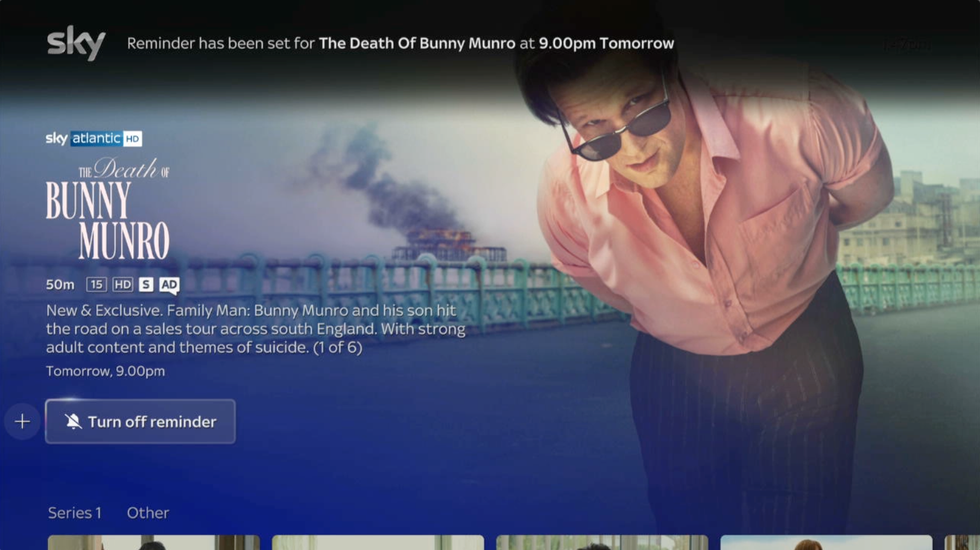
With the latest SkyOS update running on your Glass TV or Sky Stream, you can schedule a reminder for an upcoming showing or sports fixture. You'll recieve a notification when it's time to tune-in!
|SKY TV PRESS OFFICE
Set Reminders For Unmissable Shows Or Sport
SkyOS now lets you set a reminder for an upcoming show, film, or sports fixture — no more scrambling for the remote at kick-off or that big season finale. You can set a reminder from the listing of anything listed in the TV Guide. The new option appears as one of the options alongside the ability to Play and Add To Playlist.
Once you've clicked Set A Reminder on a show, film, or upcoming sports fixture, a notification will appear at the top of the screen when the show begins – perfect for live sport and must-watch telly.
All-New Way To Control Your Television
Always losing the remote down the back of the sofa? If you're more likely to misplace your remote than your smartphone, this next update is perfect for you. With the latest update to SkyOS, Glass TV and Sky Stream viewers can control their telly with a new app called, Sky Remote.
Sky has made this free download available on Android smartphones and tablets, iPhone, and iPad. Download from the Google Play Store or Apple App Store, respectively to get started.
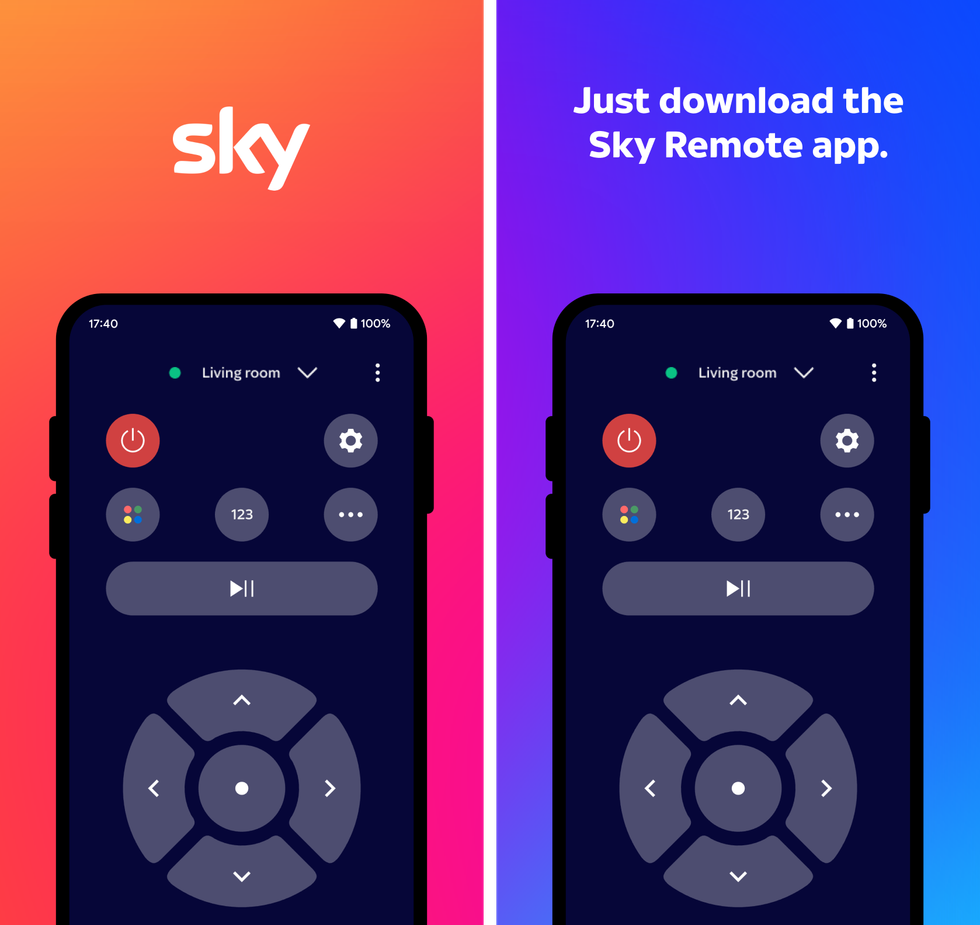
Sky Remote lets you control any Sky Glass TVs or Sky Stream boxes on the same Wi-Fi network as your iPhone or Android device. You can built-in accessibility features like screen reader support
|SKY PRESS OFFICE
Running the digital remote, you'll be able to find your favourite shows with a few swipes, change channels, and manage playback (play, pause, skip) with a tap. Remote app users can also enjoy built-in accessibility features like screen reader support, Sky adds.
The description for the new app, which launched a few weeks ago but has also clocked up thousands of downloads on the Google Play Store alone, reads: "Enjoy all the entertainment you love, even without the physical remote. Change channels, navigate menus, search, pause and play.
"Even quickly switch between compatible TV devices in your home. Simply make sure devices are on the same Wi-Fi so they can be controlled from the app."
Sky Stream and Sky Glass are powered by a bespoke operating system created by an internal team at Sky TV. Previously known as EntertainmentOS, the software was rebranded to SkyOS at the launch of the Sky Glass Gen 2 television
|SKY TV PRESS OFFICE
Simplified Settings
Since the launch of SkyOS (née EntertainmentOS), the Settings menu has been accessed from a shortcut at the bottom of the homescreen. While you're unlikely to need this menu very often, it was still quite a scroll to locate.
Following a recent refresh with dozens of new carousels with suggested shows and films, the shortcut to Settings is no longer at the bottom of the homscreen menu, but sits around mid-way down. Clearly, this is something that the designers at Sky TV weren't happy about because the new SkyOS update adds a faster way to jump into the Settings menu.
Just press the three dots on the Sky remote and scroll right. No need to scroll down. Yes, the new software adds this speedy access for faster navigation to picture and sound settings, parental controls, accessibility and more.
LATEST DEVELOPMENTS
...And That's Not All
While that wraps up the new features coming to SkyOS, the update does include a slew of new accessibility features. The latest additions are:
- Upgraded voice guidance experience: Customers can now adjust the voice guidance speed to their preference when navigating the UI, as well as some of their favourite apps, including Sky Sports+, Sky Store, Netflix, YouTube, Prime Video and RTE Player for customers in Ireland, with more to come
- High contrast in Sky apps: Change the contrast between the background and text in Sky apps, by turning on High contrast via the Sky Glass or Sky Stream settings
- Magnification: Turn on magnification mode via Accessibility settings to zoom in up to 400% and use the number keys on the remote to pan across the UI
- Audio Description on demand: Audio Description is rolling out for Sky on-demand shows, bringing the same accessible experience already available on Sky broadcast channels to Sky Cinema and Sky Entertainment on-demand content
More From GB News