










Microsoft's latest shake-up to Outlook has been delayed by over a year.
The Redmond-based technology firm is gradually replacing the classic Outlook desktop app with an overhauled version dubbed Outlook for Windows designed specifically for enterprise subscribers. This overhauled app will work seamlessly across Windows, web browsers, and mobile devices.
While Microsoft had originally announced April 2026 as the last chance for Outlook users to opt out of this new version of the inbox app, it's now pushed that deadline back until March 2027. This means enterprise users will continue to rely on the same tried-and-tested Outlook inbox that they've used for years for a little longer.
Enterprise users are only just catching up with many of the features already available in personal accounts. Microsoft started its latest revamp to Outlook back in 2022, bringing a slew of Artificial Intelligence (AI) features from Microsoft Copilot, new inbox organisation tools, more calendar abilities, and more.

Microsoft originally began its major Outlook update in 2022
|UNSPLASH
If you don't want to wait until the obligatory switchover next year, it is possible to take advantage of these all-new features a little earlier. If you want to switch to the newest version of Outlook for business or your personal accounts, you can easily toggle it on by following these steps:
- Open Classic Outlook
- Look in the top-right corner of the Outlook window.
- Find the toggle labelled “Try the new Outlook.”
- Turn the toggle ON.
- Outlook will restart automatically and launch Outlook for Windows (New Outlook)
However, if you're not keen on the newest version, you can easily toggle it back off when you follow these steps:
- Open Outlook for Windows (New Outlook)
- Look at the top-right corner of the window.
- Find the toggle labelled “New Outlook.”
- Turn the toggle OFF.
- Outlook will close and reopen in Classic Outlook.
Something to note is that you will be able to switch between the two versions for your personal accounts until 2029 — two years longer than the 2027 deadline for your business accounts.

You can switch between the latest version of Outlook and classic Outlook on your personal accounts until 2029
| UNSPLASHThere are a handful of newer features that may be worth trying out, too. As of this month, you can now access your shared mailbox archive directly in the new Outlook.
This allows multiple users to read and send emails, manage calendars, and store items from a single, generic address. In your Outlook folder list, you'll now be able to look for the Online archive folder.
You'll also notice new signature settings, where you now have more options for managing and editing signatures across your accounts. Microsoft is consistently adding new features to the new version of Outlook.
Business accounts will even be treated to more advanced security options, so you can protect important company information like confidential product release dates.
LATEST DEVELOPMENTS
However, if you're using Outlook on your Windows desktop, it's important to ensure you've updated it to Windows 11, the only version of the popular desktop operating system that's actively supported with security patches and new features. If you've missed the memo, Microsoft pulled the plug on its predecessor — Windows 10 — on October 14, 2025.
This means free software updates to address security vulnerabilities, bugs, and critical issues for the older operating system are no longer available. However, your Microsoft 365 apps, like Outlook, will continue to receive new feature updates until later this year.
Microsoft has also quietly extended security support for Microsoft 365 apps on Windows 10 for an additional three years. Applications included in the Microsoft 365 subscription will now be supported with bug fixes and patches on Windows 10 until October 10, 2028.
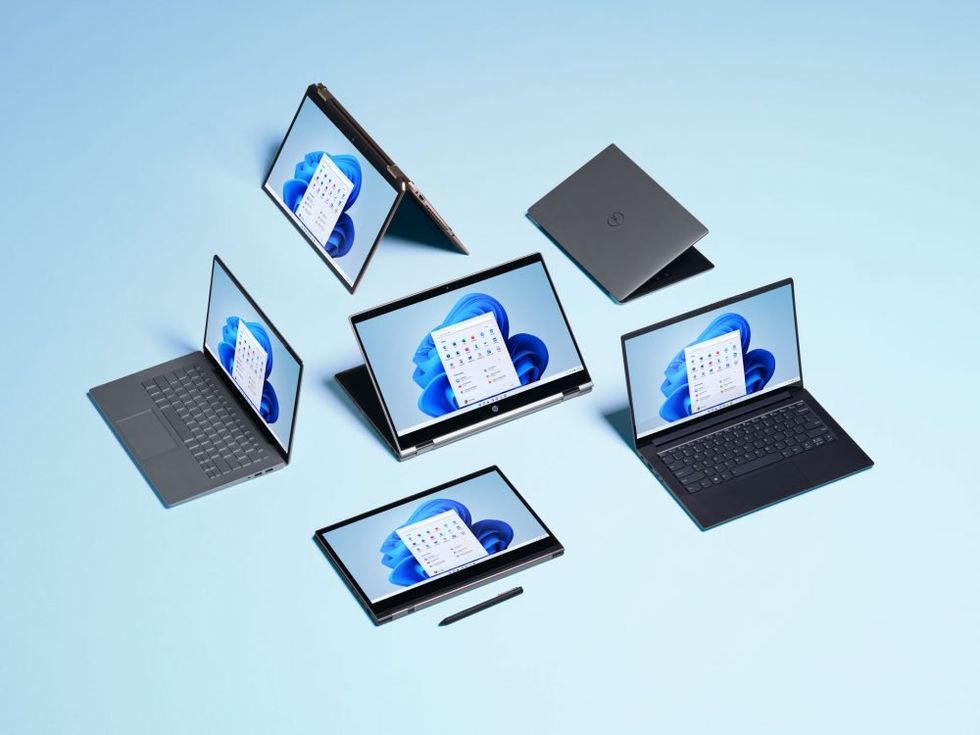 To ensure your device can receive these critical updates, you must have Windows 11 installed, which is the latest software system from Microsoft | MICROSOFT PRESS OFFICE
This significant change could provide breathing room for those reluctant to upgrade.
In an update to an online support document, Microsoft explained: "Although apps such as Word will continue to work after Windows 10 reaches end of support, using an unsupported operating system can cause performance and reliability issues when running Microsoft 365 Apps. If your organisation is using Microsoft 365 Apps on devices running Windows 10, those devices should move to Windows 11.
"To help maintain security while you transition to Windows 11, Microsoft will continue providing security updates for Microsoft 365 Apps on Windows 10 for three years after Windows 10 reaches end of support. These updates will be delivered through the standard update channels, ending on October 10, 2028."
Microsoft seems to have reversed its policy in acknowledgement that millions of PC owners worldwide either cannot or will not upgrade to Windows 11, despite the end of support for Windows 10.