




Your Android smartphone is under attack.
A troubling vulnerability in the operating system could let hackers bypass the secure lockscreen passcode – letting them steal your personal information, according to a report from the researchers at security firm Donjon.
Dubbed CVE-2026-20435, the flaw is found in Android handsets powered by certain MediaTek-branded chips that use a specific security component called Trustonic's Trusted Execution Environment. While this might sound quite niche, it actually affects roughly one in four Android devices, particularly budget-friendly models like British startup Nothing CMF Phone 1 and Motorola's Moto G Play 2026.
With the vast number of Android devices sold each year, this leaves a huge number of people exposed to the hack.
If hackers are successful in getting ahold of your device, it's been found that they could connect your phone to a laptop via USB and crack it open in just 45 seconds. It's been found that fraudsters are able to recover the phone's PIN, bypass its full-disk encryption, and even extract cryptocurrency wallet information.
🚨 @DonjonLedger has struck again discovering a MediaTek vulnerability potentially impacting millions of Android phones. Another reminder that smartphones aren’t built for security. Even when powered off, user data - including pins & seeds - can be extracted in under a minute.
— Charles Guillemet (@P3b7_) March 11, 2026
The encryption and lock screen protections you rely on to keep everything secure if your device is stolen? They simply don't work against this attack. If you're unsure if your mobile carries the MediaTek chip, you can look this up on your phone manufacturer's website. Additionally, you can cross-reference with MediaTek's March security bulletin, which lists the affected chipsets for each vulnerability.
MediaTek has released a fix, but it's up to phone manufacturers to push it out to you. Follow these steps to see if this update is available:
- Open Settings
- Scroll to Security & privacy (or just Security depending on device).
- Tap Updates or Security update.
- Select Check for updates.
You will usually see:
- Android security update date (e.g., “January 5, 2026 security patch”)
- Whether a new update is available
Manufacturers like Samsung, Google, and OnePlus release these updates regularly, but the timing depends on the brand and carrier.
LATEST DEVELOPMENTS
Depending on your device's age and support status, that could take days, or in some cases, may not arrive at all.
For instance, your mobile could be listed under End-Of-Life (EOL). This means your manufacturer can stop providing software updates, security patches, and official technical support for that device. After this stage, the phone still works, but it is no longer maintained or protected against new threats.
Most recently, this was seen when Microsoft pulled the plug on support Windows 10, the predecessor to it's neewest operating system, Windows 11.
It can be a necessary part of the product lifecycle where the cost of maintaining old technology begins to outweigh the benefits, pushing companies like Microsoft to start investing in newer models and software systems.
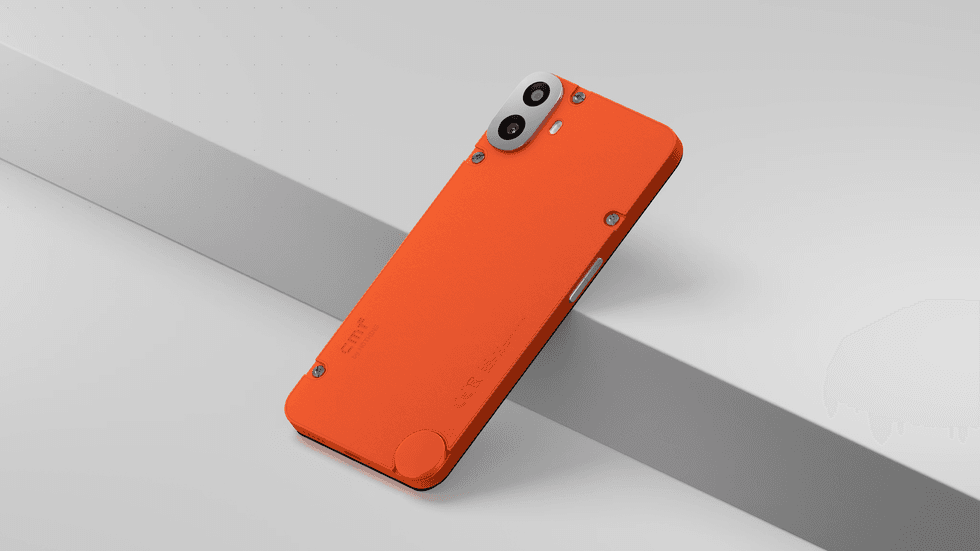
Researchers from the security firm Donjon were able to hack into British startup Nothing CMF Phone 1 after discovering a vulnerability found in its MediaTek chip
|NOTHING PRESS OFFICE
If you've had your mobile for several years, it's possible it could be listed under EOL. You can either check your phone's manufacturer's site or take the following steps:
- Open Settings
- Scroll to About phone
- Tap Software information (or Android version)
- Look for the Android security patch level
You will see a date such as Android security patch level: August 5, 2025
If the patch level is very old (usually 12+ months), your device may no longer be supported.
More From GB News