



All products and promotions are independently selected by our experts. To help us provide free impartial advice, we will earn an affiliate commission if you buy something. Click here to learn more








VPNs are an invaluable tool for most internet users, especially as governments around the world continue to restrict access to specific apps, websites, or types of internet usage.
For those who regularly rely on the internet, VPNs have become a must-have to access parts of the internet that would otherwise be out of bounds, protect your privacy with military-grade encryption, and swerve speed restrictions or snooping from advertisers.
Think of these security apps as a way to actually deliver on the promise of Google Chrome's Incognito Mode.
If you're new to VPNs, ExpressVPN is a brilliant place to start. In our in-depth ExpressVPN review, we highlighted that ExpressVPN Basic is one of the best VPN deals around, thanks to unlimited access to this award-winning VPN service and a slew of recent updates adding new functionality and features.
But if you’re looking to install the programme on your browser, whether or not that’s Chrome, Firefox, or Microsoft Edge, don’t worry because we’re going to explain just how to do so.
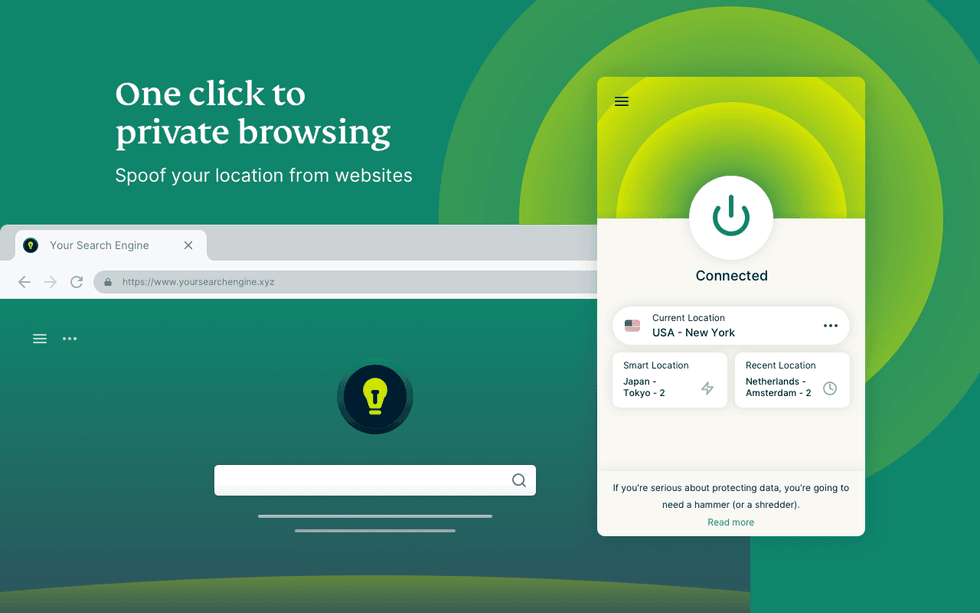
If ExpressVPN is running on your Windows, Linux, or Mac, everything that takes place on the machine will be protected via a secure VPN connection. But if you're running the browser extension, then only the data via the web browser will be shielded via its military-grade protection
|KAPE TECHNOLOGIES PRESS OFFICE
Why should you buy ExpressVPN?
ExpressVPN is particularly well-suited for streaming and privacy as it boasts VPN server locations in 105 countries, providing access to global coverage. It offers ultra-fast speeds on a 10-Gbps network, essential for high-quality streaming without buffering.
With military-grade encryption, a strict no-logs policy, and features like split tunnelling and a kill switch, your online activity stays private.
Subscribe to ExpressVPN for just £1.99 – just 6 pence a day

Protect your personal information and encrypt everything you do online for just £1.99 with the latest ExpressVPN deal. That equates to just 6p a day for military-grade encryption across 10x devices.
Unsurprisingly, this blockbuster sale trounces NordVPN, its biggest competitor.
ExpressVPN boasts apps for iPhone, Android, Linux, Windows, Mac, Fire TV, and dozens more, to secure your internet traffic from prying eyes, advertisers, and governments. We praised its speed and reliability in our ExpressVPN review. For a limited time, you'll benefit from an extra 4 months free with a two-year plan
[countdown-2026-04-22]
Get 80% off ExpressVPN Basic
$9.99
$1.99
Based in the British Virgin Islands — outside Five Eyes jurisdiction — it avoids mandatory data retention laws, which means that even if the company were collecting data (it's not), law enforcement from the UK and US would be unable to compel ExpressVPN to hand over any information about its subscribers.
ExpressVPN supports a wide range of devices, including smartphones, tablets, laptops, Smart TVs, and routers. There's no limit on the number of ExpressVPN apps that you can download on your devices, and with a single subscription, you can connect to the VPN on up to 10x devices at once.
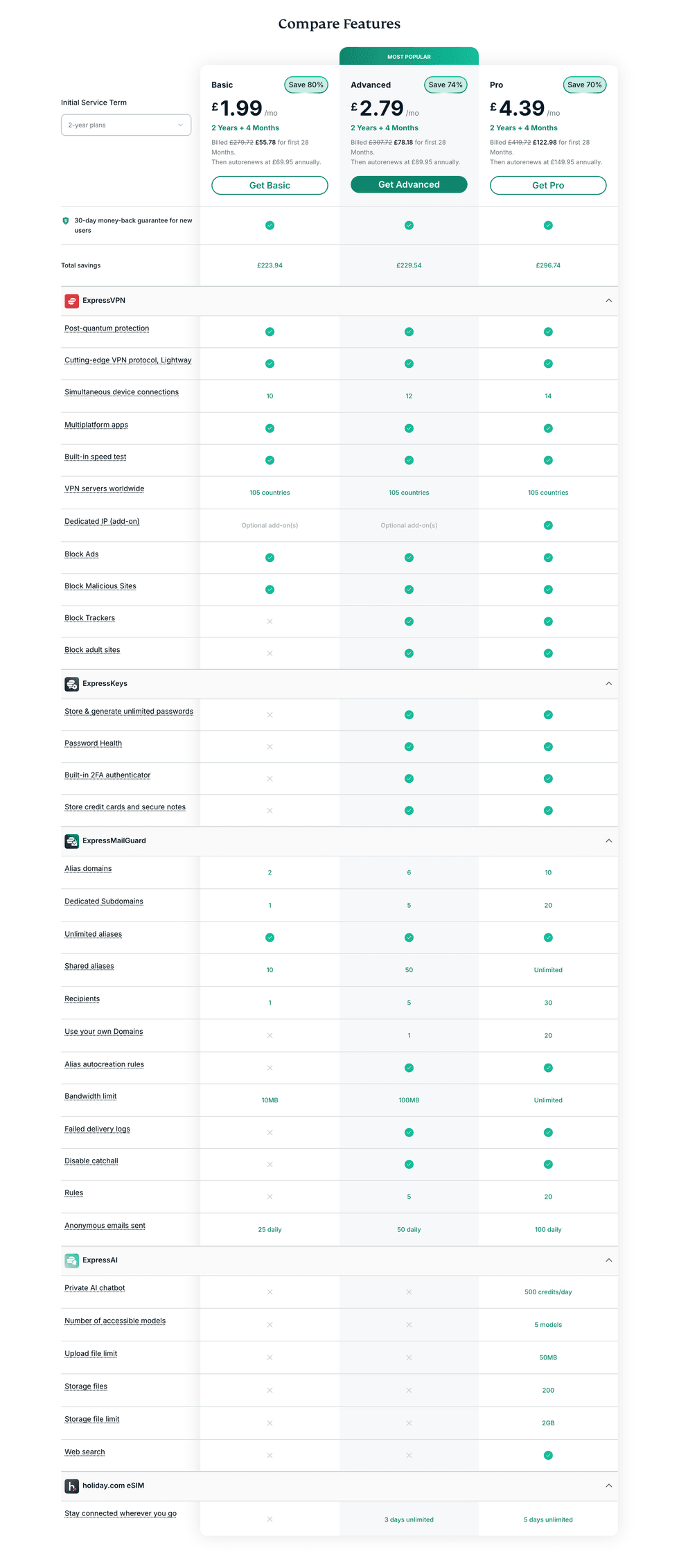
ExpressVPN offers three subscription plans. All of these unlock access to the award-winning VPN service, but the pricier Advanced and Pro tiers offer access to a ExpressKeys password manager and ExpressAI
|KAPE TECHNOLOGIES PRESS OFFICE
It also has a dedicated team that optimises the service for major streaming platforms. Round-the-clock customer support is available if you encounter any issues during race weekend.
ExpressVPN starts from as little as £1.99 per month for its Basic plan, which comes with its best-in-class VPN and VPN use for up to 10x devices simultaneously. ExpressVPN also offers a password manager with its Advanced subscriptions for £2.79 per month. It allows 12x devices to be used with the program and provides advanced protection against ads, websites, and trackers.
ExpressVPN also offers a dedicated IP address with its Pro option for £4.39 a month on its two-year plans, where you'll get everything included with the more affordable tiers, VPN connections for up to 14x devices, 5 days of eSIM data and monthly credit reports.
LATEST DEVELOPMENTS
Why should you install the ExpressVPN extension?
Firstly, if you’re wondering why you should use the ExpressVPN extension on your browsers, there’s a good reason. Most VPN extensions only encrypt your browser traffic, while a full VPN app encrypts all traffic from your device. However, unlike most Chrome extensions, ExpressVPN’s extension is linked to the full app and protects your entire device.
There’s also another good reason. While most websites now use HTTPS (HyperText Transfer Protocol Secure), which ensures everything you do on webpages is confidential, some websites can occasionally omit this vital protection.
But using a VPN app will ensure that every bit of information and data is protected at all times, even if a website isn’t completely safe.
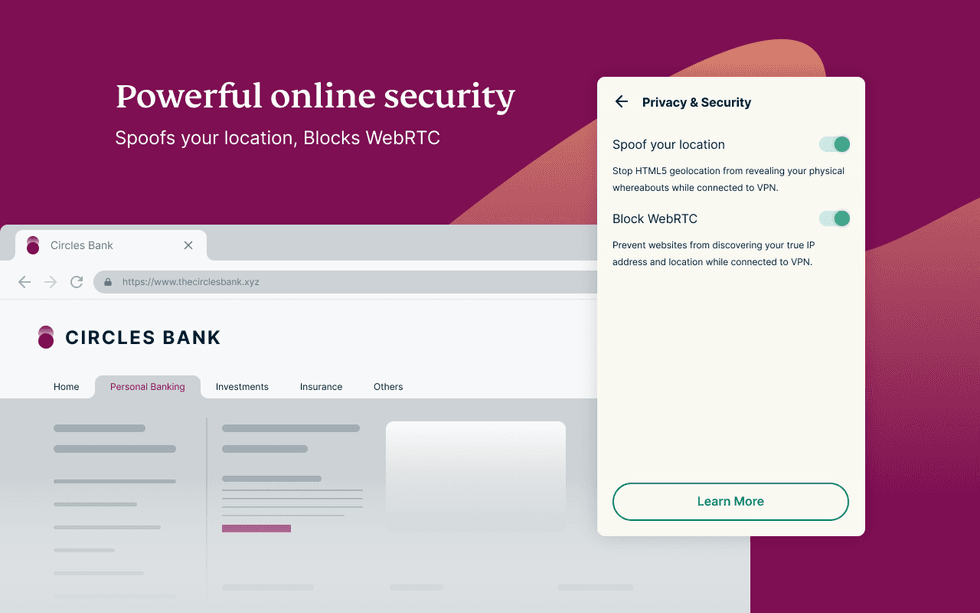
Running in the web browser, ExpressVPN can be activated with a single click
|KAPE TECHNOLOGIES PRESS OFFICE
How to install the ExpressVPN extension on Chrome, Firefox, and Edge
The first and most important thing is to make sure you have an active ExpressVPN subscription. You can get one here for as little as £1.99 a month.
Navigate to this link and log in with your credentials if prompted.
Then choose ‘Google Chrome’ or ‘Mozilla Firefox’ on the screen, which will take you to either the Google Extensions website or the Firefox add-ons website.
Simply install the extension on your chosen browser and wait for it to install. A pop-up may ask you to grant permissions for ExpressVPN – all you have to do is allow access, and it’ll do the rest in the background.
When it’s installed, it should show in your browser’s extension list. Afterwards, you may be prompted to log in once more, and voilà – it’s as easy as that. You’ll have the ExpressVPN extension in your browser.
The ExpressVPN extension works just like the main VPN app, which allows you to choose the server and turn the VPN on and off when needed. One thing to note is that you might miss out on some advanced features that are only available on the desktop version of the device.
For Microsoft Edge users, we have good and bad news. There is no dedicated ExpressVPN browser extension for Microsoft Edge. Instead, users should visit the Chrome Web Store in Microsoft Edge and install the ExpressVPN browser extension for Chrome, which will also work.