








Got a question? You could soon bypass booting up Google Chrome.
That's because Google is tinkering with a new feature called Everywhere Omnibox – a floating search bar that appears on your desktop whenever you need it, triggering searches across the web, answering questions with Artificial Intelligence (AI), and more.
First spotted by the keen-sighted team at Windows Report and built under the internal codename "Project Loom," it seems Google wants to remove as much friction as possible between its clever search box and whatever you're doing. Instead of opening Chrome and typing into the address bar, a neat little search box appears smack in the middle of your screen – no browser tabs, no toolbars, nothing else cluttering your view.
It's early days, but the functionality appears similar to the system-wide search, dubbed Spotlight, built into Apple platforms, including macOS, iOS, and iPadOS. However, this can be found on Windows 11 and is powered entirely by Google's smarts.
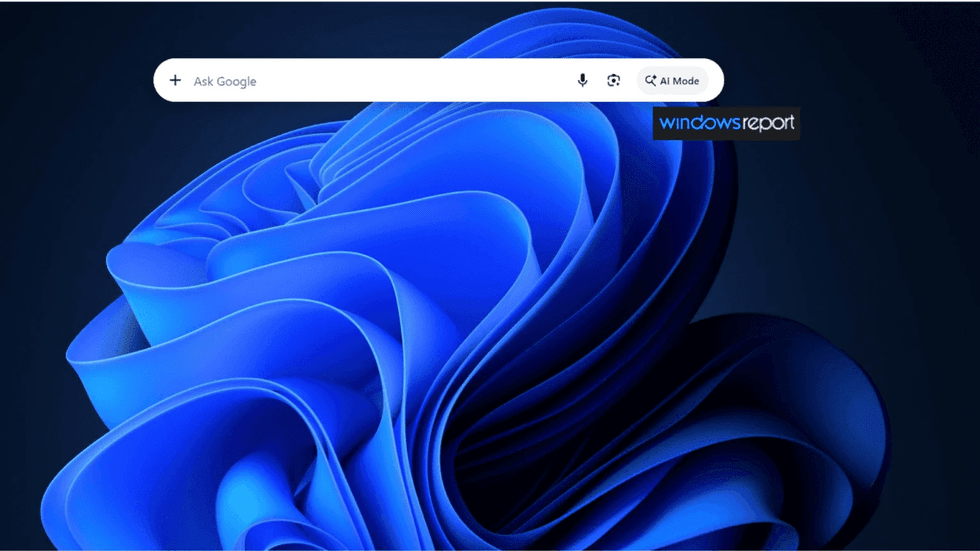
If successful, Windows Report says you can summon this search box with a quick keyboard shortcut
|If successful, the team at Windows Report says you can summon this search box with a quick keyboard shortcut. On Windows and Linux, that's Ctrl+Shift+Space, while Mac users tap Cmd+Shift+Space.
The clever bit is how Google has placed its Artificial Intelligence (AI) tools front and centre.
Instead of the usual search prompt, you get an "Ask anything" field that connects you directly to Google's conversational AI capabilities. This means you can fire off a traditional web search or chat with AI, all from the same floating window without navigating anywhere else.
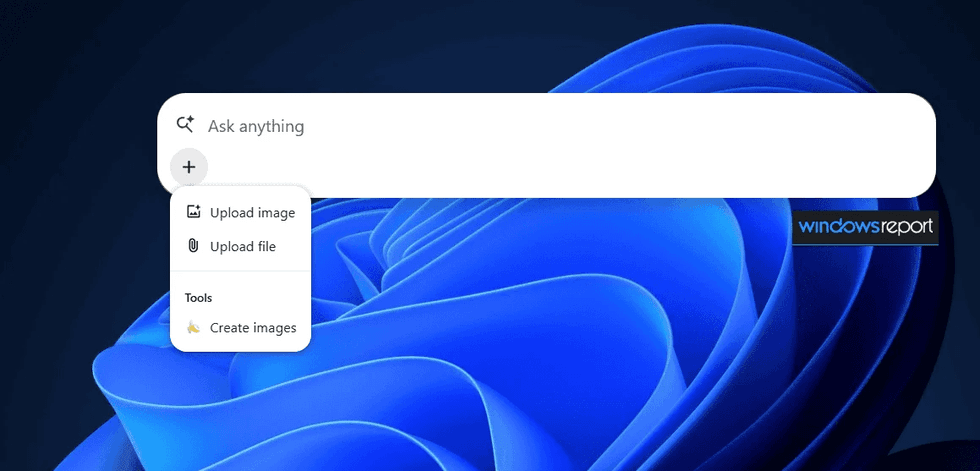
Window Reports has also found a handy little + menu built right into the interface, which opens up to be a productivity hub rather than just another search box, letting you handle multiple tasks without bouncing between different apps or websites
|Window Reports has also found a handy little + menu built right into the interface, which opens up to be a productivity hub rather than just another search box, letting you handle multiple tasks without bouncing between different apps or websites. For instance, you can upload images or documents for analysis, which is great if you need to quickly check something without hunting through folders and browser tabs.
Even better, there's an option to generate AI artwork directly from this pop-up. Essentially, you could research a topic, review a file, and create an image all from one compact window sitting on your desktop.
This could save you a lot of time down the line instead of attempting to edit or create your own images on platforms like Adobe Photoshop or Canva.
LATEST DEVELOPMENTS
- EE flips switch on speed boost for millions across UK at no extra cost
- Best VPN deals
- Building the next big iPhone or iPad app just got much easier for anyone in the UK or Europe
- New Windows 11 update brings major speed boost to your PC
- Freely releases new features in software update – reboot your Smart TV now
Microsoft Edge actually rolled out a similar floating desktop search bar a few years back, so Google isn't exactly breaking new ground here.
The key difference, though, is how Google handles the AI side of things. Where Microsoft treated its AI features as a separate destination you'd navigate to, Google's version weaves everything together in one input field.
It's worth noting this is still very much an early prototype tucked away behind developer flags. Engineering teams often scrap or heavily rework these experimental builds before they reach the public, so there's no guarantee this floating window will ever become a permanent feature on your computer.