


All products and promotions are independently selected by our experts. To help us provide free impartial advice, we will earn an affiliate commission if you buy something. Click here to learn more








It's time to ditch passwords, the National Cyber Security Centre – part of GCHQ — announced at a CYBERUK conference in Glasgow. The agency, which serves as the UK's technical authority for cyber threats and offers advice for citizens, industry, and Government on hacks and attacks, believes that all 69.3million people living in the UK should ditch the jumble of letters, numbers, and symbols used for decades to secure all online accounts.
It's a dramatic shift after decades of recommending unique passwords for every online account. So, what will replace these as the go-to login method?
The National Cyber Security Centre (NCSC) says it can no longer recommend passwords for accounts or services where passkeys are supported. Traditional passwords — even the strongest ones — aren't tough enough to withstand the latest swathe of cyber threats, it argues.
The shake-up promises to change how you'll access everything from your inbox to online shopping accounts, social media to online backups – and it's happening right now. So what exactly are passkeys, and why should you care?
Instead of typing in a combination of letters and numbers every time you log in, passkeys handle most of the work themselves. This clever login method lets you sign in to apps, websites, and other online accounts via biometrics.
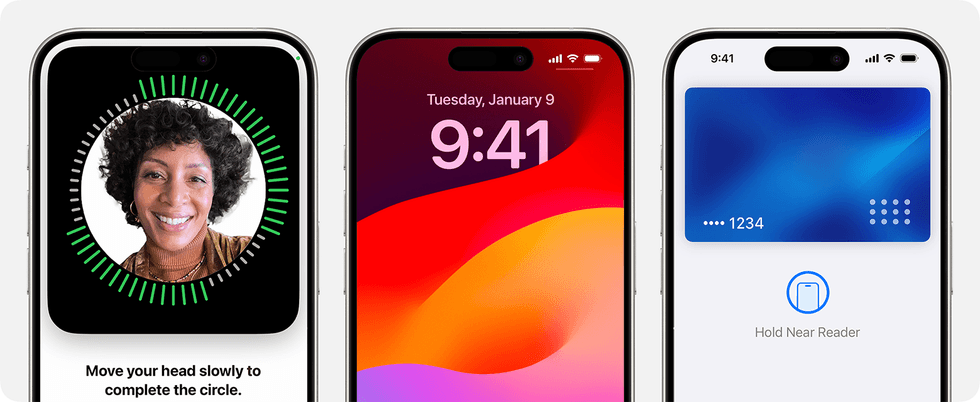
If you're accustomed to using Face ID to verify contactless payments or unlock your iPhone, then you're already familiar with how biometrics work – and how convenient this system can be compared to a traditional password
|APPLE PRESS OFFICE
If you pay using Apple Pay or Google Pay, check your bank balance on a mobile app, or unlock your PC using Windows Hello — you're already used to the convenience of biometrics. Passkeys bring that same simplicity and security to every login. No more forgotten passwords scribbled on Sticky Notes or tapping the "Forgotten Password?" prompt to desperately attempt to reset your login for the umpteenth time.
Using a fingerprint scan, facial recognition, or an on-screen PIN, your device — a tablet, smartphone, or PC — will check your identity and then relay the result to the online service. Unlike passwords, passkeys are resistant to online attacks like phishing, making them more secure than one-time codes sent via SMS. Google called the roll-out of passkeys "the beginning of the end of the password", although they're unlikely to eliminate old-fashioned passwords for some time. Microsoft now asks all account-holders to default to passkeys, instead of an old-fashioned alpha-numeric password.
Let's be honest, traditional passwords are far from secure. They're easily guessed and frequently stolen.
In the last few months alone, we've seen security researchers unearth the so-called "mother of all breaches", with billions of stolen usernames and passwords for popular sites like LinkedIn, X (formerly Twitter), Telegram, and Dropbox. Not only that, but hackers used credential stuffing to break into half a million Roku accounts and spend money using saved payment details.
Some of the biggest technology firms are pushing the transition away from passwords to passkeys, with Microsoft, Google, Apple, and the FIDO Alliance all working together to make this the new industry standard on the web and apps.
Although there are high hopes for passkeys, with Google even calling its rollout "the beginning of the end of the password", they're unlikely to eliminate old-fashioned passwords for some time. For the time being, we're still stuck with passwords for a huge number of our online accounts ...as such, it's time to ditch "password" and think of something a little stronger.
The benefits of passkeys are clear:
- Faster and simpler than typing passwords
- You can't forget your passkey
- No temptation to re-use login details due to "password fatigue"
- Tough for criminals to steal, since it's linked to biometrics
- More secure than even the strongest password combined with two-step verification since both can be stolen
NCSC Director for National Resilience, Jonathon Ellison said: "Adopting passkeys wherever you can is a strong step towards a safer, simpler login experience and I am pleased that we can now support uptake. The headaches that remembering passwords have caused us for decades no longer need to be a part of logging in where users migrate to passkeys – they are a user-friendly alternative which provide stronger overall resilience.
"As we aim to accelerate the UK’s cyber defences at scale, moving to passkeys is something all of us can do to improve the security of everyday digital services and be prepared for modern and future cyber threats."
LATEST DEVELOPMENTS
According to the latest report from the National Cyber Security Centre presented at the CYBERUK conference this week, passkeys offer better protection than what most people consider top-tier security today. This matters because the vast majority of cyber attacks on individuals kick off when criminals manage to pinch or crack your login details.
By switching to passkeys, you're making it dramatically harder for attackers to get into your accounts through phishing scams. Here's the good news: you might already be closer to making the switch than you think.
It turns out Britain is actually leading the world when it comes to embracing this technology. Fresh data from Google shows that just over half of active Google users in the UK have already registered a passkey.
A new technical report, published during CYBERUK 2026 – the UK government’s flagship cyber security event in Glasgow, shows that passkeys are at least as secure as, and generally more secure than, pairing the strongest password with two-step verification
| GETTY IMAGESThat puts us ahead of every other country globally in adoption rates.
If you're using services like Google, eBay, or PayPal, you can start using passkeys right away. These popular platforms have already rolled out support, and more companies are joining them. The fact that you can begin protecting yourself with passkeys today on sites you probably use regularly makes this shift far more practical than you might have imagined.
Last year, the UK Government announced it would roll out passkey technology for its digital services as an alternative to the current SMS-based verification system, offering a more secure and cost-effective solution that could save several million pounds annually.
Of course, not every website or app has made the jump to passkeys just yet. If you're trying to log into a service that hasn't caught up, the NCSC still has some solid advice for you – your best bet is to rely on a password manager to generate stronger passwords than you'd come up with yourself, and make sure you're still using two-step verification wherever it's available.
But here's why this shift to passkeys matters beyond just your personal accounts. The NCSC sees this as a crucial way to strengthen the UK's cyber defences on a massive scale. Moving to passkeys is something every single one of us can do to beef up the security of the digital services we use daily and get ready for the cyber threats we're facing now and will face in future.
The NCSC views making passkeys the default recommendation as a vital step in completely transforming how you interact and control your online identity.
How to use a passkey
If you find yourself on a website or app that supports passkeys — like X on iPhone — you'll be able to create an account that forgoes an old-fashioned password. During the process, you'll be asked to confirm your authenticator.
This is the service that will verify your identity. It can be a smartphone with biometrics, like Face ID or Touch ID on the iPhone, another mobile device, a laptop or desktop PC with Windows Hello, or a password manager. A number of the most popular password managers already support passkeys and will verify your identity and then autofill any login details on the website or app.
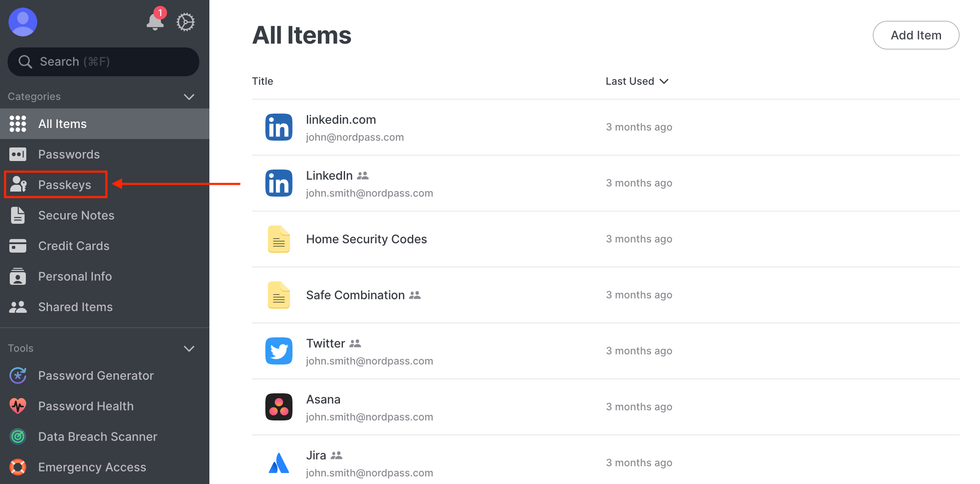 NordPass, a popular password manager, has been updated to store encrypted passkey and synchronise these secure logins across all of your devices | NORDPASS PRESS OFFICE
 iPhone, Android, Windows 10, and Windows 11 have all been updated to support passkeys.
Most often, these unique codes will be encrypted and stored online, using a service like iCloud or Google Password Manager, so you can authenticate your login from multiple devices. It also has the benefit of ensuring that all of your login details will be waiting for you if you upgrade to a new phone, laptop, or tablet in the future.
Password managers like 1Password, LastPass, or NordPass will keep your passkey safely stored across devices. These services offer apps dozens of the most popular devices, from smartphones to web browsers, so you'll always be able to login with a tap.
- Save 80% on ExpressKeys password manager + award-winning VPN
- Save 54% on NordPass password manager with support for Passkeys
- Get started with a free trial on 1Password
Some of these apps will rely on a single master password to secure your vault of login credentials, while others support fingerprint scanners and facial recognition.
Chrome, Edge, Safari and Firefox have all been updated to support passkeys. Just ensure you're running Chrome version 79 or higher, version 13 or newer for Safari, and Firefox version 60 or more recent.
Which websites and apps support Passkeys?
- Adobe
- Amazon
- Apple iCloud
- Bitwarden
- Binance
- Coinbase
- Dashlane
- DocuSign
- eBay
- FreePrints
- GitHub
- GoDaddy
- Hancock.ink
- KAYAK
- Microsoft
- Nintendo
- Nvidia
- OnlyFans
- PayPal (Mobile Apps Only)
- PlayStation (Sony Account)
- Robinhood
- Roblox
- Shopify
- TikTok (iOS)
- Uber
- Virgin Media
- WebAuthn.io
- WordPress
- X / Twitter (iOS)
- Xbox
- Yahoo!
- Yandex