






Millions of Samsung smart TV owners across the UK are getting a free upgrade, with fresh sports and entertainment channels landing on their screens.
Samsung TV Plus, the free streaming service that comes built into Samsung smart TVs and many Galaxy devices, has expanded its offering, with more than half a dozen new services added to the platform. It offers hundreds of live TV channels and on-demand movies and shows across news, sports, and entertainment without costing you a single penny.
You just need to be logged into your Samsung account to start watching.
Here's everything you can look forward to being added to your telly.
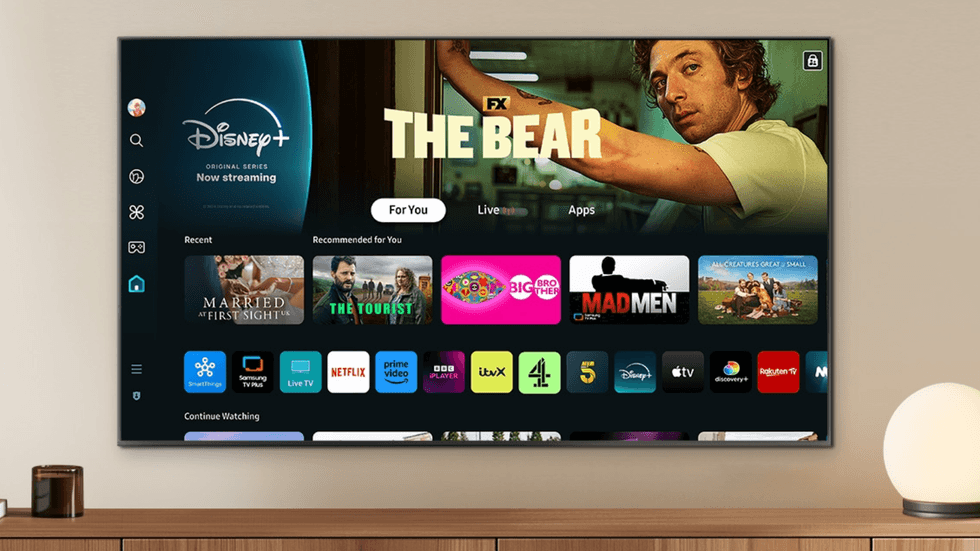
Samsung TV Plus is a free streaming service that comes built into Samsung smart TVs and many Galaxy devices
| SAMSUNG PRESS OFFICEWrestling fans are in for a treat with the arrival of Wrestling Legends TV. This 24/7 channel comes packed with World Wrestling Entertainment (WWE) programming and behind-the-scenes content featuring your favourite stars. You can find it on channel 4613, or simply head to the sports section of the TV Plus guide.
If you enjoy watching the Olympics, Eurovision, which is famous for its annual song contest, has launched a dedicated sports channel. Eurovision Sport sits on channel 4611 and brings you world-class Olympic coverage, highlights, and documentaries at no cost.
The channel is run by the European Broadcasting Union, which recently signed a deal with Aquatics GB. This means you can now watch diving, artistic swimming, and open water events through the service.
LATEST DEVELOPMENTS
- Best VPN deals
- Popular Freely TV box returns to Amazon after weeks of being sold out online
- Traditional landlines to be turned off for another 1.69 million homes in UK
- Google is killing off free tool to check if hackers know your email
- Freely strikes deal with Roku to bring Freeview replacement to more TVs
Series K, known for Korean dramas, has also brought new channels to the platform, which you can tune into on channels 4254 and 4259.
If you prefer horse racing, Racing TV Play launched earlier this spring on channel 4674. It's the streaming channel from the horse racing broadcaster, serving up highlights from recent meetings.
Football fans may also check out the dedicated Bundesliga channel on channel 4003. You can also find it in the "featured" area of the TV Plus guide. It shows live matches and highlights, though it's currently running as a promotional offering as the German league season draws to a close.
However, it should be noted that you must be covered by a valid TV licence before watching any live broadcasts in the UK. This includes broadcasts via a traditional aerial as well as streamed via a Wi-Fi connection. The BBC may also soon be expanding coverage to streaming platforms with on-demand content.
Samsung recently unveiled several new smart TVs, including models designed to look like a piece of framed art when not in use
| SAMSUNG PRESS OFFICEEach of these new channels arrives just after UKTV, a subsidiary of BBC Studios that launched back in 2019 and is behind brands like U&Dave, U&Drama, U&W, and U&Yesterday, covering comedy, drama, factual, and entertainment, is bringing its lineup to Samsung TVs for the first time.
The channels will be delivered internet-only, so there's no need to worry about plugging in an aerial to access these linear channels. UKTV, which underwent a dramatic rebrand to "U" a few years ago, is already available on Sky TV, Virgin Media TV, Freeview, and its successor, Freely.
How to set up a Samsung account
- Open Settings on your Samsung device or smart TV.
- Select Accounts and Backup (or General > System Manager on TVs).
- Tap or click Samsung Account.
- Choose Create Account.
- Enter your email address, create a password, and fill in your details.
- Agree to Samsung’s terms and conditions.
- Verify your email through the confirmation message Samsung sends you.
- Sign in with your new Samsung account to access apps, streaming channels, cloud services, and more.