



All products and promotions are independently selected by our experts. To help us provide free impartial advice, we will earn an affiliate commission if you buy something. Click here to learn more






A popular Apple feature is finally making its way to Samsung mobiles, making it much easier to share content between different devices. For the first time, you can send via AirDrop between Apple devices and a Samsung Galaxy.
Until recently, AirDrop has been exclusive to Apple devices — iPhones, iPads, and Macs — allowing you to instantly send photos, videos, and documents with a single tap. It’s especially useful for sharing multiple files quickly without waiting for uploads or relying on external apps.
Files are sent at full resolution, so you won't see any of the compression that occurs when sharing via messaging services, like WhatsApp. Location data and non-destructive edits are also preserved when photos are sent via AirDrop, which was developed by Apple.
And now, Samsung is closing that gap through an upgrade to Quick Share, its built-in file-sharing tool. With this update, the Korean tech firm is effectively building a bridge between Galaxy devices and the Apple ecosystem.
You can access AirDrop support for Quick Share only on the new Galaxy S26 series for now
|SAMSUNG PRESS OFFICE
Once installed, you'll be able to send files directly to iPhones, iPads, and Macs — essentially any device that supports AirDrop.
The catch? This feature is only available on the recently released Galaxy S26 series Galaxy S26 series for now. Samsung has said "expansion to additional devices to be announced at a later date."
Upgrade to the Samsung Galaxy S26 series and get Apple AirDrop support
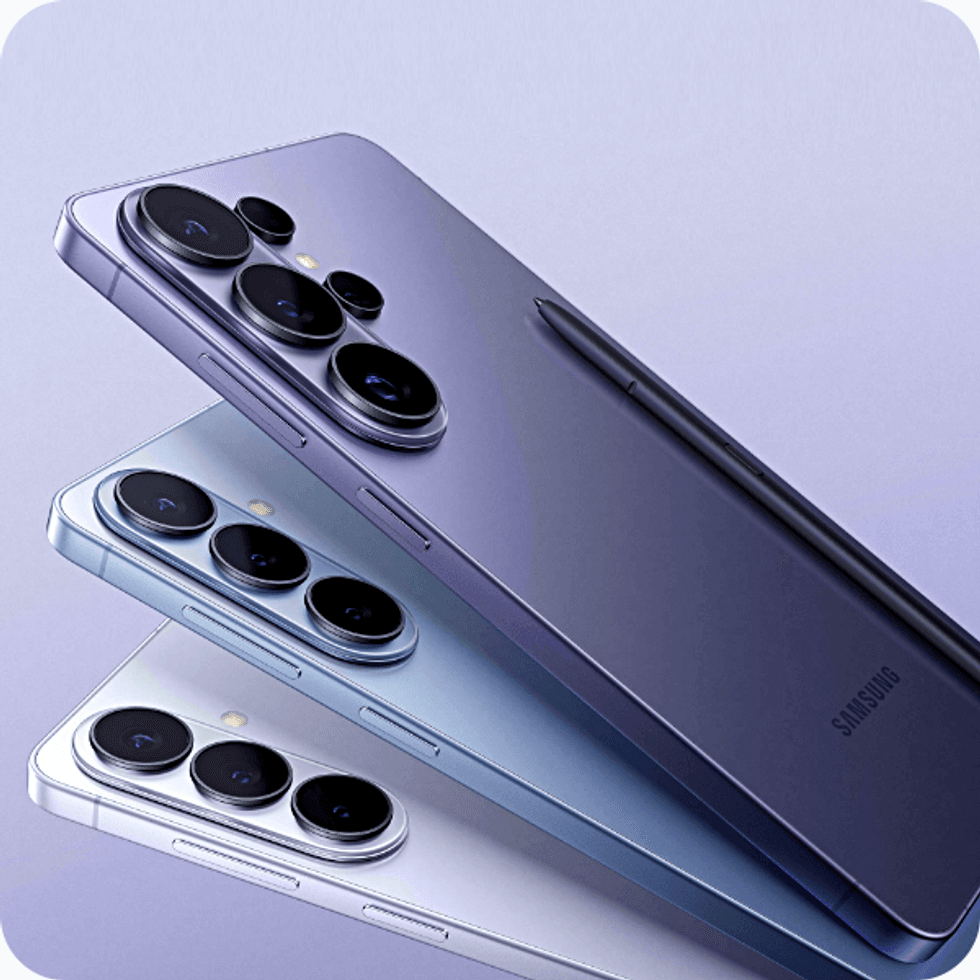
The recently released Samsung Galaxy S26 series features vibrant AMOLED displays, fast next-gen processors, and improved cameras with enhanced low-light photography. Its Galaxy Artificial Intelligence (AI) adds intuitive tools like enhanced photo editing and notification summaries
Samsung Galaxy S26 lineup
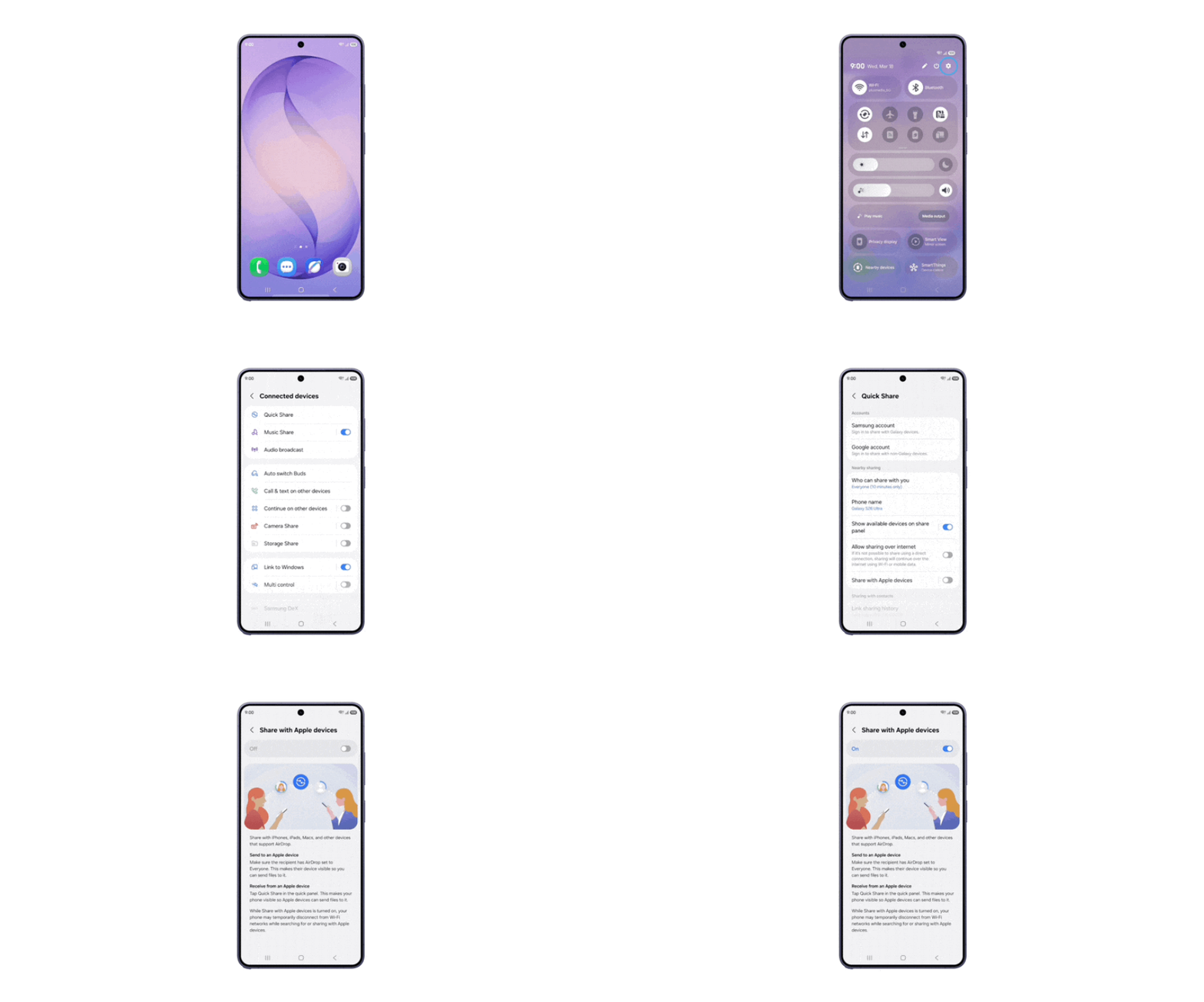
To start using this feature on your Galaxy S26, you'll need to first enable it in the Settings menu.
Once you've navigated to Settings, tap through to Connected Devices, then Quick Share, and finally Share with Apple devices.
From there, you just toggle the feature on, and you can then start sharing content to Apple devices.
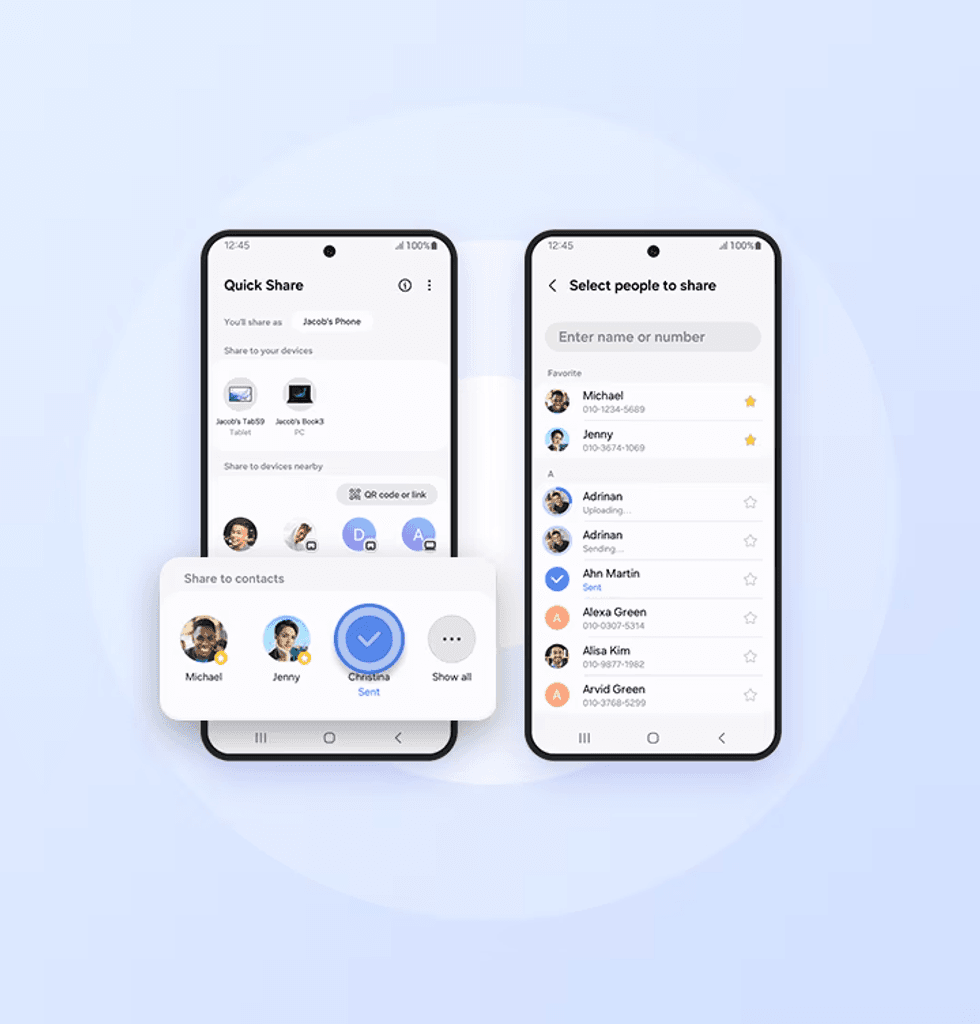
Samsung Quick Share was first released in 2020, which is the Korean tech firm's built-in file-sharing tool across devices
|SAMSUNG PRESS OFFICE
An important point to note is that both your Samsung and Apple devices you're sharing with need to have their sharing settings switched to "Everyone" mode. This allows you to share with any device without the need for them to be saved in your contacts. Without that, the two devices may not pop up for you.
LATEST DEVELOPMENTS
These aren't the first Android devices to be treated to this sharing ability. Google released AirDrop compatibility to its Pixel 10 lineup last year. The US tech firm later expanded the feature to the Pixel 9 series this past February — covering the Pixel 9, Pixel 9 Pro, Pixel 9 Pro XL, and Pixel 9 Pro Fold.
Chinese technology brand Honor also offers its own version of the cross-device sharing feature, so you can freely share between Android, Windows 11, macOS, iOS, and others.
Samsung's new feature is currently available in Korea and will gradually expand to other regions.