










This is the one WhatsApp message you must delete immediately.
The eagle-eyed team at cybersecurity firm Bitdefender spotted scammers using a fresh method designed to tug at your heartstrings by impersonating a loved one in need using the most popular chat app on the planet, WhatsApp. An example of the type of text message being sent by scammers is: "Hi! Please vote for Adeline in this contest, she’s the daughter of a close friend. The main prize is a scholarship abroad. Thank you so much!”
Along with this message, scam artists will include a link to follow.
The message is only designed to incentivise victims to click the link and fill in their details.
For example, clicking on the link won't let you actually vote for the daughter of a close friend to win a scholarship, but it will ask you to enter your mobile number. To make sure you haven't just used a fake number, the fraudsters will even send a unique code and ask you to enter it into an online form — verifying that the mobile number is genuine and in active use.
Once they're confident they've got the right number, the scammers will use this to hijack your WhatsApp.

Fraudsters are going phishing again — and this time they have new bait
GETTY IMAGES
When someone has access to your account, they can either use it to target your contacts by pretending to be you and grow the scam, or even steal your personal information to access things like your bank accounts.
This specific scam has already targeted thousands of users, where hundreds of fake websites have been deployed to take in phone numbers and other information.
To secure your account and avoid falling victim to a fraud attempt, WhatsApp has several protection features you can use.
For starters, enabling the built-in two-step verification on your account will make it much harder for someone to hack it. This adds an extra protection layer, where you'll create and confirm a unique PIN that will be needed to access your account going forward.
LATEST DEVELOPMENTS
You can complete this in the following steps:
- Open WhatsApp and select Settings from the menu. On iPhone, tap the Settings icon in the bottom-right corner. On Android, tap the three-dots in the top-right corner, then select Settings.
- Select Account
- Select two-step verification from the list
- Tap Enable
- Create a six-digit PIN you'll remember. Remember — you'll need this PIN if you ever reinstall WhatsApp or set it up on a new phone
- You can also add your email address in case you forget your PIN or want to reset it
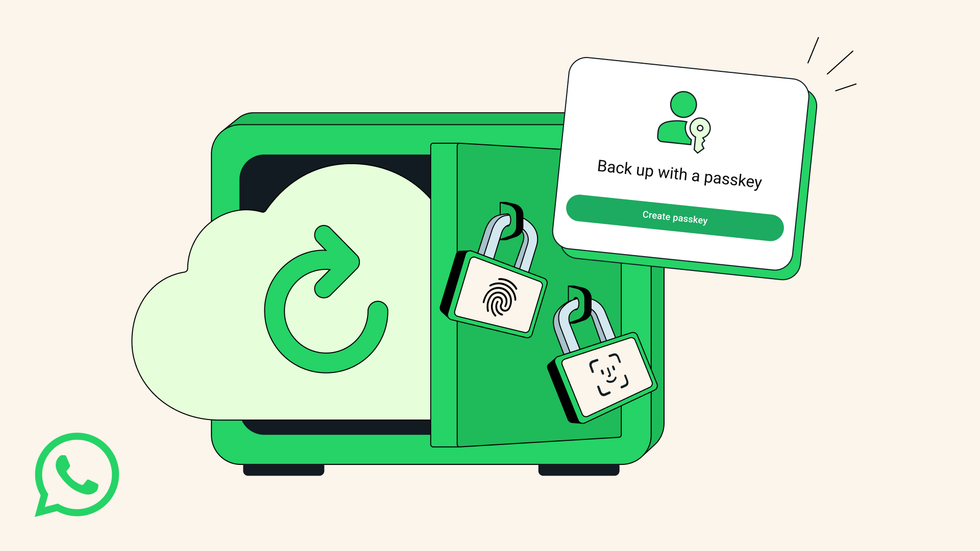 With passkey support, you'll be able to unscramble backups of your WhatsApp data using the same methods on your iPhone or Android device as authenticating a contactless payment | META PRESS OFFICE
 WhatsApp has also recently enabled Passkeys, which can be applied to your account. With this specific feature, you don't need to memorise anything extra. You're simply using security features already built into your phone – the same biometric methods you already use to unlock your phone or authorise payments. Instead of typing in a password, you're using your fingerprint or face scan to give you access
The feature makes it much easier to safeguard all those precious memories stored in your chats — photos, voice notes, and important conversations — without the hassle of managing complex security credentials.
To turn on this feature once it's available on your device, follow these simple steps:
- Open your WhatsApp Settings
- Select Chats > Chat Backup
- Choose End-to-end encrypted backup
- If you have received the update, you'll have the option to enable passkey protection
These steps can be taken on other platforms, not just WhatsApp. Apps like Facebook, Instagram, X, Snapchat, etc, all have experienced hackers looking for ways to access accounts for harmful purposes.
More From GB News