


All products and promotions are independently selected by our experts. To help us provide free impartial advice, we will earn an affiliate commission if you buy something. Click here to learn more







Whether you're trying to check train times, read an important email, reply on WhatsApp, answer a FaceTime call, or generate turn-by-turn directions on Google Maps, it's difficult to be without a good internet connection for more than a few minutes. Paying bills, lodging a complaint, making a reservation for dinner... it can feel like everything is online these days. And if you're relying on publicly available Wi-Fi networks, it's good to be vigilant.
Public Wi-Fi refers to any wireless network that's open for anyone to join, whether that's in an airport, coffee shop, gym, or the office, since there are multiple different people — and devices — on the same network, you need to be a little more careful than when using a private network, like the Wi-Fi connection in your own home.
It becomes even more risky when you connect to public Wi-Fi and deal with potentially confidential files or work that you wouldn’t want to fall into the wrong hands. How safe is public Wi-Fi, and why should you consider getting a VPN? Here’s everything you need to know in order to stay safe.
Subscribe to ExpressVPN for just £1.74 – cheaper than its Black Friday deal

Protect your personal information and encrypt everything you do online for just £1.74 with the latest ExpressVPN deal. That equates to just 6p a day for military-grade encryption across 10x devices.
Unsurprisingly, this blockbuster sale trounces NordVPN, its biggest competitor.
ExpressVPN boasts apps for iPhone, Android, Linux, Windows, Mac, Fire TV, and dozens more, to secure your internet traffic from prying eyes, advertisers, and governments. We praised its speed and reliability in our ExpressVPN review. For a limited time, you'll benefit from an extra 4 months free with a two-year plan
Get 82% off ExpressVPN Basic
$9.99
$1.74
What is a VPN?
A virtual private network, or VPN, is a service/software that creates a secure and encrypted connection between your device and the internet by routing your traffic through a remote server.
When you use a VPN, it establishes a digital tunnel that scrambles your data into unreadable code, ensuring that your online activities, such as the websites you visit or the files you download, remain hidden from prying eyes like hackers, advertisers, or even your internet service provider (ISP).
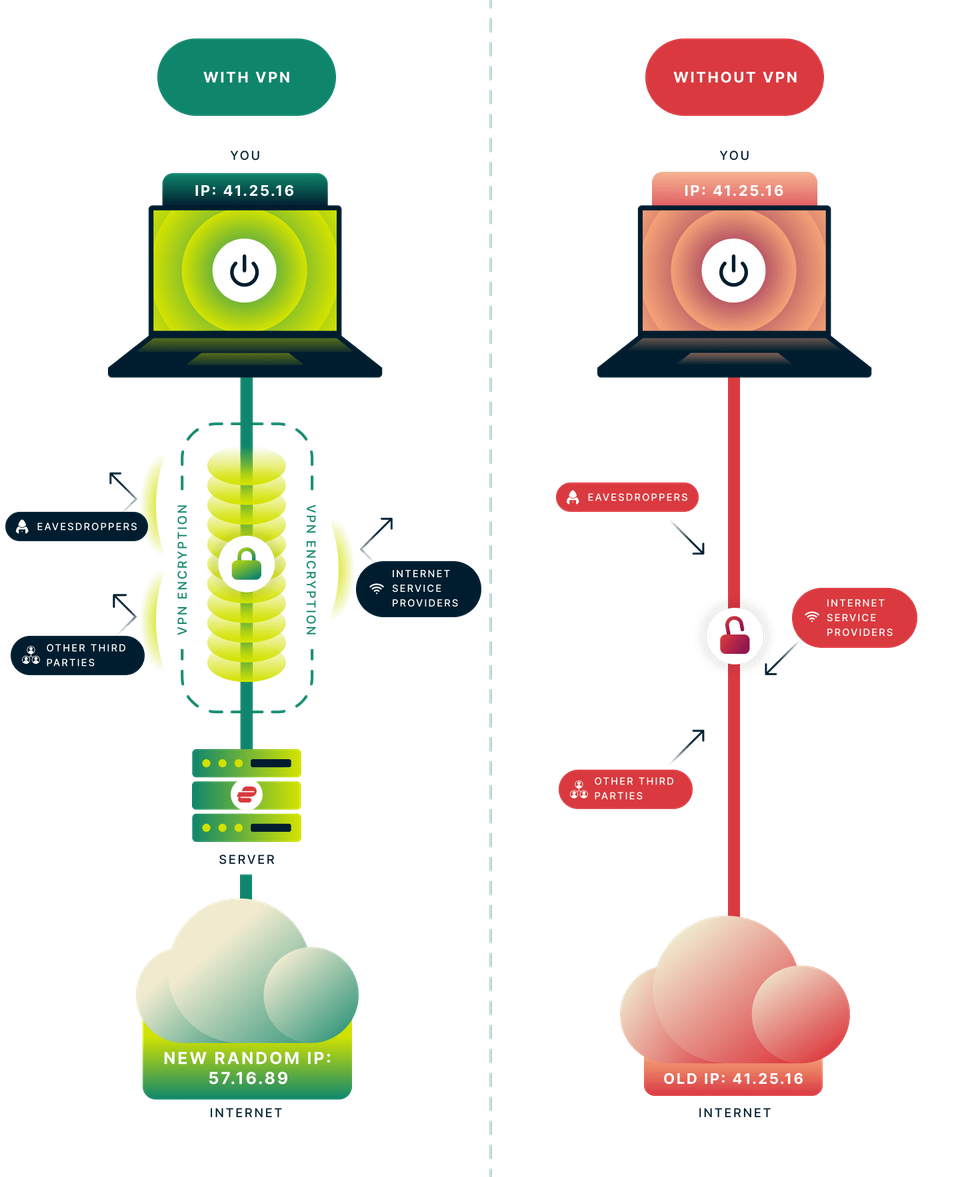 VPNs work by encrypting all of your online traffic before it's sent over the internet. This prevents your ISP, advertisers, hackers, and fraudsters from tracking your online activity, stealing your personal data, or placing restrictions on you | EXPRESSVPN PRESS OFFICE
 In addition to protecting your privacy, a VPN masks your actual IP address and replaces it with one from the VPN server's location, which allows you to appear as if you are browsing from a different country.
A VPN is also often used to bypass geographic restrictions on streaming content, avoid government censorship, or securely access work files when working remotely.
While a VPN significantly enhances your security, especially on unsecured public Wi-Fi networks, it is not a substitute for antivirus software and does not make you entirely anonymous, as the VPN provider itself can technically see your traffic unless they follow a strict no-logs policy.
LATEST DEVELOPMENTS
How safe is public Wi-Fi?
Web standards, like the introduction of HTTPS (Hypertext Transfer Protocol Secure), have made it harder for hackers to steal your data than it was a decade ago, public Wi-Fi remains a high-risk environment. The convenience comes with a trade-off: you are sharing a network with strangers, and potentially with cybercriminals.
Even if you are just browsing news or social media, connecting to a public network exposes you to several specific types of attacks, including Man-In-The-Middle attacks, where a hacker positions themselves between your device and the Wi-Fi router. They can intercept data or even inject malware into the pages you are viewing.
There’s also Evil Twin attacks where hackers set up a fake Wi-Fi hotspot with a name that looks legitimate, for example, setting up a Wi-Fi service called ‘Starbucks_Guest’ instead of ‘Starbucks Wi-Fi’. If you connect to the fake one, the hacker can intercept everything you send and receive.
Many would assume that HTTPS, or the little padlock icon on your browser, means that public Wi-Fi is safe.It’s much safer than it was years ago, but it still has its risks.
HTTPS protection encrypts the data between you and the website, meaning a hacker generally can't read your password or credit card number directly from the airwaves.
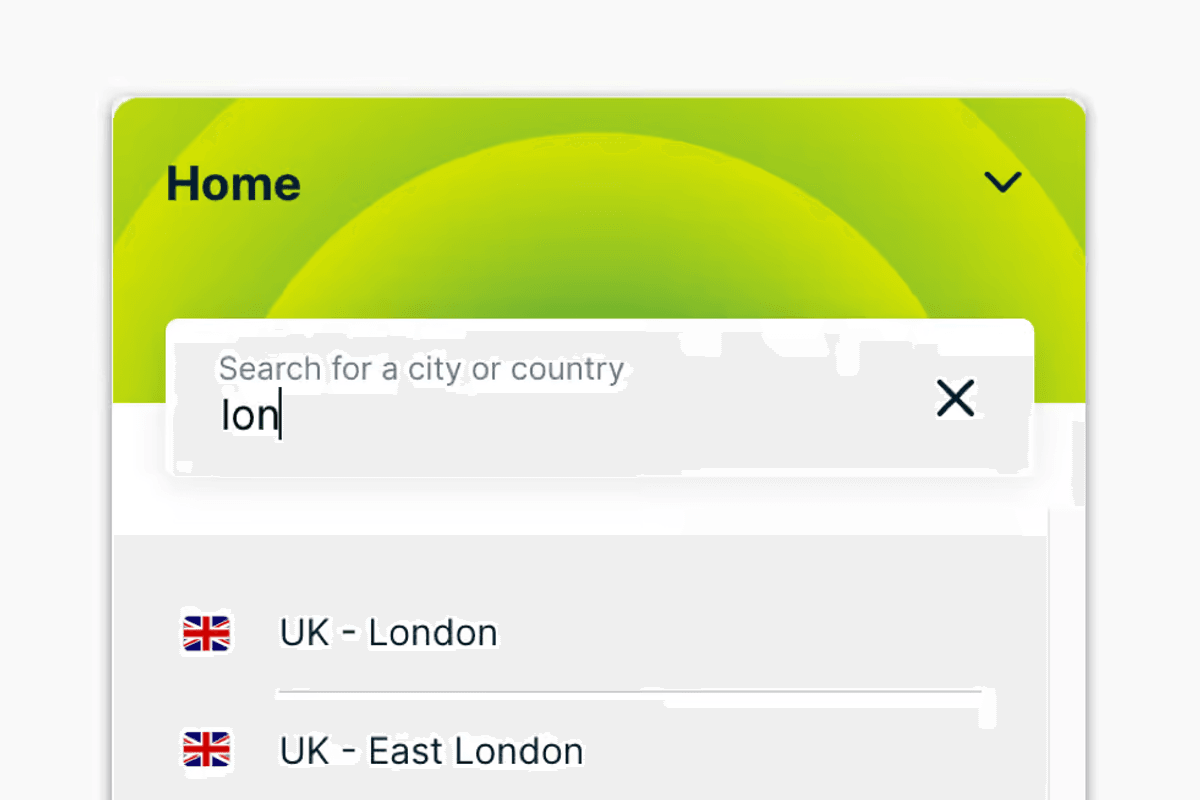
By default, most VPN services will either connect you to the nearest VPN server to your current location, or the last VPN server that you picked
| KAPE TECHNOLOGIES PRESS OFFICEWhy a VPN helps in public Wi-Fi
Using a VPN on public Wi-Fi is essentially like driving an armoured car through a dangerous neighbourhood rather than walking down the street with your money in a clear plastic bag. It makes sure everything you send over public Wi-Fi is secure, safe and private.
Using a VPN encrypts your data before it even leaves your phone or laptop, scrambling it into unreadable code. This scrambled data then travels through the public Wi-Fi router inside a secure digital tunnel, meaning even if a hacker intercepts it, all they see is gibberish. Finally, the data reaches the VPN server, which decrypts it and sends it to the website you intended to visit.
It also defeats Evil Twin attacks, and even if you route your traffic through a hacker’s device, your data remains locked inside your encrypted tunnel, preventing them from reading it.
It also hides all the data and information sent from your device from any administrator of the public Wi-Fi, stopping them from knowing what websites you browse and stopping them from potentially selling the information to advertisers.
Which VPN should you use for public Wi-Fi?
If you’re looking for a VPN to use, we highly recommend ExpressVPN. ExpressVPN costs as little as £1.99 a month and helps protect your privacy 24/7 on all your devices wherever you are.
The biggest risk with public Wi-Fi is simply forgetting to turn your VPN on. ExpressVPN has a feature specifically called ‘Auto-connect’ (or ‘On Demand’ on iOS). When enabled, the app detects if you are joining an untrusted network - like a coffee shop or airport Wi-Fi - and instantly establishes the VPN connection without you needing to press a button.
ExpressVPN also uses a kill switch they call ‘Network Lock’. If the VPN flickers or drops for even a second, Network Lock freezes all internet traffic on your device immediately. It ensures that not a single packet of data leaves your phone unless it is encrypted, effectively preventing data leaks during those brief moments of instability.
ExpressVPN also utilises its own Lightway protocol for superior speed – perfect for spotty public Wi-Fi. Because it handles network switching very efficiently. If you are walking out of a Starbucks and your phone switches from Wi-Fi to 4G, Lightway manages that transition smoothly without usually dropping the secure tunnel, keeping your stream or download uninterrupted and secure.
ExpressVPN also allows for 14 devices and connections on a multitude of devices like Windows, Mac, iPhone, Android, PS5 and more. Once you’re set up, you can choose from over 3,000 servers in 105 different countries.
More From GB News