










Google just offered a sneak peek at some of the most exciting features coming to your Android device.
The next major update will bring new ways to customise your homescreen with widgets designed by Artificial Intelligence (AI), a clever pause feature to curb your screen time, and easier sharing between devices, to name just a few. There's also bolstered security to keep all of your photos, videos, and apps secure from bad actors.
Google previewed some of the new additions coming to Android 17 a few days before its annual Google I/O developers conference, where the US firm typically reveals its plans for Google Chrome, Google Maps, YouTube, and other platforms owned by the brand.
Ahead of the keynote, Google announced its new Gemini Intelligence function, which will be the backbone of several Android 17 features. Gemini Intelligence builds on the underlying Gemini AI model, becoming a hands-on Artificial Intelligence (AI) assistant that doesn’t just answer questions – but aims to get things done for you. This is something that several AI companies are striving for. OpenAI announced its ChatGPT Agent to book tables at restaurants, create PowerPoint presentations, and more last summer.
Here's everything to look forward to in the upcoming Android 17 update and how Gemini Intelligence will be woven into some of these features.
1. Pause to stop smartphone addiction
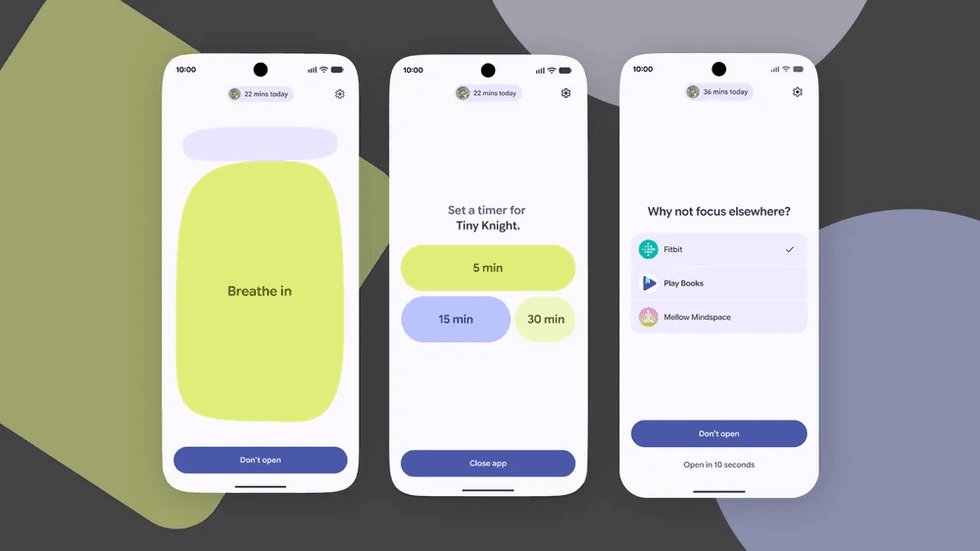
Pause Point is designed to help you put your phone down and avoid endlessly scrolling
|GOOGLE PRESS OFFICE
If you've found yourself scrolling on your phone for the better part of an hour, you can implement the use of a new feature called Pause Point.
Sophie Sanders, Google's Senior Director in Product Management, wrote in a blog post: "Pause Point gives you a 10-second breather to ask, 'Why am I here?'
"During that pause, you can do a short breathing exercise or set a timer so you don’t spend too much time scrolling. You can also look at some favourite photos or jump to alternative app suggestions, like an audiobook."
While you can always decide to launch the app after the moment of pause, Google has intentionally made it tough to completely disable Pause Point. You'll need to restart your Android device to switch off the feature.
This is something you won't find with many of the third-party apps available on the Play Store, promising the same breather to help you curb your endless scrolling. Google believes this will make Pause Point more effective in getting you to put your phone down.
2. Improve your messages with Rambler
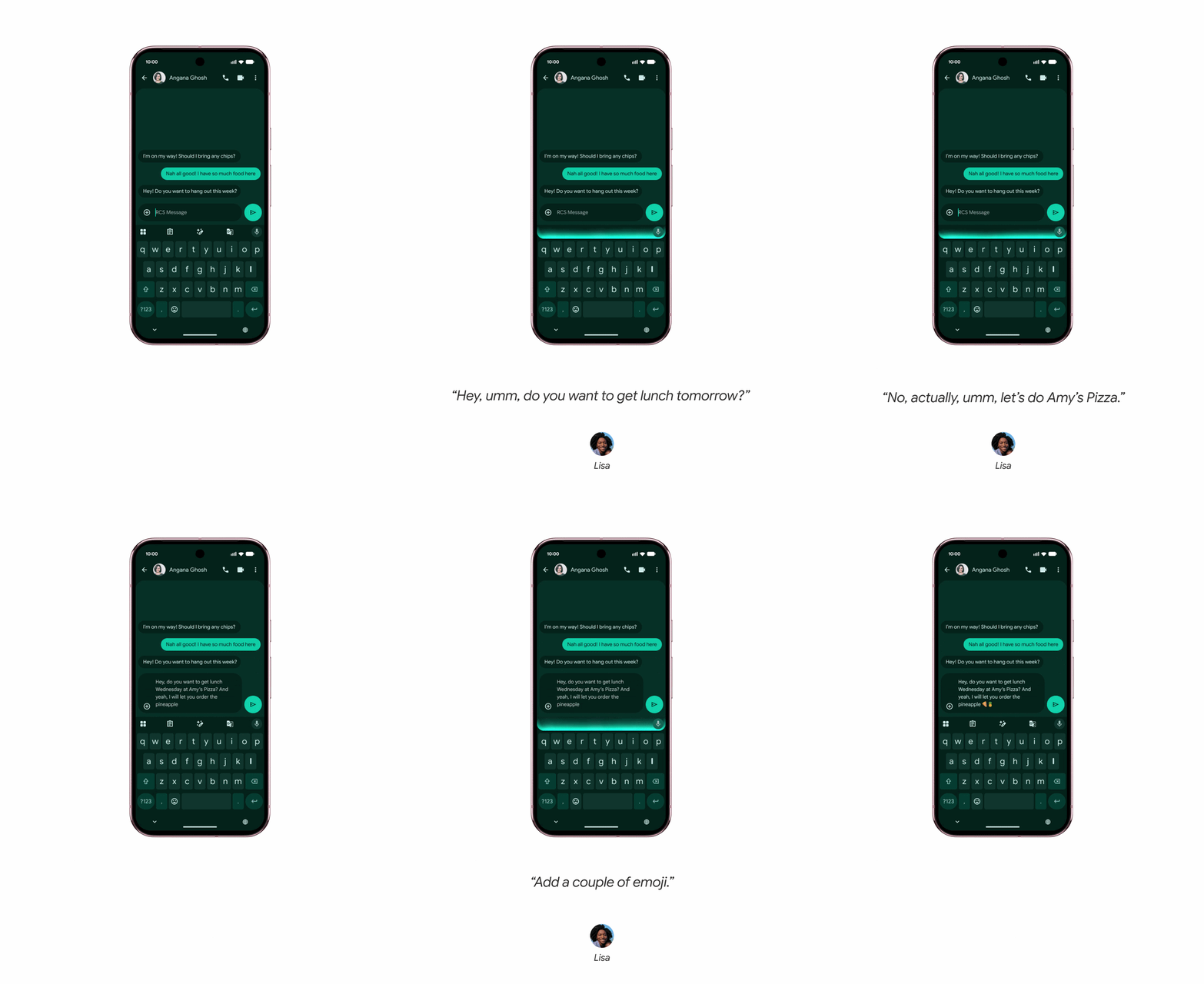 You can dictate messages naturally – complete with filler words like “ums” and “likes” – and the AI refines them into clean, readable text while preserving your tone | GOOGLE PRESS OFFICE
Your keyboard is getting an upgrade with a feature called Rambler. You can dictate messages naturally – complete with filler words like “ums” and “likes” – and the AI will refine them into clean, unbroken, easily-readable text while preserving your tone.
If you're bilingual, you’ll even be able to switch languages mid-sentence. The AI won't translate everything to a single language, so everything still sounds like you.
When Rambler is enabled, the user interface clearly shows when your voice is being actively converted into text. Google says everything is processed in real-time and not stored or saved anywhere.
3. Better autofill from across your apps
Android 17 will ship with a much smarter autofill. You've probably already seen your smartphone remember details like your name, email, and phone number, and to prefill forms or documents online. These are details you've entered manually into your profile, or asked the device to save after filling them out for the first time.
But Google is taking things a step further. Gemini can now proactively pull details, like a flight number or passport details, from connected apps like Gmail. It's smart enough to understand what information the form is looking for, and where it's seen that information before in your Google-branded apps.
If it works as promised, this feature should offer a one-tap way to complete all of your forms. Google says this clever functionality will be opt-in only. You can always turn this connection on or off in your settings.
4. You can build custom widgets for your device
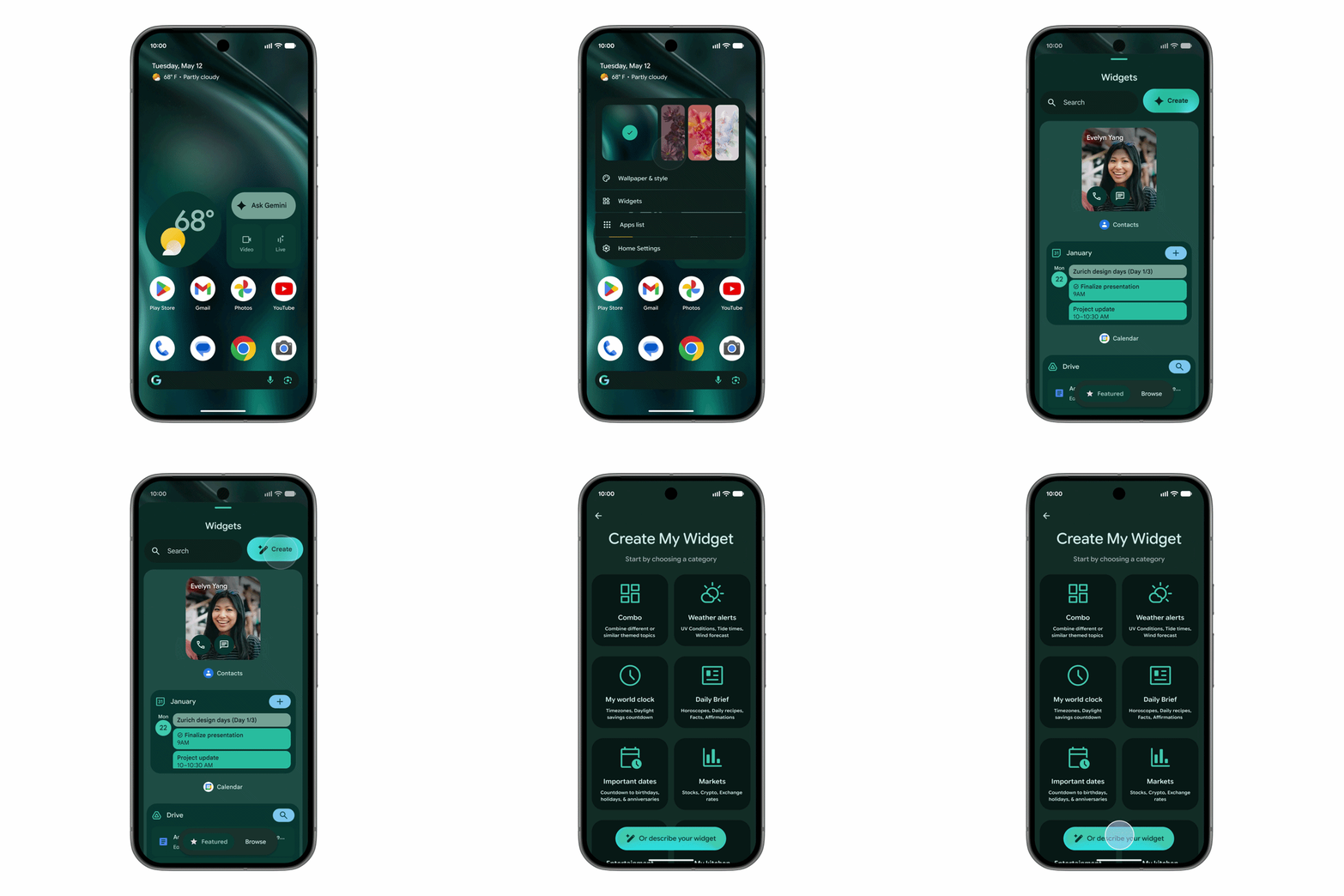 Create My Widget is a feature meant to let you describe what you want — like a weekly high-protein recipe widget —and Gemini builds it for you without any tricky coding required | GOOGLE PRESS OFFICE
Gemini Intelligence is bringing a handy feature called Create My Widget to your smartphone, tablet, and even the upcoming Googlebook laptops.
It's meant to let you describe what you want — like a weekly high-protein recipe widget, or a countdown for your upcoming holiday —and Gemini will build everything for you, without any tricky coding required. It can draw upon information from across your Google-branded apps, including flight information, or photos from a particular location in Google Photos, and more.
For comparison, Apple offers some pretty comprehensive widget customisation in iOS, but it's all manual. Nothing is prompt-driven like this, so you'll need to tinker yourself.
5. Get access to exciting new 3D emojis
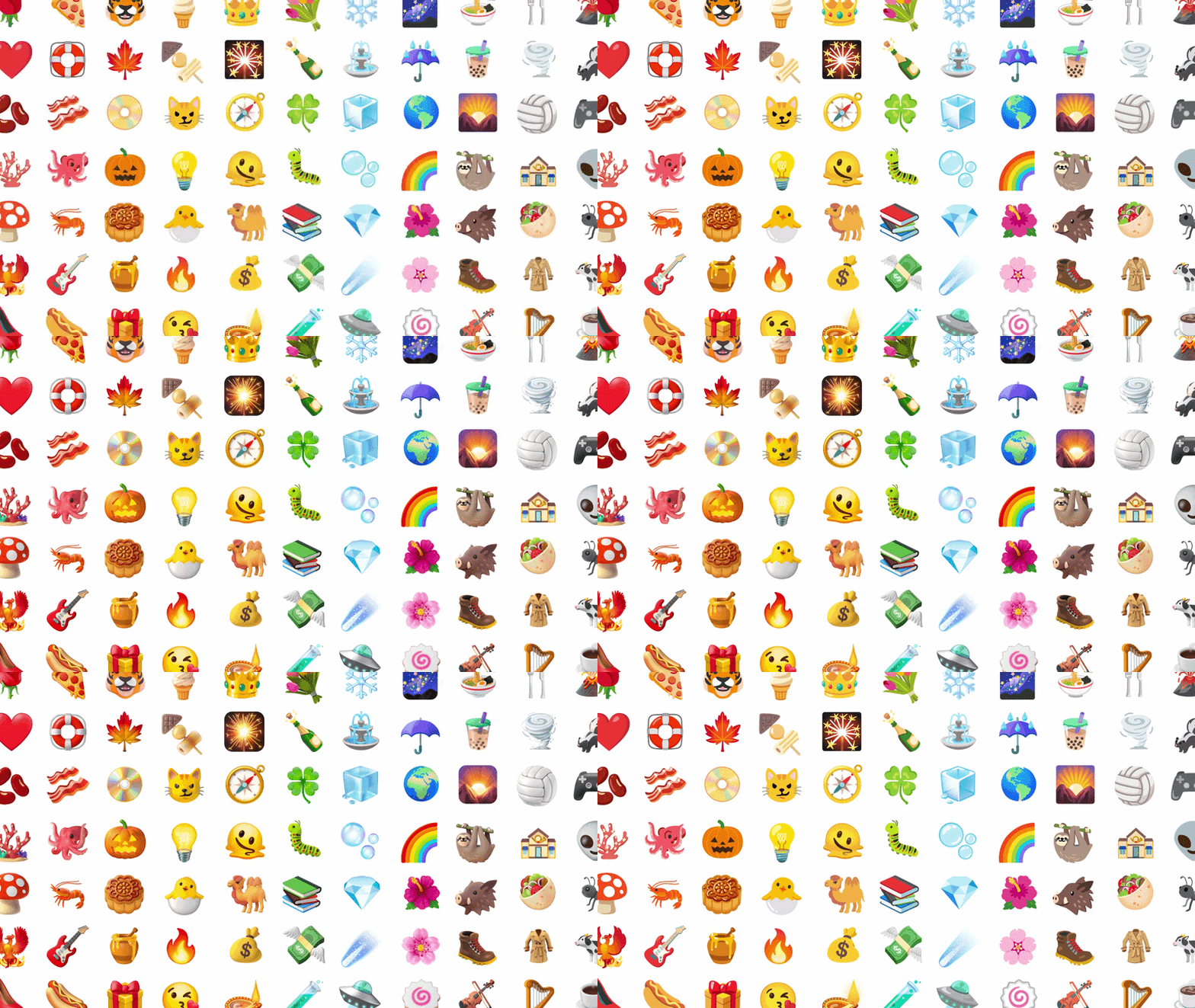
Google is introducing 3D emojis to its offerings
|GOOGLE PRESS OFFICE
Google is attempting to have an edge on Apple with the introduction of 3D emojis, dubbed Noto 3D. The US tech firm says these refreshed animations will help add more personality to your conversations.
Jennifer Daniel, Creative Director of Emoji, wrote in a blog post: "These 3D emoji bring a touch of physicality to these moments and help you overcome this digital divide. It’s the difference between a message received and a presence felt."
LATEST DEVELOPMENTS
6. You'll receive better photo editing and creator tools
Google is attempting to make it easier to create those entertaining reaction videos you might've seen on Instagram and TikTok.
Patrick Shehane, Google Engineering Director, wrote in a blog post: "With Screen Reactions, in just a few taps you can record yourself and your screen at the same time, letting you overlay your authentic response directly onto trending clips, wild comment sections or your latest gift guide."
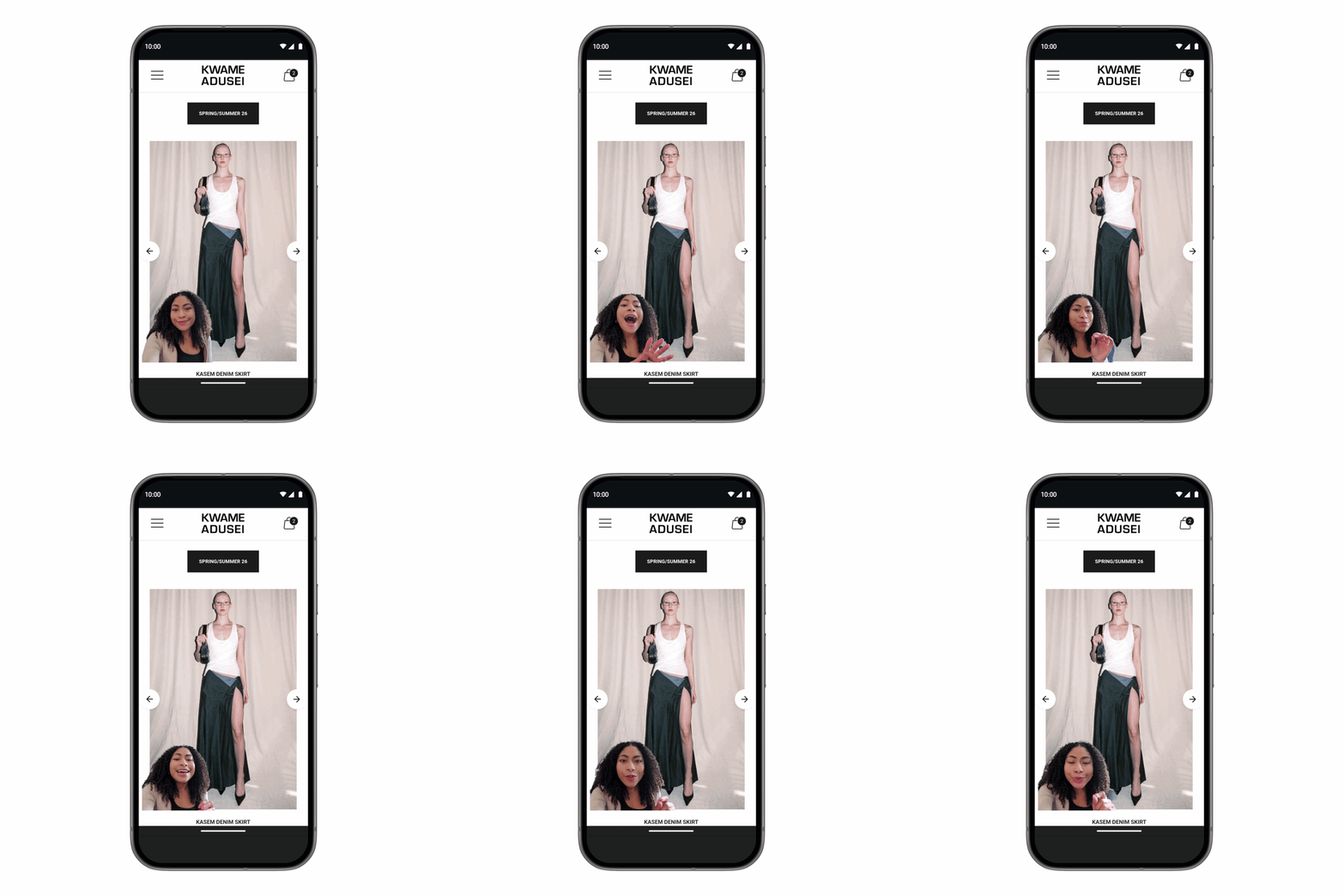
Google is attempting to make it easier to create those entertaining reaction videos you might've seen on Instagram and TikTok
|GOOGLE PRESS OFFICE
Google has also teamed up with Meta to help you share higher-quality photos and videos on Instagram with Android's most advanced mobiles, like the Galaxy S26 Ultra. This includes:
- Ultra HDR capture and playback for more image vibrancy
- Built-in video stabilisation for smoother footage during movement, like running
- Night sight integration for the best shot during dim lighting
Google and Meta are also releasing Android-exclusive tools for Instagram's Edits app — a video editing tool. For instance, it will use Smart Enhance, which uses your device's built-in AI tools to enhance your content.
Plus, if you've ever had bits of audio interrupt your takes, the Edits App can now identify and separate audio tracks like wind, noise, and music.
7. Protect your personal information with new security features
Google is taking several new precautions to keep your information safe with the rollout of its latest security measures.
Eugene Liderman, Android Security & Privacy Team Director, wrote in a blog post: "We’re always strengthening and growing Android’s industry-leading, AI-powered protections and advanced safeguards to ensure that every user is shielded from the evolving landscape of threats. As we look ahead at the rest of 2026, our focus is on scaling these intelligent defenses to be even more seamless and powerful."
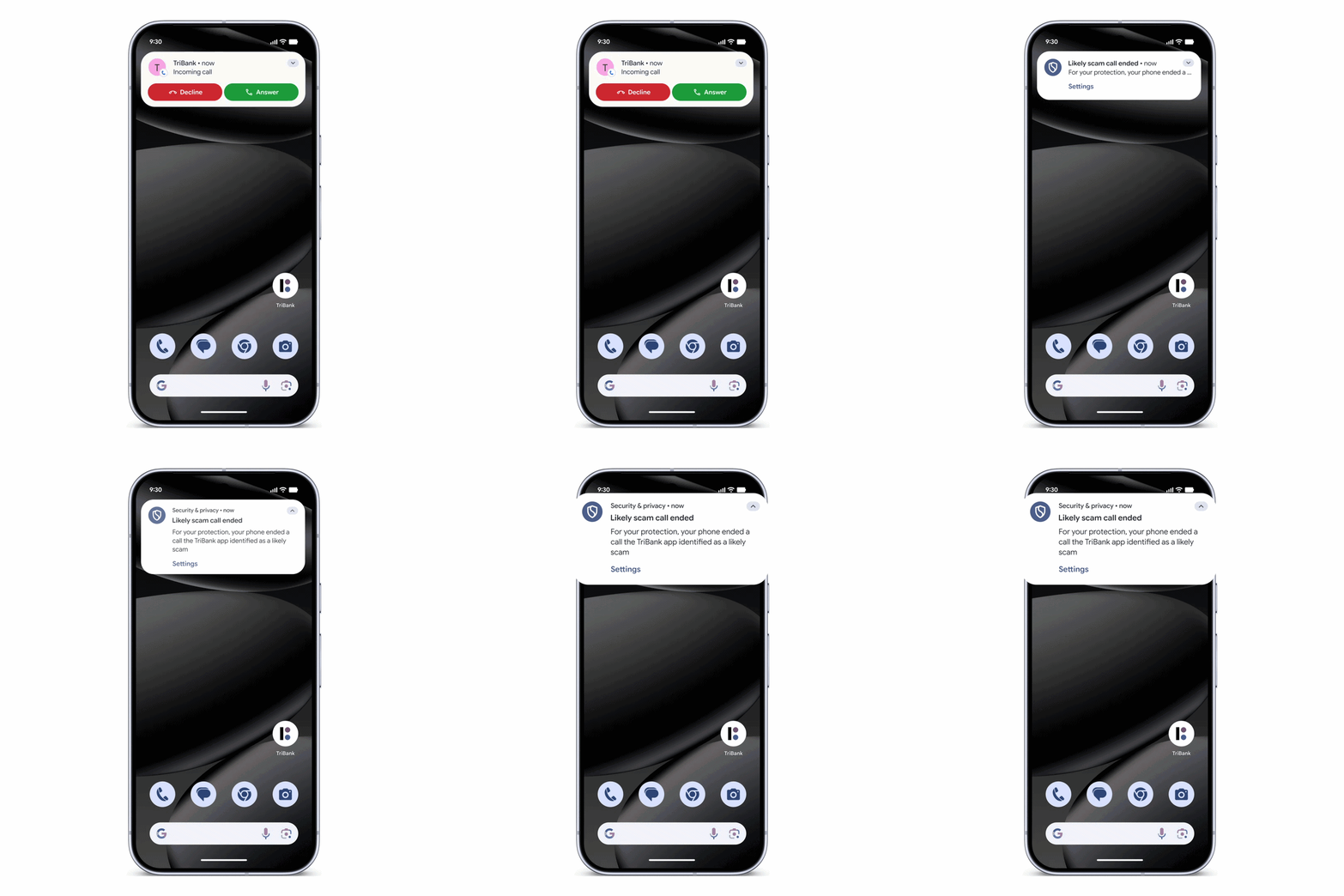
Android will now work in the background to verify your incoming calls
|GOOGLE PRESS OFFICE
Google has partnered with several banks and financial institutions to protect your assets.
Mr Liderman wrote: "Scammers are impersonating financial institutions to trick users into transferring money or revealing their account information. Using internet-based calling systems to change their caller ID, also known as 'spoofing', scammers can make their call appear as if it’s coming from a familiar, trusted business, like your bank or financial institution."
Android will now work in the background to verify your incoming calls — taking these three actions:
- Android asks for confirmation from your installed bank app to see if they are actually calling you.
- If the app confirms that no phone call is being made, the system ends the call.
- Your bank or financial institution could also designate numbers as inbound-only, meaning they never use them to call customers. If you have an incoming call from any of these numbers, it will be ended automatically.
8. Easily share photos and videos between Android and iPhone
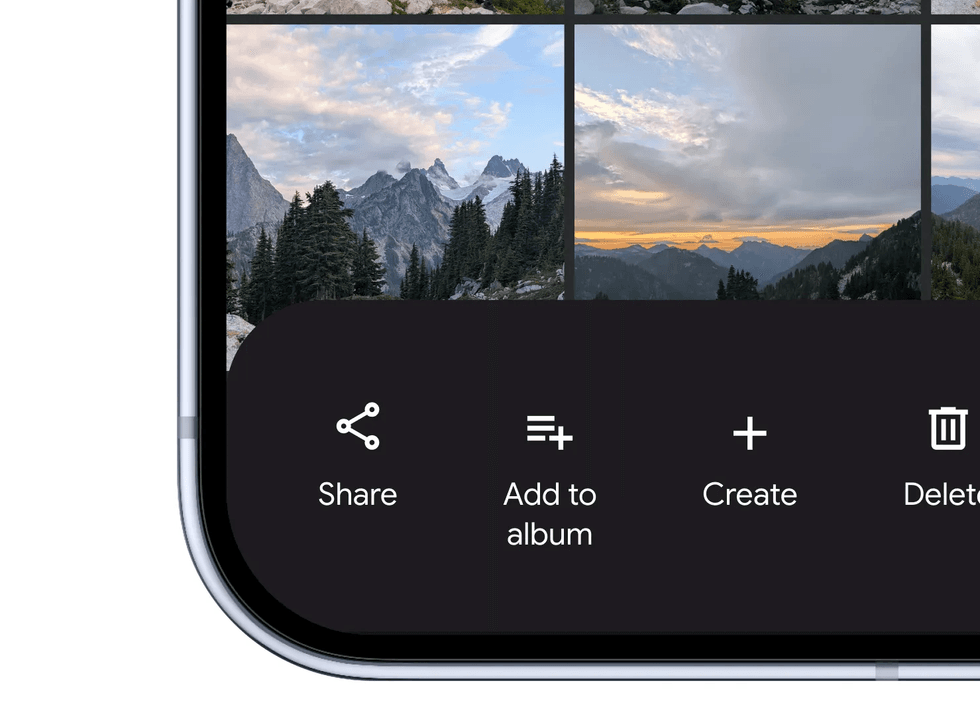
Quick Share is a wireless file-sharing service that allows Android, ChromeOS, and Windows users to share photos, videos, and documents to nearby devices
|GOOGLE PRESS OFFICE
Struggling to share photos and videos between friends and family with other devices will soon be a thing of the past. Quick Share, which is a wireless file-sharing service that allows Android, ChromeOS, and Windows users to share photos, videos, and documents to nearby devices, will now be compatible with AirDrop — developed by Apple.
Files are sent at full resolution via a Bluetooth connection, so you won't see any of the compression that occurs when sharing via messaging services, like WhatsApp. Location data and non-destructive edits are also preserved when photos are sent.
9. You can switch from an iPhone to an Android device much more easily
 | GOOGLE PRESS OFFICE
 If you're considering making the switch from an iPhone to the recently released Samsung Galaxy S26, it's now much easier.
Erik Kay, Engineering for Android Core Platform VP wrote in a blog post: "We worked with Apple to overhaul the iOS-to-Android transfer process to ensure your data moves with you. Your passwords, photos, messages, favorite apps, contacts and even your homescreen layout can migrate wirelessly from your iPhone to your new Android device."
This new process will also support your eSIM transfer. The easier switch will be first available on Galaxy and Google Pixel devices this year.
10. Let Gemini book restaurants, flights, and hotels for you
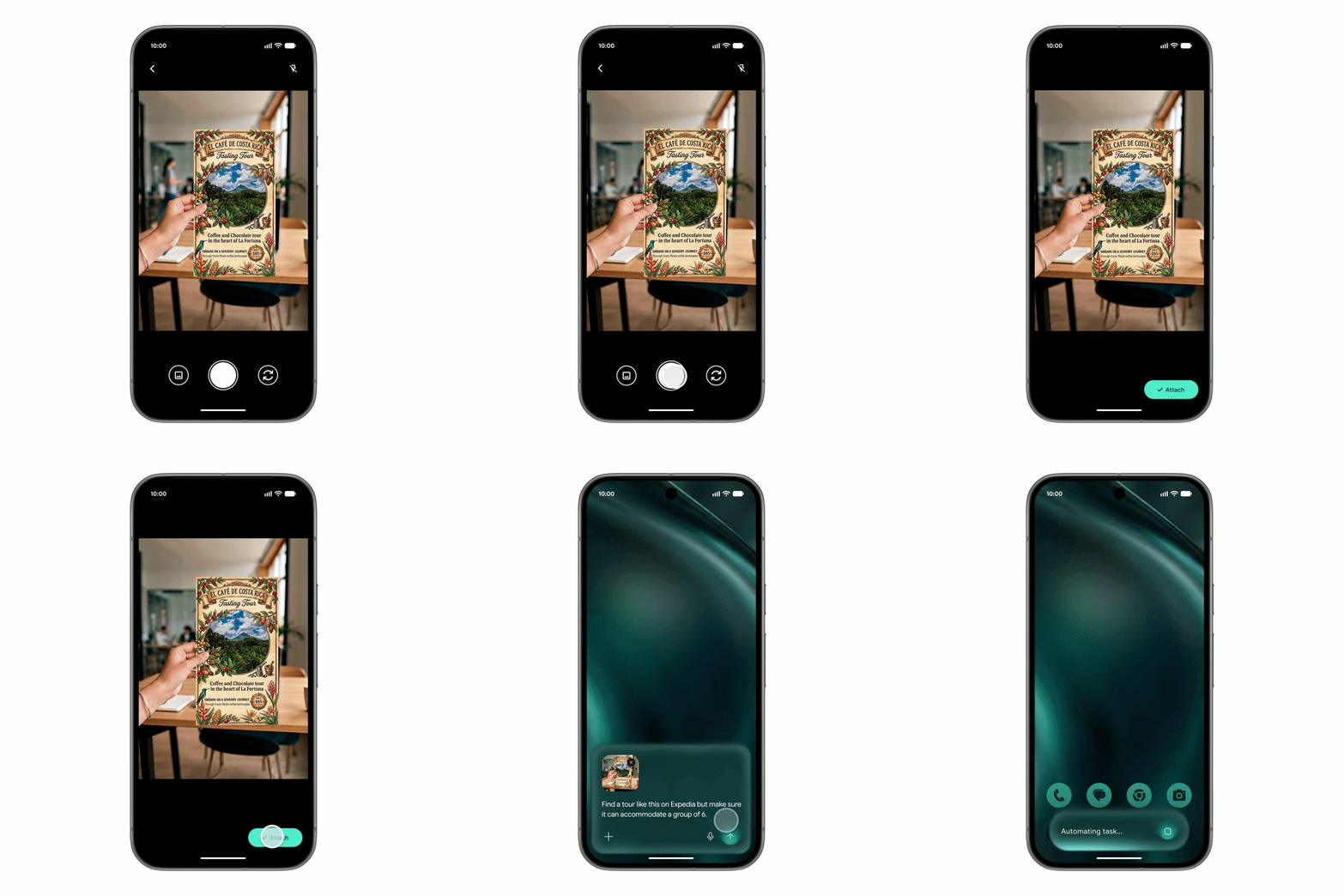 You can snap a photo of a travel brochure and ask Gemini to find a similar tour for six people on Expedia. The AI then works in the background, giving live updates as it completes the task | GOOGLE PRESS OFFICE
 With the integration of Gemini Intelligence in your Chrome browser, many of your tasks, such as making restaurant reservations, booking flights, or ordering groceries, can be done for you.
For example, you can dictate a grocery list, and Gemini will prepare a ready-to-order shopping cart in your favourite app. You can also snap a photo of a travel brochure and ask Gemini to find a similar tour for six people on Expedia.
It can also handle routine online tasks like booking appointments or reserving parking spaces.
This is similar to the recently revamped Alexa+, Amazon's chatty AI assistant.
The AI works in the background, giving live updates as it completes the task. In comparison, Apple Intelligence leans away from this, preferring shorter, app-contained interactions rather than multi-step automation.
However, Google says you have the final say on Gemini's actions. It's designed so it won’t complete bookings or payments without your final approval, a safeguard that mirrors Apple’s stricter on-device permission model.