






Google has just rolled out its second major Android 16 update for Pixel phone users, bringing a fresh wave of improvements and new features to explore.
Android 16 is a mobile operating system designed to power smartphones, tablets, and other Android-based devices
This latest release is a notable one — it introduces more ways to customise your experience. You can now fine-tune how notifications appear, personalise the look of your home and lock screens, and even manage parental controls directly from a child’s device.
However, the update will only be available for those who have the Pixel 6 or newer.
Whether you want a cleaner interface or better control over how your phone is used, this Android 16 update aims to make your everyday interactions feel much smoother.
Stay organised automatically
Google has introduced two new AI-powered notification features designed to keep you more focused and organised.
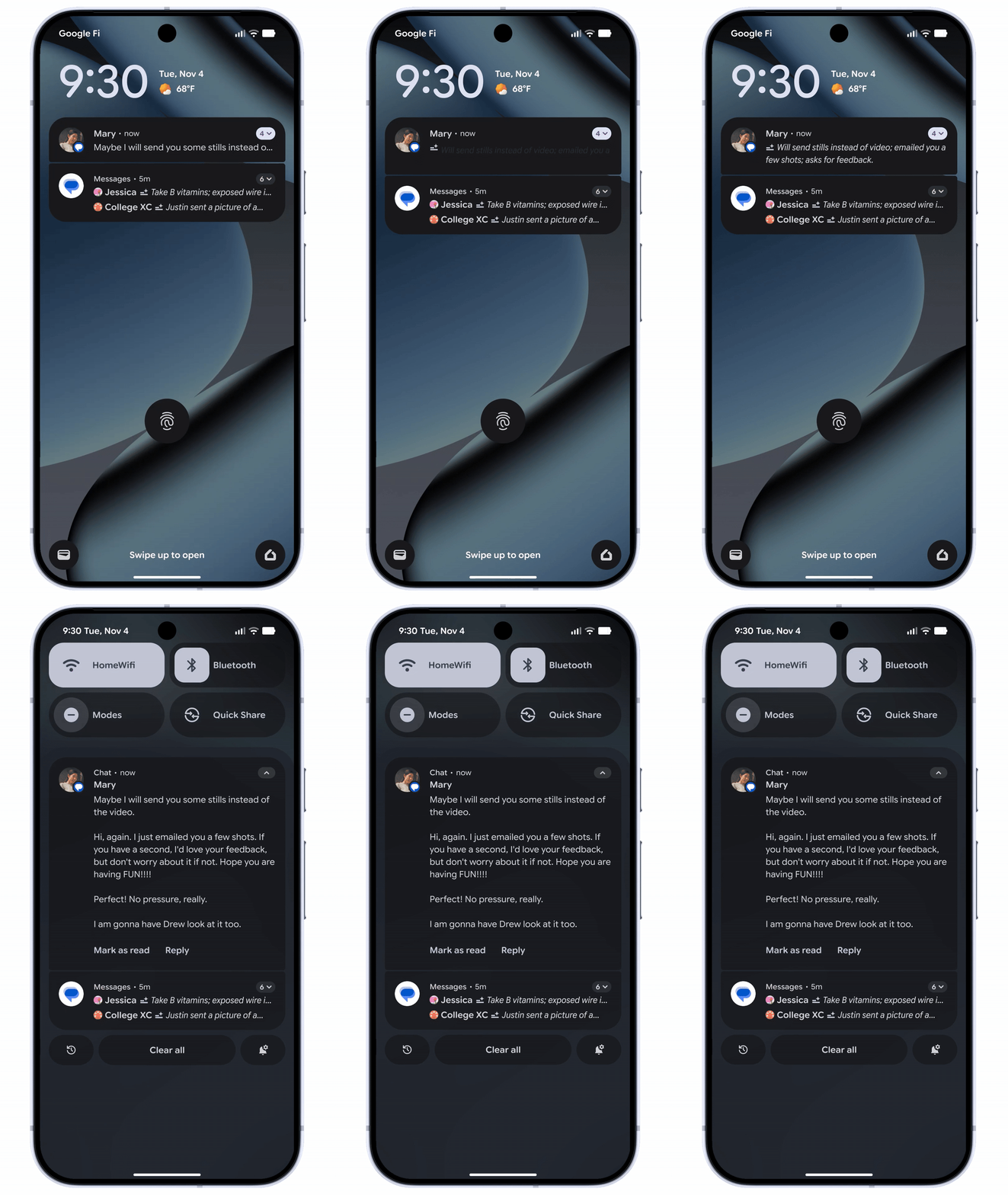
AI-powered notification summaries will let you have longer messages and group chats condensed down to the main points
|GOOGLE PRESS OFFICE
Starting with AI-powered notification summaries, you'll now be able to have longer messages and group chats condensed down to the main points. This way, you'll be able to quickly grasp the context of your messages without having to scroll through them all while you're on the go.
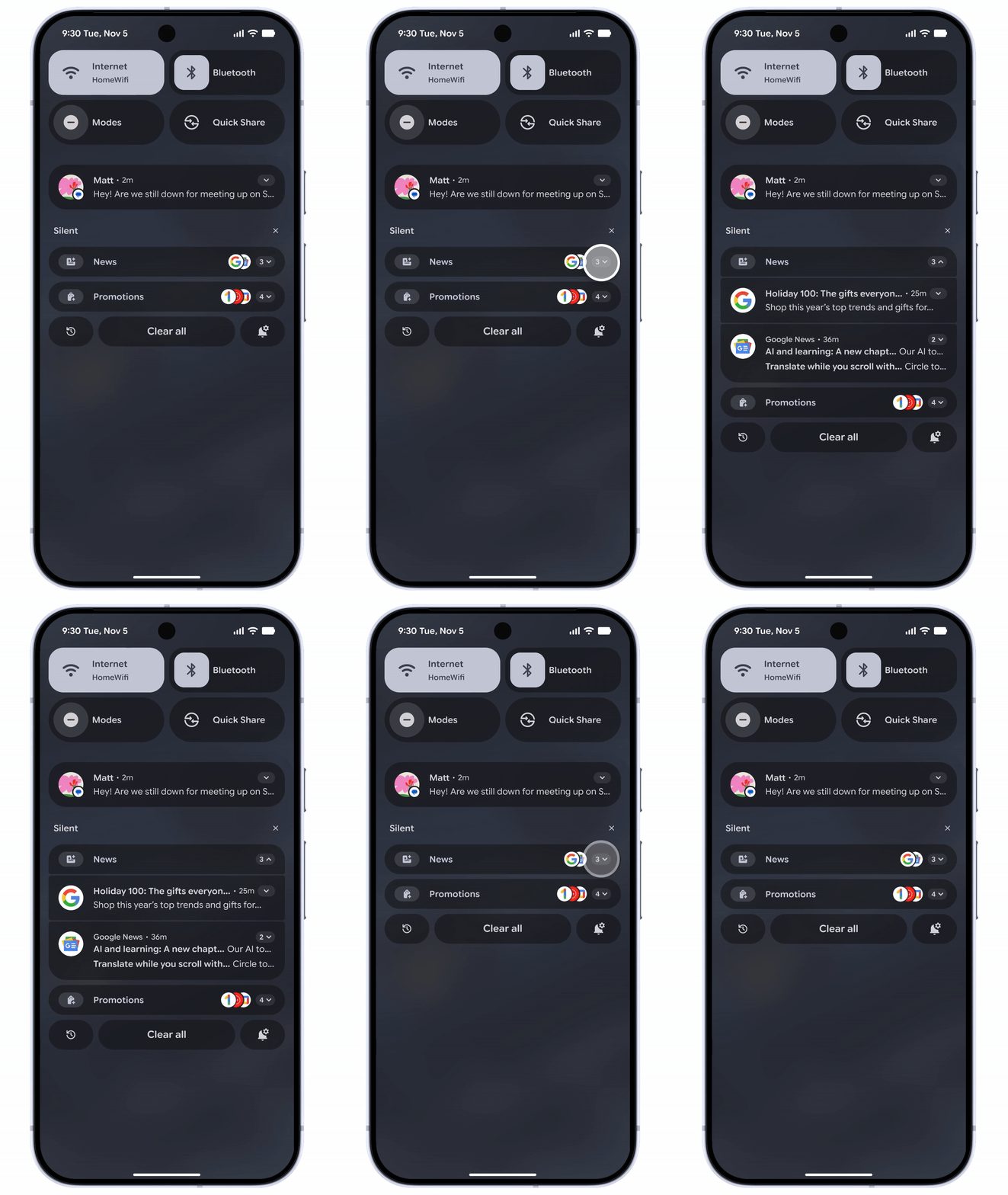
Low-priority notifications can be grouped together or silenced
|GOOGLE PRESS OFFICE
You'll also be able to have your notifications organised for you based on priority. For instance, lower-priority notifications like sales promotions or social media alerts may be grouped together or even silenced when they're sent to you. This can help you focus on more important messages and face fewer distractions.
Personalise your phone's display screen

You can create custom icon shapes to showcase a new display style across your device's home screen
|GOOGLE PRESS OFFICE
Your Android handset can now reflect your own personal style in a new way. You can now customise your phone's interface in the following three ways:
- Create custom icon shapes to showcase a new display style across your device's home screen
- You can set themes across the appearance of your icons/apps for a more cohesive look. For instance, you can set them to reflect all the same shape or colour
- To conserve your battery and be easier on the eyes, you can now darken the majority of light apps by toggling on the dark theme in your phone's settings
LATEST DEVELOPMENTS
Directly manage parental controls on your child's device
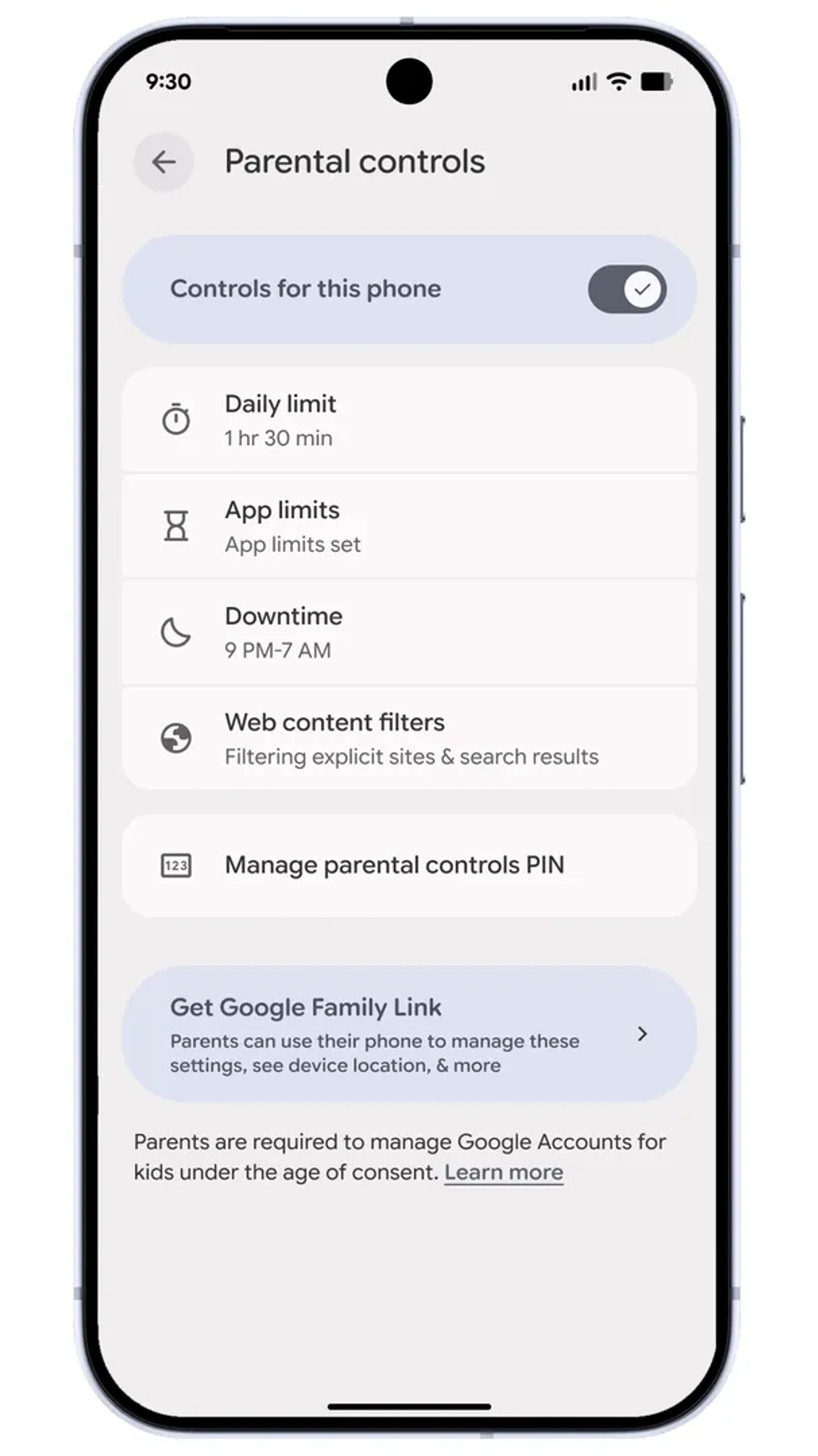
The parental controls are locked behind an access pin, so your child won't be able to change them
|GOOGLE PRESS OFFICE
To help monitor and protect what your child has access to on their devices, you can now set up controls.
For instance, you can set the amount of screen time that can be spent on their device each day. You can also edit these limits to either shorten or lengthen them.
You can also schedule the device to automatically lock at night to prevent distractions.
In terms of app control, you can limit the time spent on specific apps or block access to certain ones entirely.
The parental controls are locked behind an access pin, so your child won't be able to change them.
More From GB News