

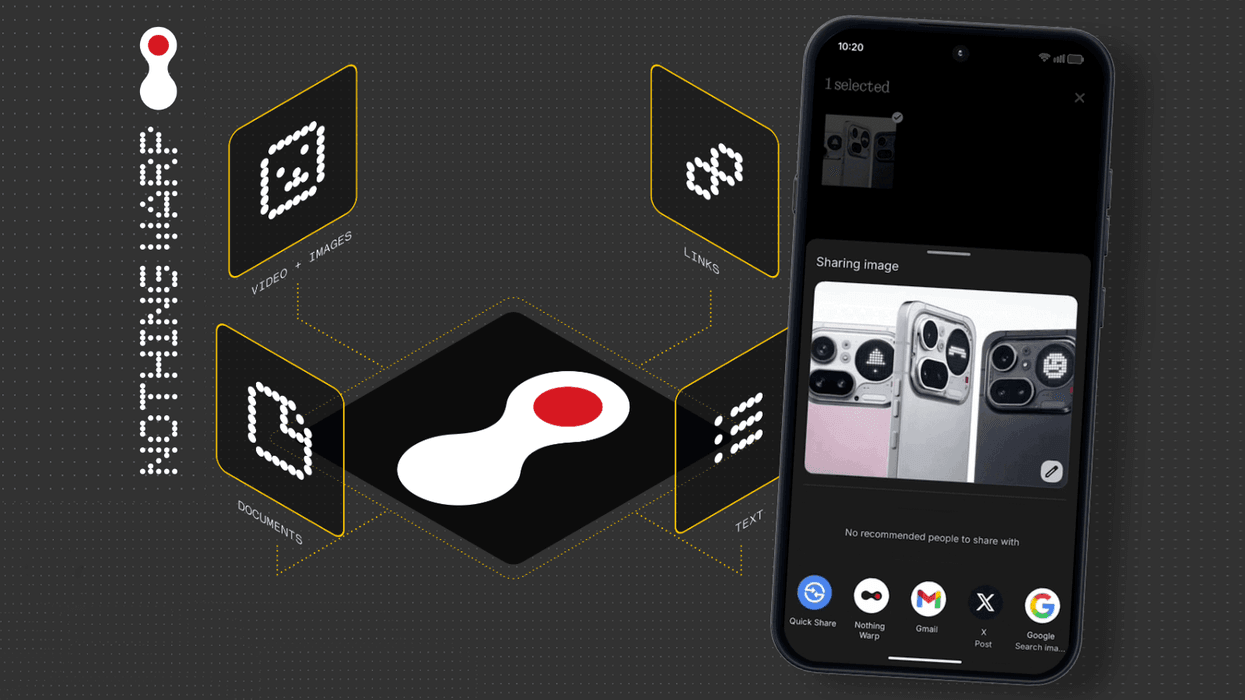









British technology upstart Nothing has launched a direct competitor to Apple AirDrop.
Dubbed Warp, this simple file-sharing app is designed to wirelessly beam documents, photographs, video files, copied text, links, and much more between devices. If that sounds familiar, it's likely because it's one of the most popular features baked into every Apple device – letting you copy-paste between your Mac, iPad, and iPhone.
The really clever bit about Warp is that it can transfer between rival platforms. It can be used to send files between macOS, Windows, Linux, and any Android smartphone or tablet.
With Warp installed, the standard Share menu on Android includes a link to beam copied text, photographs, vidoes, PDFs, and other documents between devices
|NOTHING PRESS OFFICE
Nothing is using some very clever workarounds to make this happen. Rather than sending them directly between devices over a Wi-Fi connection or USB cable, as AirDrop does, it uses your personal Google Drive as a bridge to shift files, links, copied text and images back and forth. Nothing says this means your personal data stays private since the company doesn't store or access anything you transfer.
The catch? Nothing Warp is no longer available to download from the Google Play Store.
After launching with fanfare earlier this month, Nothing Warp has vanished from the Play Store – the primary repository of apps and games for Android users to download and install.
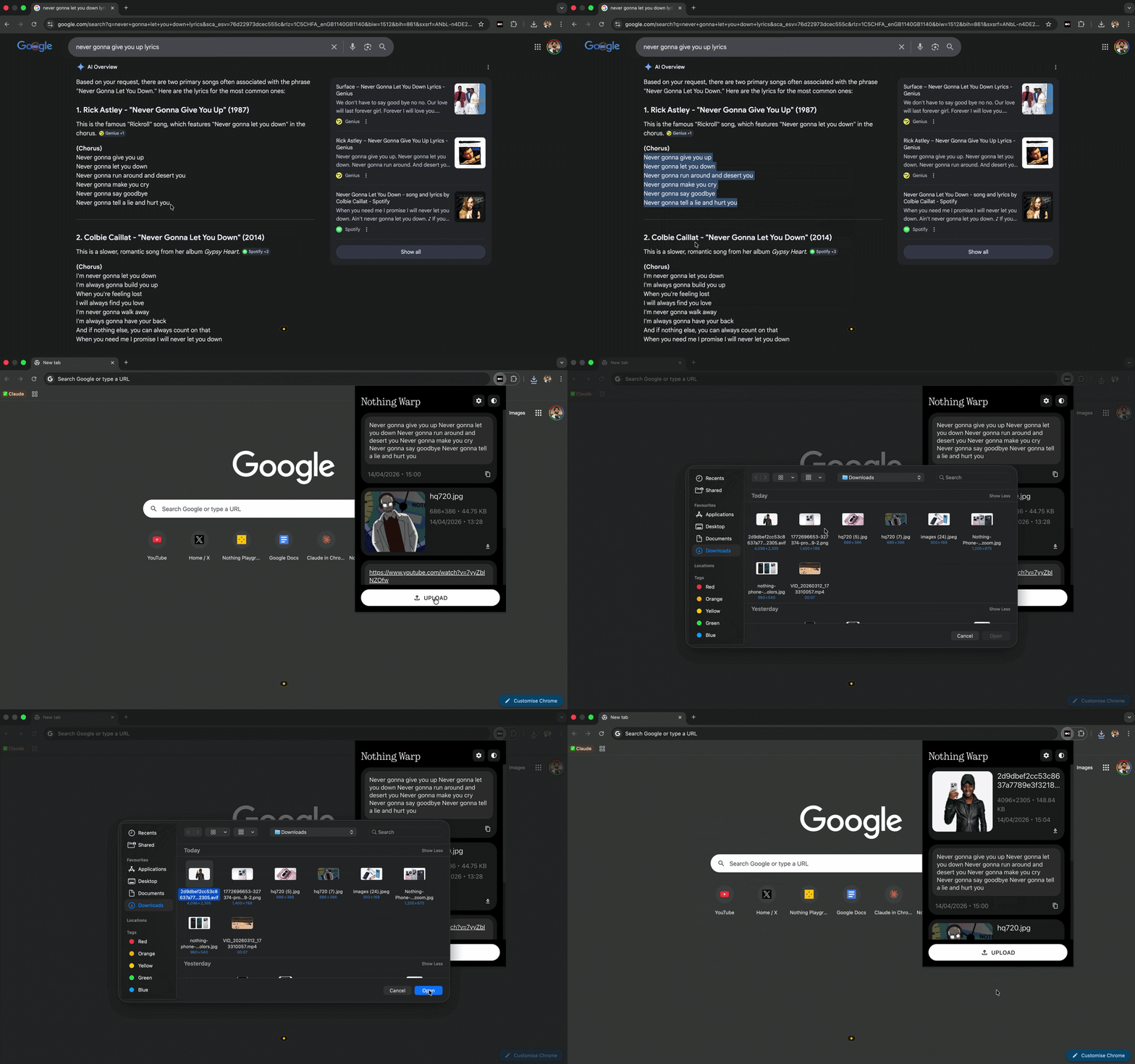
If you want to beam between a desktop PC or laptop, you'll need to download and install Nothing Warp's Chrome extension to any Chrominium-based browser
|NOTHING PRESS OFFICE
According to 9to5Google, a Nothing spokesperson said the decision to drop its new Warp app from the Google Play Store was about fine-tuning the product after its initial release. It wasn't removed from the official storefront because of any security or privacy issues, since everything is built on Google's infrastructure.
The full statement reads: "Nothing Warp was temporarily withdrawn to fine-tune the product following its initial release. The app is built on Google’s infrastructure and handles no user data. There are no security or privacy concerns. Warp is available in Beta for the community. If you would like to try it, feel free to download it from the community site and share your feedback."
If you want to take advantage of the functionality built into Nothing Warp, you'll need to download it from the Nothing website and sideload it onto your handset or tablet.
LATEST DEVELOPMENTS
Nothing is positioning this comeback as a community beta rather than a finished product. The company is actively looking for feedback from people who give it a go, treating it as an early project they want to develop further based on what users tell them.
The sideloading route is an unusual choice for a company trying to reach mainstream users. You'll need to dig into your Android settings and enable installations from unknown sources, something most people have never touched since it's disabled by default for security reasons.
It's a bit puzzling why Nothing has gone down this path rather than simply relisting on Google Play. The company hasn't said when or if the Android app will return to the official store, leaving you in limbo if you're interested but not comfortable sideloading apps.
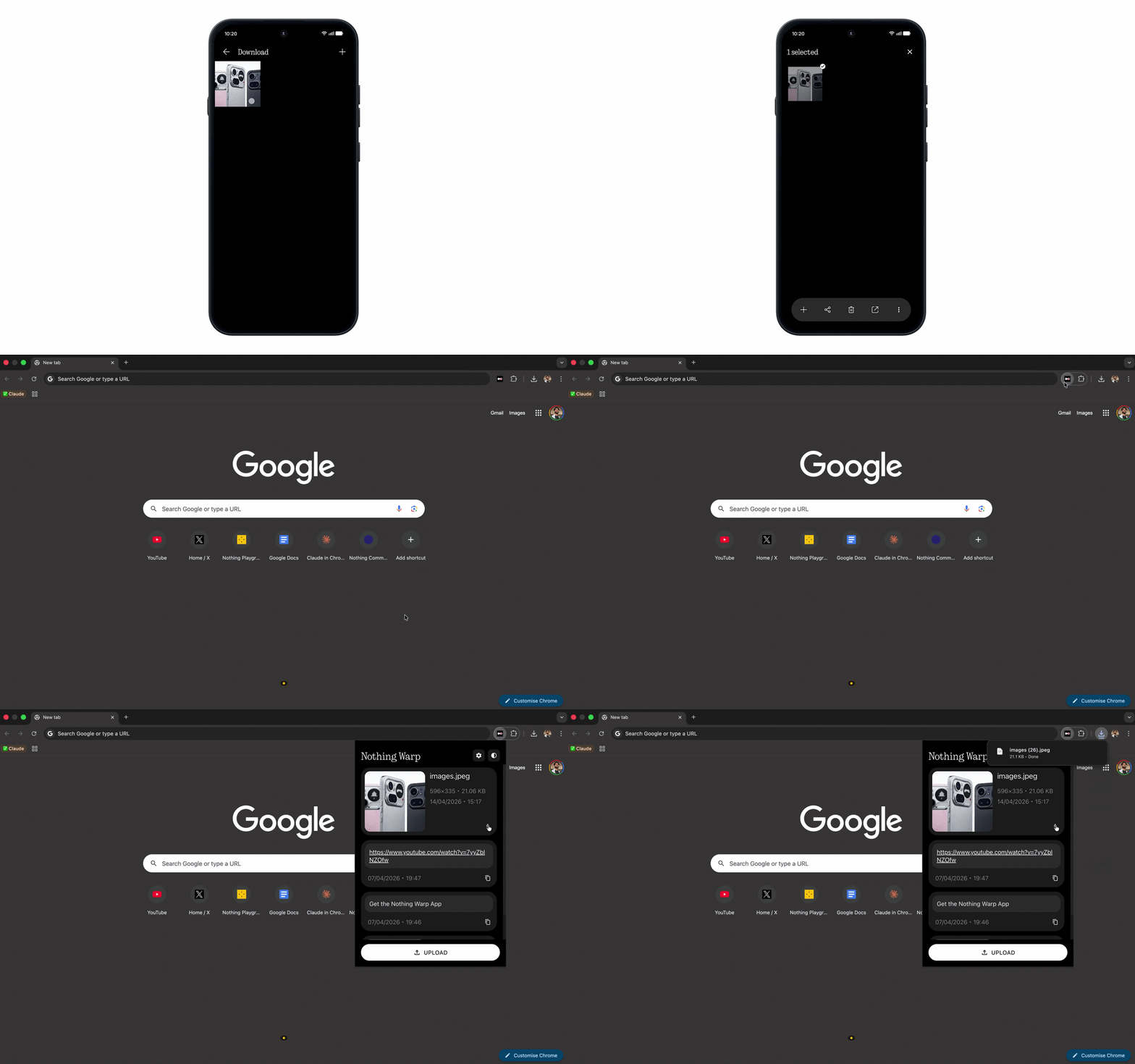
To send files to and from your desktop computer or laptop, you'll need to use a Chrome extension, which is available to download from the Chrome Web Store. All devices need to be signed into the same Google account to work, since it'll be using available Google Drive storage to beam files, text, and photos to and from.
Phone to Computer
Tap Share on any file, choose Nothing Warp, and it appears on your computer. Once installed, the ability to Warp will pop up in the standard Share menu available across the Android operating system.
Computer to Phone
Three ways to send content:
- Open the extension and click “Upload”
- Right-click any highlight content and click “Send with Nothing Warp”
- Paste your clipboard directly into the extension window