











It feels like there's a devastating hack, malware campaign, or mass data leak every few weeks. And that's probably because the statistics do show a dramatic uptick in fraud and cyber attacks in the UK.
The National Cyber Security Centre, established within GCHQ to handle cyber security attacks on critical services, businesses, and citizens in the UK, revealed that it handled 204 "nationally significant" cyberattacks in the year to August 2025 – a dramatic uptick compared to the 89 in the previous year.
This isn't the only increase.
Action Fraud recorded a spike from 28,000 incidents in 2021 to an eye-watering 39,000 last year. That's a 37% jump.
The data includes everything from hacked Instagram accounts to DDoS attacks designed to cripple core infrastructure or industrial-scale ransomware.
- GB News viewers praise major global brand for backing People's Channel
- Check out the best VPN deals around today
- Read our comprehensive ExpressVPN review
Hacked accounts — criminals breaking into inboxes, social media accounts, and other online profiles — are the most common type of cyber offence. But Action Fraud sees a similar number of fraud cases linked to online shopping, but these tend to be more financially damaging for the victims, since someone is ordering with your credit card or online account. Malware and spyware installed on personal devices to harvest data is a smaller subset, but these have jumped sharply in the last 12 months.
It's only been a few months since almost 2 billion email addresses were shared by hackers, with 1.3 billion stolen passwords.
Concerns around the policing of free speech online are another reason to strengthen your protections before you head online.
** PROTECT YOUR DATA - GET EXPRESSVPN NOW FOR 6 PENCE A DAY **
So, what can we all do? In the same way that we lock our doors when we leave the house, or cover the keypad when entering the PIN for our credit or debit card at the checkout... there are several simple steps that everyone can take to fortify their defences when browsing the internet, setting up new online accounts, using online banking, and more.
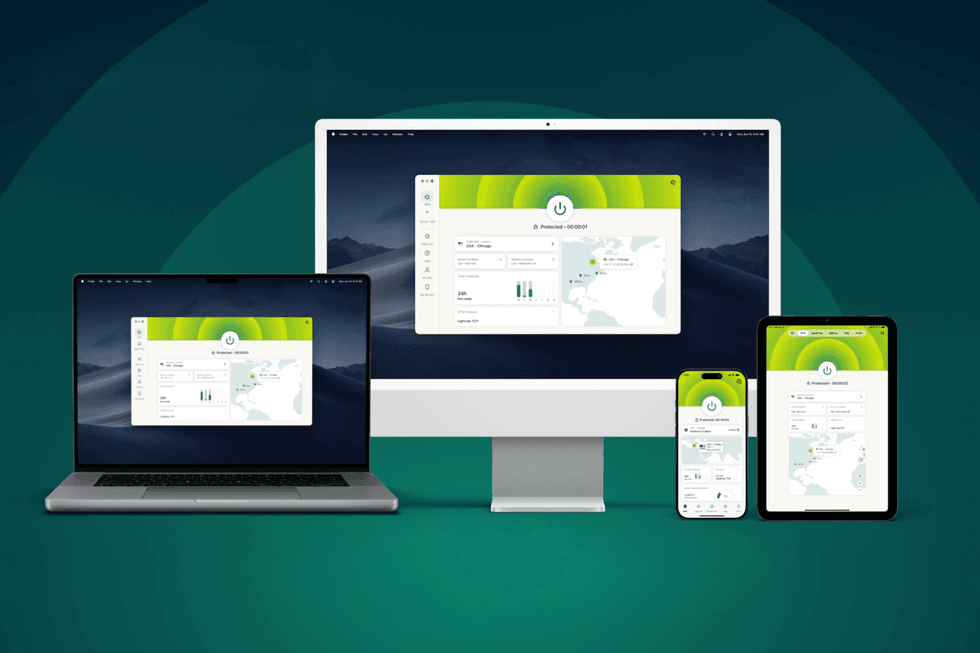 ExpressVPN is available across a wide variety of devices, from desktop apps to smartphones | EXPRESSVPN PRESS OFFICE
In a bid to keep viewers and readers safe, GB News' Patrick Christys sat down with Peter Membrey, who serves as Chief Research Officer at Kape Technologies, the award-winning global security brand behind ExpressVPN. If you're unfamiliar with Virtual Private Networks (VPNs) as a category, these critical apps — once exclusively the domain of corporate IT departments — have transitioned into mainstream tools to shield your personal data and browsing history.
"VPN is a tool that helps you improve your privacy," Mr Membrey told Patrick Christys in the 20-minute conversation about online security, which can be watched in its entirety at the top of this article. "The way the internet was originally conceived and built was designed to be very open and a very trusting place. But the internet has moved on and become more commercial, there are a lot more risks – people having a bit of a nose around.
"For example, when you're browsing websites, your Internet Service Provider (ISP) can see exactly which websites you're going to. It doesn't necessarily mean the websites you're visiting are going to be bad, or that you have anything to hide, but they still get to know something about you that you probably weren't intending for them to know.
"What a VPN does is it creates a link from your device to one of our secure servers. And all of your traffic then goes in a protected tunnel."
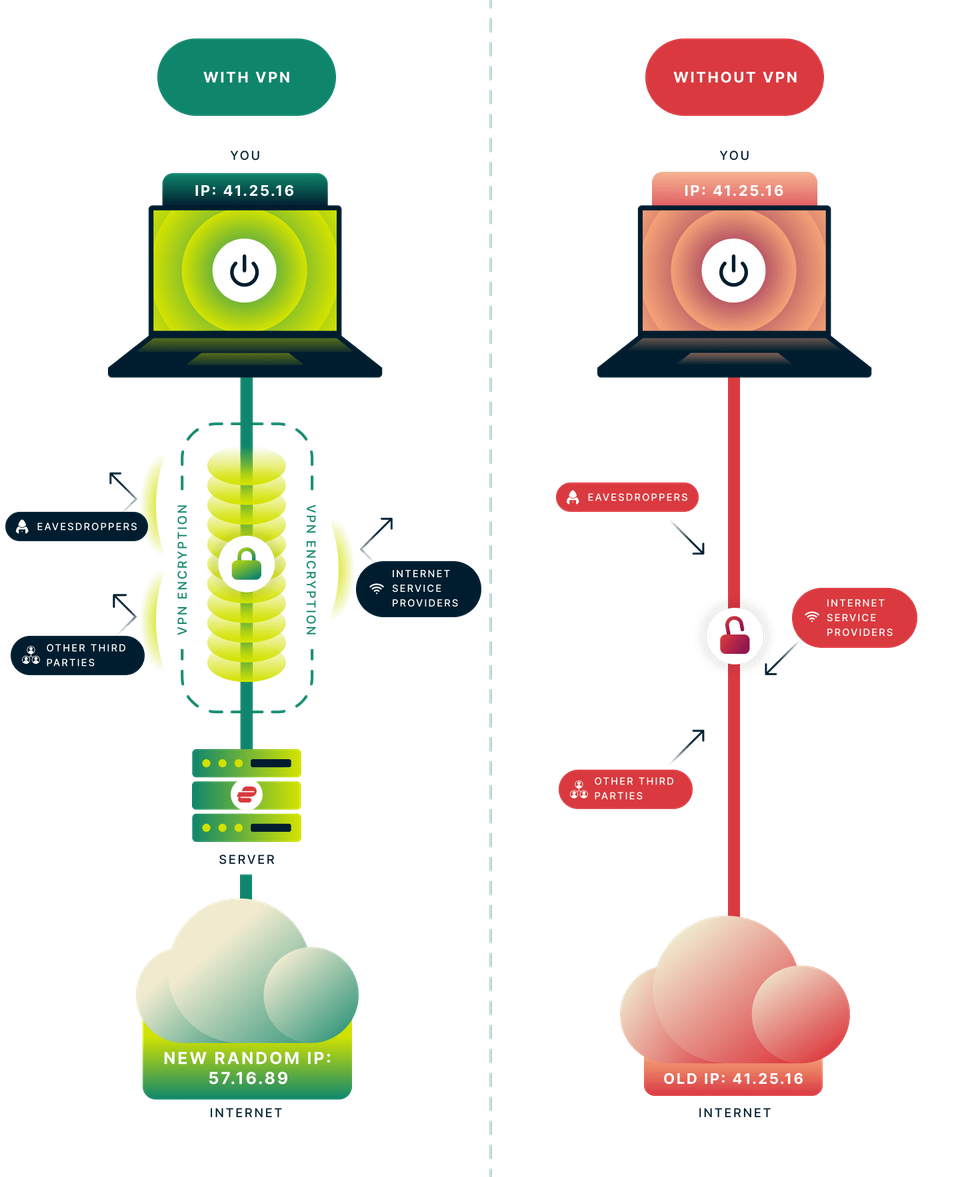 VPNs work by encrypting all of your online traffic before it's sent over the internet. This prevents your ISP, advertisers, hackers, and fraudsters from tracking your online activity, stealing your personal data, or placing restrictions on you | EXPRESSVPN PRESS OFFICE
 Mr Membrey likens using a VPN when heading online to the difference between sending a postcard and a letter in a sealed envelope. He explained: "The VPN itself is just the transport, how things get from A to B. So, if you imagine not using a VPN is like sending a postcard – you have the address and all the stuff you want to say listed on it.
"And anyone who picks up that postcard on the way can see what you wrote.
"Whereas if you're using a VPN, that's kind of like putting in an envelope. And so you would post that to us, and then we would take the postcard, and then we would deliver it for you so that nobody on the way could see it.
"Now this is a really good start, but the challenge there is your ISP or the coffee shop providing the free public Wi-Fi can have a nose around and see that all your online traffic is coming to ExpressVPN instead. What we've done is from the ground up, we've built the system in such a way that not only do we not record where anybody goes or what anyone does.
"We specifically designed the system so that we can't. Our 'No Logs' policy means we don't record what websites you go to, we don't record what you do online."
LATEST DEVELOPMENTS
While VPNs were already gaining momentum, the introduction of the UK’s Online Safety Act last summer supercharged interest. Some VPN providers reported a spike of 1,400% in the wake of the legislation coming into force. But with so many options on the market, it can be tough to determine which of the best VPN deals is worth your time.
If you're new to VPNs, setting up and connecting to one of these advanced security apps might sound intimidating. It was something at the forefront of Patrick Christys' mind during the chat. He asked: "How has ExpressVPN been designed for the non-technical users, for people who aren't boffins when it comes to this stuff?"
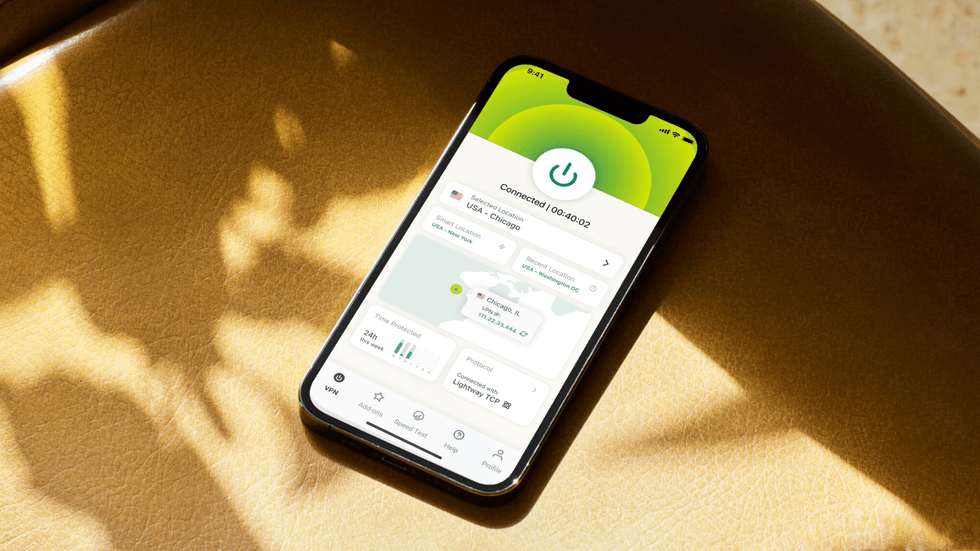
Chief Research Officer at Kape Technologies Pete Membrey told GB News that ease-of-use was one of the main design goals with the ExpressVPN app, which spotlights the ON button as soon as you launch the app
| KAPE TECHNOLOGIES PRESS OFFICE | GB NEWSMr Membrey explained: "We've put a lot of effort into making the app really simple to use.
"We basically have a big 'ON' button. You press the button, it turns on, you press the button again, and it turns off. We have automatic server selection, which will find the best server for you. It works across all your devices, so you don't really need to worry about doing one thing for your mobile and one thing for your laptop.
"So yeah, it's optimised for ease of use. It's very straightforward. We still have some nice features in there if experts want to make some adjustments. But the great thing is for most people – install the app, log in, press connect, and that's all you need to do."
Re-routing everything you do online in military-grade encryption between your device and a VPN server – shielding it from the prying eyes of governments, Internet Service Providers (ISPs), advertisers, and hackers – is just one way to protect yourself. Patrick Christys discussed the importance of maintaining strong passwords with the security expert, too.
Mr Membrey told GB News: "One of the biggest causes for identity theft and various online crimes is password reuse. And there's only really one good solution for that, and that's don't use the same password more than once.
"That sounds really simple, however, most people can only really remember one or two passwords, and they tend to reuse the same one in lots of places. So what ExpressKeys does is provide a nice way to create unique passwords for all the different sites that you're on. It can really put them in one place, so you can have it on your phone or in your browser.
"It will generate secure passwords for you. It will also auto-fill, so in many cases, just go to the website, click the link, and it can fill your details in for you. That takes that complexity away. So you still have to remember your password for the password manager, of course. But other than that, it really lowers the friction of using multiple passwords and keeping yourself safe."
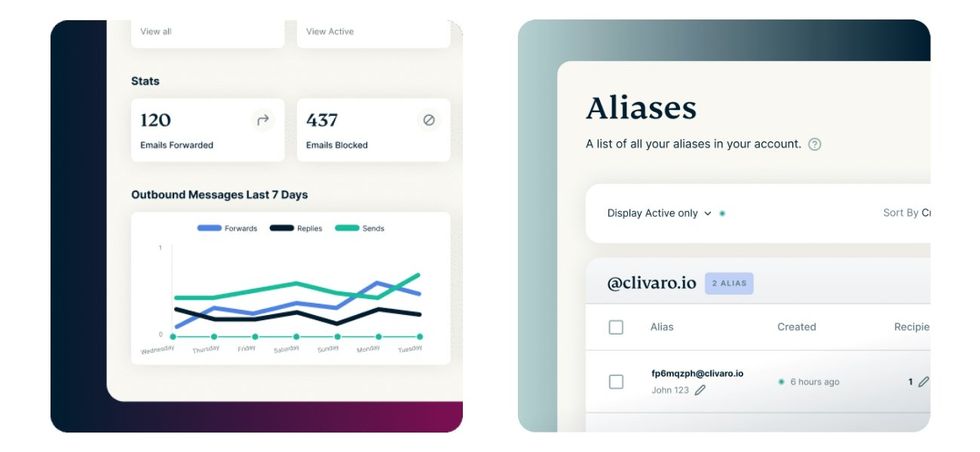
ExpressVPN's MailGuard feature is designed to safeguard your identity. It lets you generate unique email addresses for every app, online account, and subscription service that you use ...with everything forwarded to the email that you want to keep protected
|KAPE TECHNOLOGIES PRESS OFFICE
And the final step that we could all take to protect our data? Safeguard our email addresses.
Mr Membrey revealed how this works: "When you're online, there are two parts to your identity. One is the password you log in with, but the other is the email address you use. ExpressVPN's new MailGuard feature is like a VPN for your email.
"What it does is create an individual address for each website you use. And when that site sends an email to MailGuard, it will then forward it on to your actual email address. So the website provider only sees the address that you provided, not your real one.
"From your point of view, you can still receive email as per normal. This is amazing because if, for example, one of those websites were to leak your email address or were to go on to sell it to someone, when you start seeing spam and all that sort of thing turning up, you'll know which alias it came from. You can just press the block button on that.
"It helps protect your email address, but also helps with data minimisation. You see all these sites getting hacked constantly, and knowing that even if they knew one of your email addresses, they would have your actual email address, it gives you that extra peace of mind."
So, to recap, if you want the best shot of protecting your personal information, take the following 3 steps:
- Use a VPN to add military-grade encryption to everything you do online
- Never re-use the same password across multiple accounts
- Protect your email address to prevent phishing and identity fraud
***All products and promotions are independently selected by our experts. To help us provide free impartial advice, we will earn an affiliate commission if you buy something. Click here to learn more