

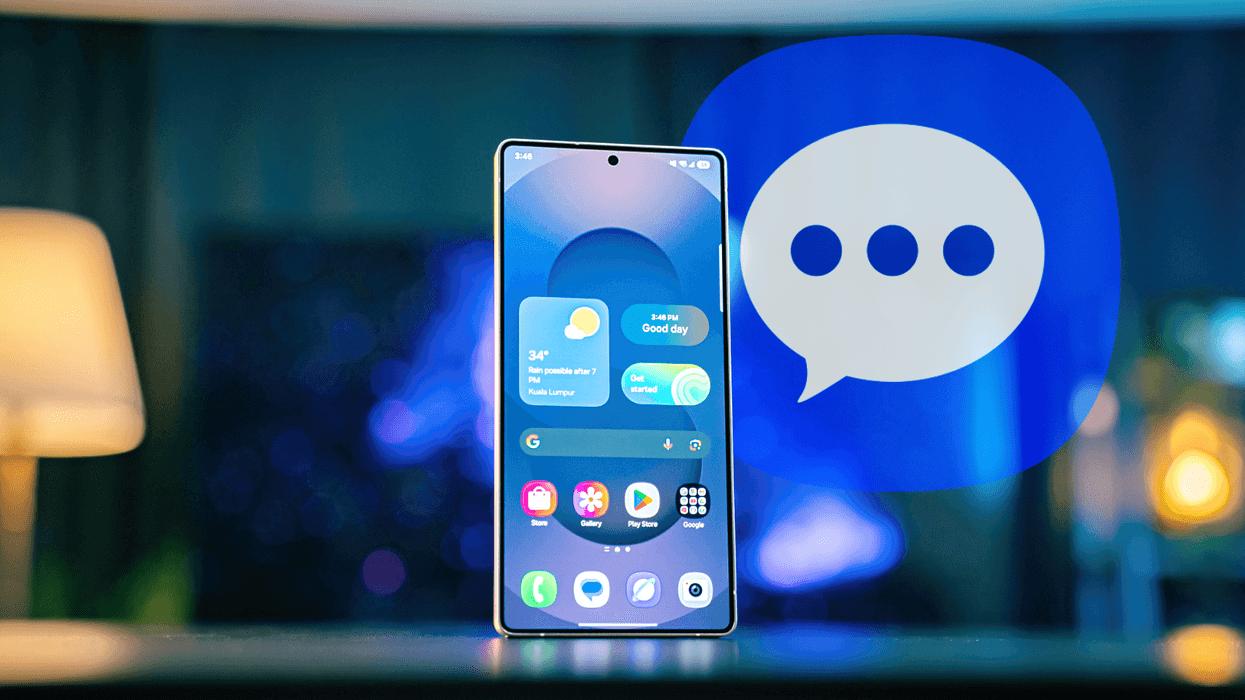






Samsung will cull a popular messaging platform on its Galaxy phones this summer. Samsung Messages, which has been installed on Galaxy devices as the default way to send texts since 2009, will be discontinued in July 2026.
The namesake rival to the likes of WhatsApp and iMessage is no longer available to download on the latest lineup of Samsung smartphones, the Galaxy S26, Galaxy S26+, and Galaxy S26 Ultra, which were launched earlier this year. For owners of older Galaxy handsets, this block will roll-out across these hugely-popular Android devices in July.
Samsung confirmed plans to retire its Samsung Messages app via a post on its US website. At the time of writing, the South Korean firm says this change will only apply to Galaxy users in the United States. It's unclear whether other markets, like the UK, will experience the same shake-up at a later date — or not at all.
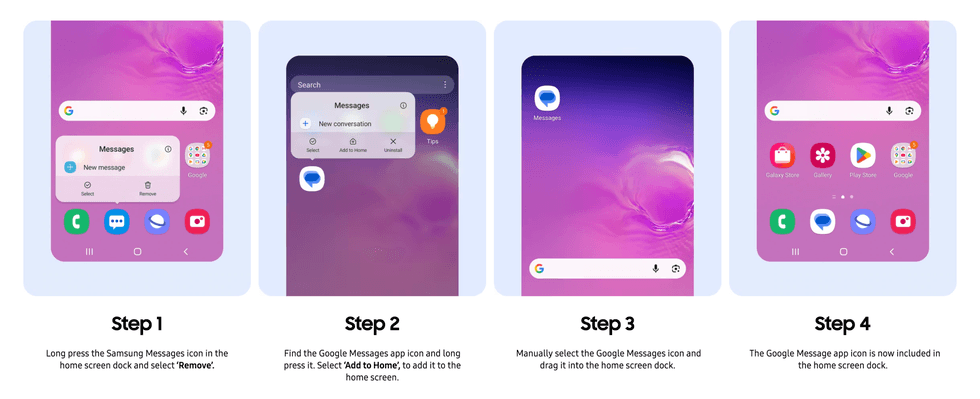
If you own a relatively recent Galaxy device, Samsung includes Google Messages out-of-the-box
|SAMSUNG PRESS OFFICE
If you're living Stateside with a Samsung Galaxy in your pocket, Samsung advises switching to Google Messages before July 2026 to continue to be able to send and receive text messages, photos, and videos.
For those who don't know, Google Messages is available to download via Google Play Store, although Samsung has been preinstalling this popular messaging service alongside its own app since the debut of the Galaxy S21 lineup five years ago.
If you have a relatively recent Samsung Galaxy device, chances are, it's already available on your handset. You might already be using this chat app for your messages and group chats.
LATEST DEVELOPMENTS
Samsung says moving over to this service — created and developed by Google, the brand behind the operating system that powers Galaxy devices — will ensure "a consistent messaging experience on Android." Galaxy owners in the US should check the Samsung Message app for the exact date when the messaging platform will go offline.
Google Messages supports RCS, which lets you share high-quality photos and videos, supports WhatsApp-like group chat features, and brings real-time typing indicators to your text messages across Android and iOS. This standard means those with green bubbles shouldn't expect an inferior experience.
Google has also introduced AI-powered scam detection and robust spam filters to quickly identify and block suspicious texts — keeping your inbox clean and your personal information safer. Chats are available across your phone, tablet, and smartwatch without interruption, with all messages synchronised.
The latest Google Gemini features, like an experimental new trick called “Remix” to generate images during conversations and AI-powered reply suggestions, come to Google Messages before other text apps.
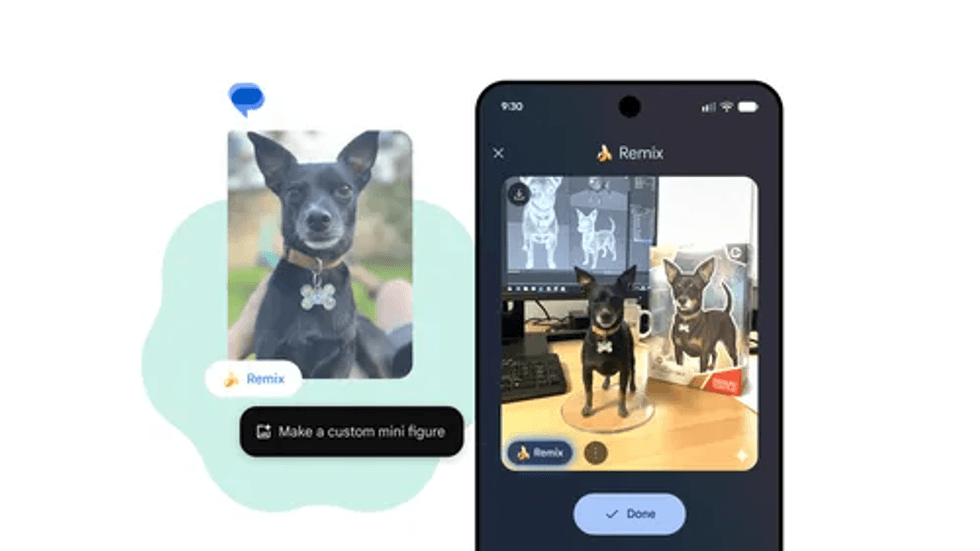
Remix is a fun AI-powered feature that's rolled-out to Google Messages, but isn't available in other Android-based chat apps, like Samsung Messages
|GOOGLE PRESS OFFICE
Owners of Galaxy devices running Android 11 or older operating systems will not be impacted by the discontinuation of Samsung Messages. You'll need to upgrade to a new Samsung Galaxy device to be automatically switched to Google Messages as the new standard for text messages, group chats, and more.
Unsure whether this applies to you? The quickest way to check the Android version running on your Samsung Galaxy is to launch the Settings app, scroll down and tap on About Phone > Software Information. You can also use the search icon in the Settings app and type "Software information" for direct access.