


All products and promotions are independently selected by our experts. To help us provide free impartial advice, we will earn an affiliate commission if you buy something. Click here to learn more





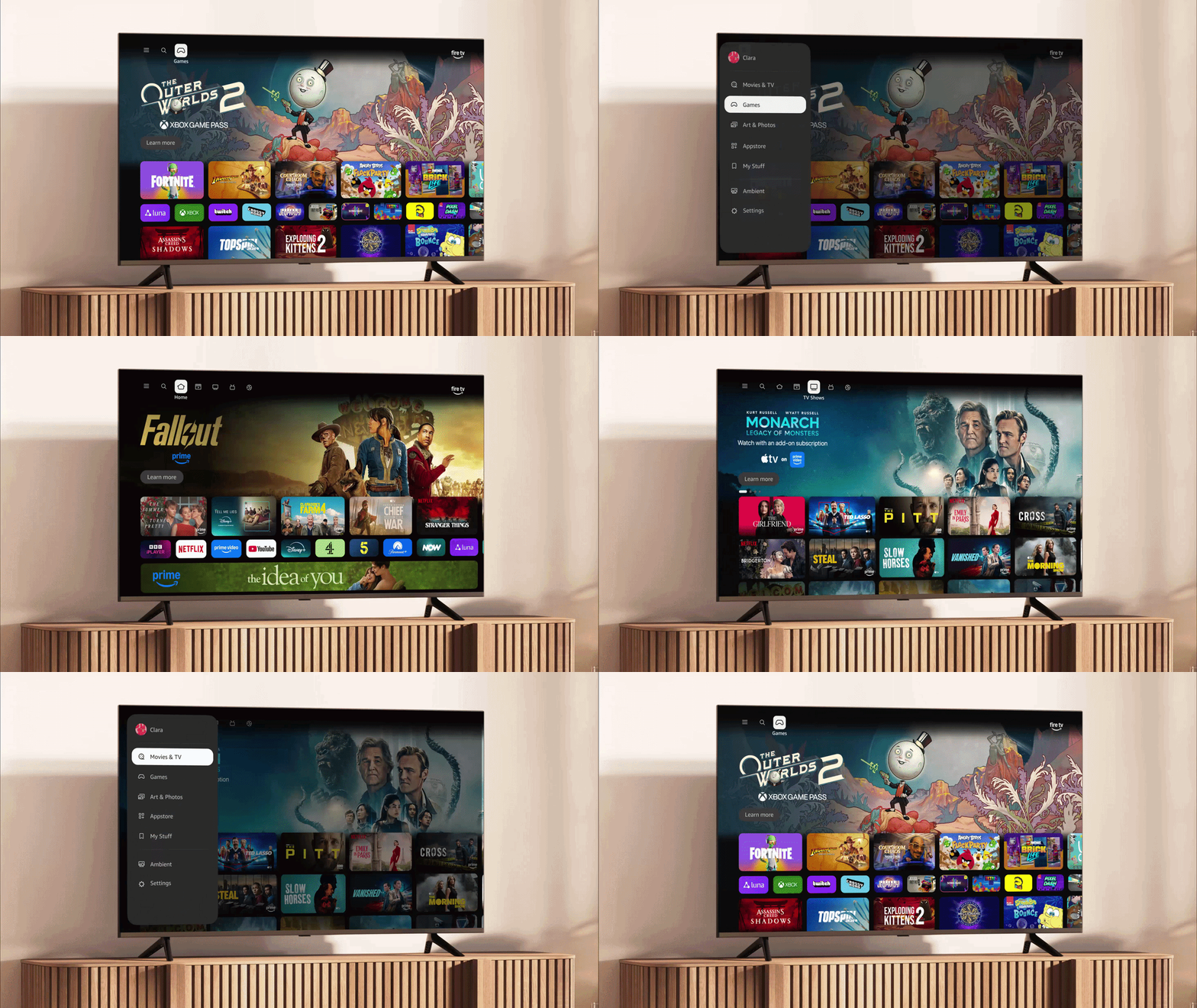
Amazon's blockbuster new upgrade to FireOS is now available to Fire TV Stick owners worldwide. Announced back in January, Amazon says the latest version of its software could boost performance by up to 30%.
That'll make jumping back into a boxset, switching between apps, and playing games much faster – without the need to upgrade to newer hardware. To achieve this impressive boost in performance, software teams at Amazon completely reworked the underlying code for the FireOS software, rebuilding it from the ground up.
It's not only faster, but the new FireOS has also been redesigned to be cleaner, more minimalist, and better organised. For long-term viewers, the new look is far from unrecognisable, but it's a little more refined. The artwork for individual shows, documentaries, sports fixtures, and blockbusters occupies more space on the main menu.
In a post on its website about the newly-released software, Amazon has called it the "biggest update ever".
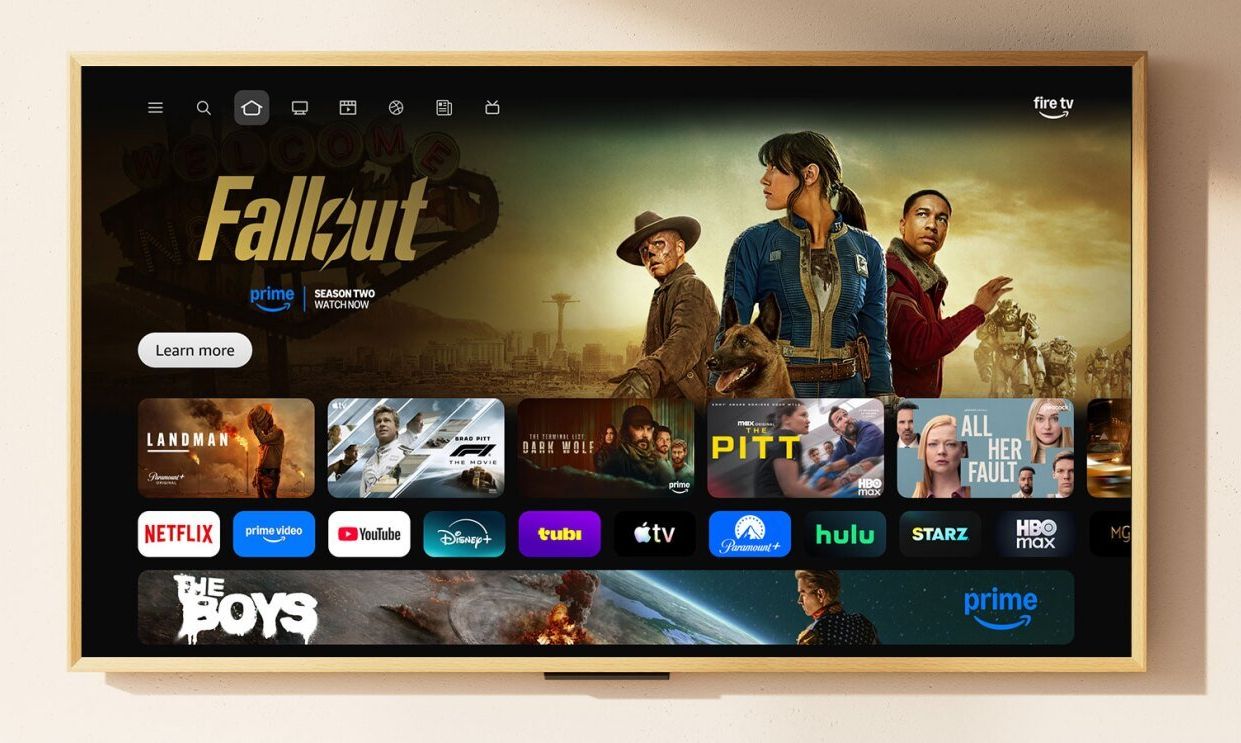
Alongside the updated visuals, Amazon has increased the number of apps you can pin to your home screen from 6 up to 20
|AMAZON PRESS OFFICE
Describing the new look for the user interface, Amazon promises: "You'll notice the sleek new look right away — cleaner layouts, smooth rounded corners, sophisticated colour gradients, and refined typography that just feels good to use. But it's not just about looks. Up to 30% faster with more fluid navigation means finding your next watch is effortless, and your content stays front and centre where it belongs."
With the World Cup on the horizon, Fire TV viewers will be able to keep up to speed with their team via a dedicated football hub that'll provide details on how to watch the next match.
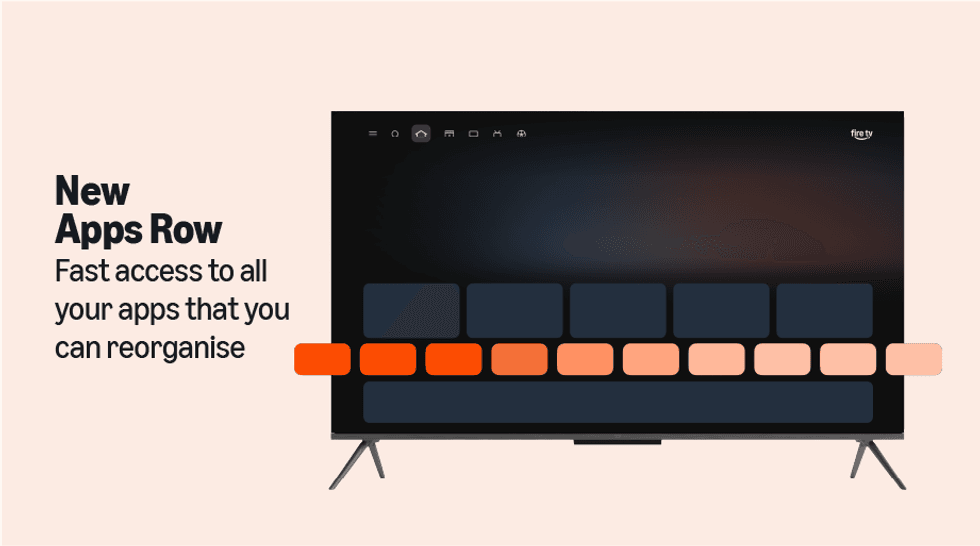
The new update almost triples the number of apps that can be added to the favourites carousel
|AMAZON PRESS OFFICE
Amazon also lets you pin more of your go-to apps so they're front-and-centre as soon as you switch on the Fire TV Stick. Instead of being limited to just six apps in your favourites bar, you'll be able to pin up to 20 different streaming services and applications in the carousel.
This means your most-used apps can all sit at your fingertips without endless scrolling.
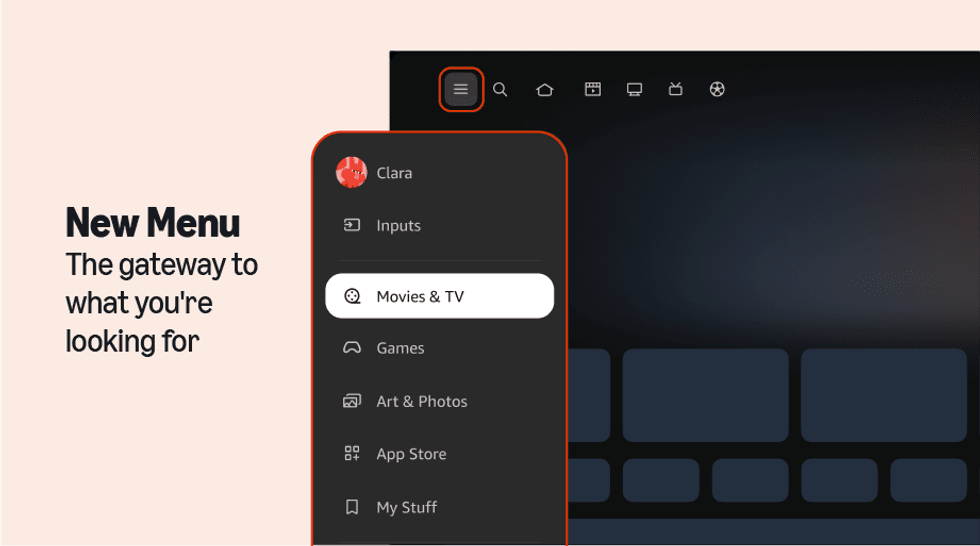
Amazon has sorted everything into categories based on what you want to do with your FireOS device. If you want to watch something, the Movies & TV tab has all of your recommendations, streaming services, and apps, while the Art & Photos has everything you need to set a classic piece of art as the screensaver
|AMAZON PRESS OFFICE
The redesign tackles one of streaming's biggest headaches: finding something to watch when you've got multiple subscriptions. When you browse for films or television programmes, you'll see content pulled from every service you've subscribed to, all displayed together in one unified view.
Rather than hopping between Netflix, Prime Video, Disney+ and your other apps individually, the new interface gathers everything from your subscriptions into organised categories. Whether you fancy a film, a TV series, live sport, or the latest news, you'll see what's available across all your apps at once.
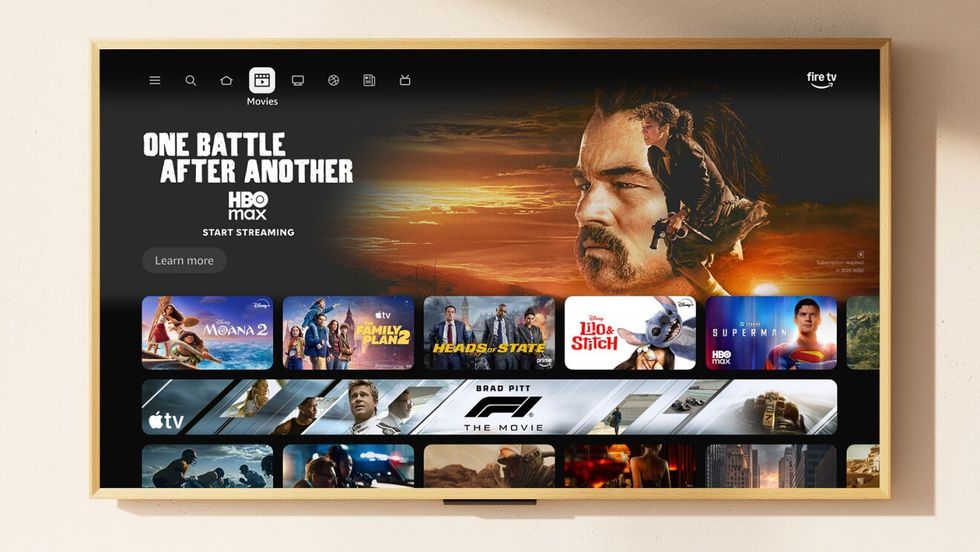
Everything looks familiar, but it has been refined to make use of the screen real estate
|AMAZON PRESS OFFICE
This is something we've seen from the likes of Sky Stream, Apple TV, and Roku.
Jumping around FireOS is faster than ever. Just press the Menu button to quickly switch between Games, Art & Photos, and Ambient Experience.
Amazon has also added a shortcut panel you can access by long-pressing the Home button on your remote. It gives you quick access to the most-used controls on Fire TV, including audio and display settings, your connected Ring cameras, and smart home device management.
And the changes won't end there.
LATEST DEVELOPMENTS
Amazon has also announced the upcoming launch of Fire TV Channels, which will be FAST (Free Ad-Supported Streaming Television) channels — one of the fastest growing categories in British telly – that bring a swathe of new TV shows, documentaries, and films to viewers with no downloads, sign-ups, or fees to start watching. Amazon has sorted these into categories, including sports, music videos, creators, comedy, cooking, travel, lifestyle and more.
Your Fire TV Stick will unlock a new tile labelled Fire TV Channels. If you own a Fire TV, simply turn on Fire TV and click on Fire TV Channels, and find the latest stories and what’s trending across your favourite topics.
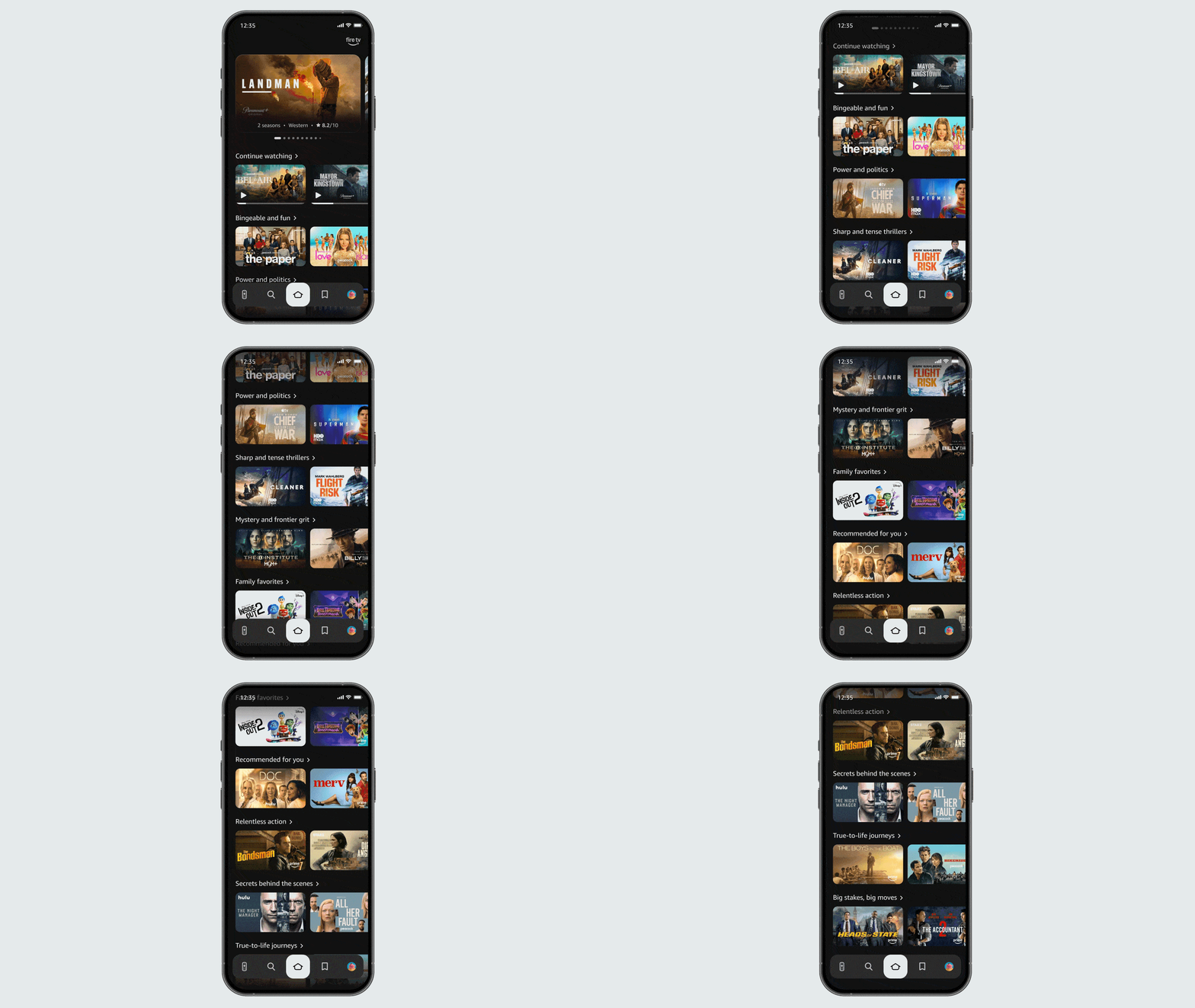
The iOS and Android apps have added a slew of new features, so if someone recommends a series over lunch, you can add it to your queue straight away, ready to watch when you get home
|AMAZON PRESS OFFICE
It's not just FireOS that's received a major overhaul, with the teams at Amazon also reworking the mobile app.
Until now, if you've downloaded the Fire TV app to your phone, you've probably only used it as a spare remote control when yours goes missing. But that's changed dramatically. This upgraded version lets you browse through available content, maintain your viewing list, and actually start playing programmes on your television — all from your Android or iPhone.
The mobile app will mirror the fresh design language of your TV interface, creating a consistent experience across both screens. You'll be able to use your phone as a secondary display for discovering new content to watch.
Perhaps most useful is the ability to update your watchlist whilst you're out and about. If a friend recommends a series over lunch, you can add it to your queue straight away, ready to watch when you get home.
If you've got one of these models, you're eligible to receive the new software experience:
- Fire TV Stick 4K Plus
- Fire TV Stick 4K Max (2nd Gen)
- Fire TV Omni Mini-LED Series
If you own a Fire TV 2-Series, Fire TV 4-Series, or Fire TV Omni QLED Series telly, you're on the list for the update too. The refresh to FireOS is a free update, so there's no subscription or additional fee to unlock the latest redesign. Available to Fire TV Stick owners in the UK and the rest of the globe for the first time, the new software experience is rolling out gradually over the coming weeks.
If you own a compatible device and don't see the update yet, try restarting your device:
- Go to Settings > My Fire TV > Restart
- Wait for your device to restart and check for the new interface
If you still don't see the new experience after restarting, it simply means the update hasn't reached your device yet. You don't need to do anything else – just sit tight, and the update will come to you soon.