









"This message will self-destruct in five seconds..." announced the briefings in every instalment in the Mission: Impossible franchise, destroying any evidence of the task assigned to Ethan Hunt. And now, WhatsApp hopes to recreate the same functionality with an upcoming tweak to its chat app.
It's hoped the new self-destruct feature will supercharge privacy for your messages.
The eagle-eyed team at WABetaInfo spotted that the popular messenger — used by billions worldwide — is testing a new "After Reading" timing option for disappearing messages on iPhone. It comes after the same team already spotted a version of this feature being trialled on Android.
Instead of your messages vanishing after a timer has expired after you hit send, these messages will only start their countdown once the person you're chatting with actually opens and reads them. It's a handy twist on the existing self-destructing messages system that's been around for a while. WhatsApp first introduced this concept to Android users back in 2020, with iPhone users not being treated to the same feature until nearly a year later.
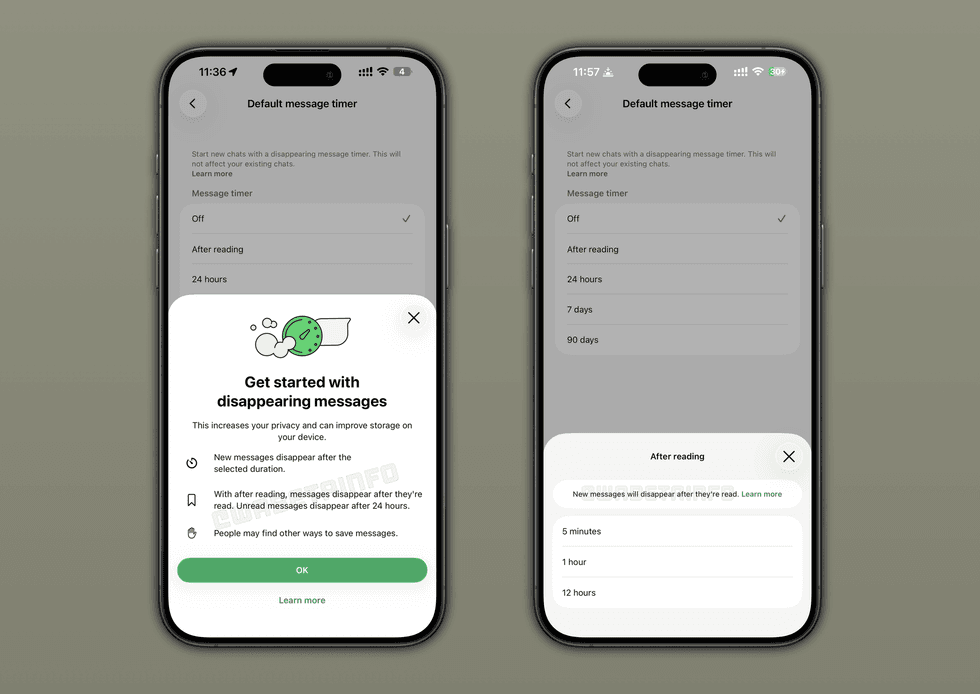
Instead of your messages simply vanishing after a set time from when you hit send, these messages will only start their countdown once the person you're chatting with actually opens and reads them
|WABetaIfo says you'll soon get three new timing options to choose from once someone reads your message. You can set texts to disappear after just five minutes, giving you a proper "burn after reading" experience. If that feels too rushed, there's also a 1-hour option or a more relaxed 12-hour window.
This works differently from the existing time-based options of 24 hours, 7 days, or 90 days. The current countdown begins from the moment a message is sent based on one of three time frames you choose.
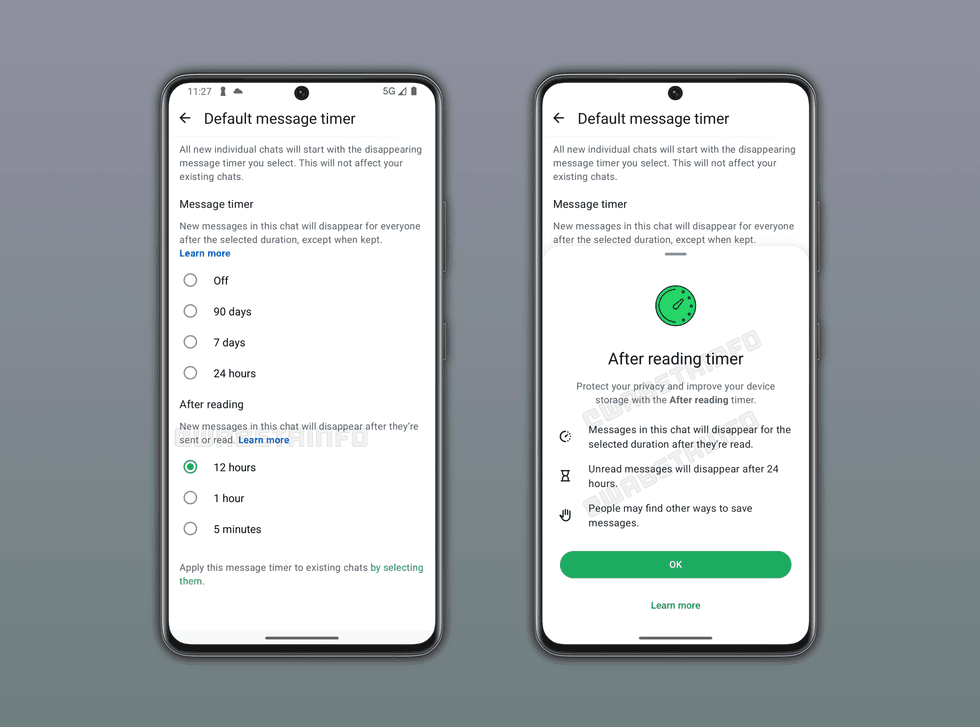
The update was first spotted being tested on Android devices
|WABETAINFO
Disappearing messages are optional, meaning you need to toggle them on yourself.
For iPhone, take these steps:
- Tap Settings or your profile picture, then tap Privacy.
- Tap Default message timer.
- Select 24 hours, 7 days, 90 days, or Off.
- If you want to apply the timer to existing chats, tap the chats you want to use disappearing messages in, then tap Apply.
- If you don't want to apply the timer to existing chats, tap < to apply changes.
For Android, follow these directions:
- Tap the three dots > Settings > Privacy.
- Tap Default message timer.
- Select 24 hours, 7 days, 90 days, or Off.
- If you want to apply the timer to existing chats, tap the chats you want to use disappearing messages in, then tap the green check mark.
- If you don’t want to apply the timer to existing chats, simply tap the left-pointing arrow to apply changes. Once the new update officially rolls out, you may also need to manually allow it in your settings.
LATEST DEVELOPMENTS
- Best VPN deals
- Your next Google Chrome update could stop AI scams and fake videos from tricking you
- Gemini Spark is a 'proactive' AI agent to manage your Gmail, write Google Docs, and make purchases for you
- Gmail's new AI tool will search through everything in your inbox to answer ANY question about your email
WABetaInfo says you'll also be able to apply After Reading to specific conversations rather than switching it on for everything, just like with the current disappearing messages ability.
Depending on how testing continues to go, WABetaInfo says WhatsApp plans to expand access to more people over the coming weeks, so keep an eye out for it.